
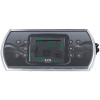

Gecko in.k336 Topside Control Panel (5-Button Rectangular LCD with Backlit Rim, Both Overlays Included) — Compatible with Gecko Y-Series Spa Pack Systems
$131.65
| Manufacturer part number | 0607-008112 |
| Returns | 30-day returns – see our returns policy |
4 in stock
Fast dispatch
Order in
--:--:--
for shipping today
🎛️ Gecko in.k336 Topside Control Panel (5-Button Rectangular LCD with Backlit Rim, Both Overlays Included) — Compatible with Gecko Y-Series Spa Pack Systems
Genuine Gecko Alliance OEM keypad — premium 5-button control with backlit outer rim, designed for the Y-Series in.yj, in.ye, and in.yt control systems.
📋 Product Overview
The Gecko Alliance in.k336 is a streamlined 5-button rectangular topside control keypad with rounded ends, an LCD display, and a distinctive backlit outer rim — a premium aesthetic feature that distinguishes it from basic spa keypads. Designed and manufactured by Gecko Alliance in Quebec, Canada, the in.k336 is part of the in.k330 keypad series and is compatible with all Gecko Y-Series control systems, including the in.yj-3, in.ye-3, in.ye-3-V3, in.ye-5, and in.yt-7 spa packs.
This keypad ships with both 1-pump and 2-pump self-adhesive overlays included — letting you choose the exact button configuration to match your spa setup at the time of installation. The 1-pump overlay provides Up / Down / Pump1 / Light / Program controls; the 2-pump overlay provides Up / Down / Pump1 / Pump2 / Light controls. No separate overlay purchase needed.
The in.k336 connects to your spa pack through Gecko’s proprietary in.Link connector — a robust waterproof connection used across the entire Gecko keypad family. This is a fundamentally different connector than Balboa’s RJ45 or Molex systems, so the in.k336 is strictly for Gecko Y-Series spa packs, not Balboa-equipped systems. The keypad supports advanced Gecko ecosystem features including the in.lu.me LED lighting system and in.temp heat pump integration, and pairs with the in.touch 2 module for WiFi spa control. Genuine Gecko Alliance OEM, with a 10-foot cable and the high-contrast LCD that provides clear visibility of temperature and system status.
⭐ Key Features
- ✅ Genuine Gecko Alliance OEM — Authentic factory part from the Canadian manufacturer
- ✅ Part of the in.k330 Keypad Series — Premium Gecko keypad family
- ✅ 5-Button Streamlined Control — Up / Down / Pump1 / Pump2 (or Program) / Light
- ✅ Backlit Outer Rim — Distinctive premium aesthetic; excellent low-light visibility
- ✅ High-Contrast LCD Display — 1.5″ (38 mm) diagonal screen with excellent contrast and brightness
- ✅ Rectangular with Rounded Ends — Modern aesthetic; 7-1/8″ × 3-1/8″ footprint
- ✅ Compatible with All Gecko Y-Series Systems — in.yj-3, in.ye-3, in.ye-3-V3, in.ye-5, and in.yt-7
- ✅ Both 1-Pump AND 2-Pump Overlays Included — Self-adhesive; choose the right configuration at install time
- ✅ in.lu.me LED Lighting System Support — Integrates with Gecko’s premium LED lighting
- ✅ in.temp Heat Pump Support — Works with Gecko’s heat pump accessory
- ✅ WiFi-Compatible via in.touch 2 — Pair with the in.touch 2 module for smartphone spa control
- ✅ in.Link Connector — Gecko’s proprietary waterproof spa-side connection
- ✅ 10-Foot Cable — Generous standard length for flexible installation
- ✅ Direct Access to Essential Spa Functions — Temperature adjust, pump control, light, and program/mode
- ✅ Compatible with Gecko in.YJ and in.YT Kits — Used in factory-original Y-Series installations
- ✅ Manufacturer Warranty — Backed by Gecko Alliance
⚙️ Technical Specifications
| Specification | Value |
|---|---|
| Manufacturer | Gecko Alliance (Quebec, Canada) |
| Model | in.k336 |
| Manufacturer Part Number | 0607-008112 |
| Series | in.k330 keypad series |
| Topside Type | Electronic (Complete Topside) |
| Display Type | LCD with backlit outer rim |
| LCD Diagonal | 1.5″ (38 mm) |
| Number of Buttons | 5 |
| Compatible Spa Pack Family | Gecko Y-Series |
| Compatible Y-Series Models | in.yj-3, in.ye-3, in.ye-3-V3, in.ye-5, in.yt-7 |
| Cable Length | 10 ft (~3 m) |
| Connector Type | in.Link (Gecko proprietary) |
| Panel Shape | Rectangular with Rounded Ends |
| Panel Dimensions | 7-1/8″ × 3-1/8″ (183 × 76 mm) |
| Panel Total Thickness | ~2-3/8″ (60 mm) |
| Cutout / Hole Size | ~6-1/4″ × 2-3/16″ (158 × 56 mm) |
| Overlays Included | Yes — both 1-pump and 2-pump self-adhesive overlays |
| Special Feature Support | in.lu.me LED lighting, in.temp heat pump, in.touch 2 WiFi |
| Color | Black with backlit rim |
| Warranty | Per Gecko Alliance warranty agreement |
📌 Always confirm cutout size against your existing panel before ordering — small variations exist between spa shells.
🔧 Parts and fittings for this
| Part | Our part number | Availability | Price | ||
|---|---|---|---|---|---|
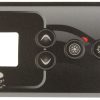 |
Overlay, Gecko in.k336, Up, Down, Pump1, Light, Program | 9916-101749 | 11 in stock | $14.31 | Add to cart |
 |
Overlay, Gecko in.k336, Up, Down, Pump1, Pump2, Light | 9916-101750 | 9 in stock | $24.40 | Add to cart |
🔄 Compatibility Guide
This Keypad is Compatible With Gecko Y-Series Spa Pack Systems:
| Spa Pack Model | Y-Series Family | Description | Confirmed |
|---|---|---|---|
| Gecko in.yj-3 | Y-Series compact | Operates one 2-speed pump, or two 1-speed pumps; CP, ozonator support; 4.0kW heater; 115V/230V | ✅ |
| Gecko in.ye-3 | Y-Series mid-range | 3 configurable outputs, 4kW heater | ✅ |
| Gecko in.ye-3-V3 | Y-Series mid-range V3 | Updated 3-output configuration | ✅ |
| Gecko in.ye-5 | Y-Series 5-output | 5 configurable outputs; 4kW heater; standard 12Vdc light; ideal for entry to mid-range spas | ✅ |
| Gecko in.yt-7 | Y-Series 7-output | 7 configurable outputs; 4kW heater; 12V light; ideal for mid-range to high-end spas with up to 3 pumps, blower, circ pump, ozonator | ✅ |
Used As Factory-Original Keypad in These Gecko Y-Series Kits:
- ✅ Gecko in.YJ Kits, Topsides, Parts & Accessories — Direct factory equivalent
- ✅ Gecko in.YT Kits, Topsides, Parts & Accessories — Direct factory equivalent
- ✅ Many spa manufacturers using Gecko Y-Series control architecture
NOT Compatible With:
- ❌ Balboa spa pack systems — Balboa uses RJ45 or Molex connectors, not in.Link
- ❌ Balboa VS, GS, EL, GL, or BP series — Different ecosystem entirely; use the appropriate Balboa topside (VL, ML, or TP series)
- ❌ Gecko MSPA / TSPA / SSPA legacy systems — Different keypad family
- ❌ Older Gecko in.xe systems — Verify documentation; some in.xe variants may need a different keypad
- ❌ HydroQuip, ACC, or non-Gecko control systems — Different connectors and protocols
- ❌ Pneumatic / air-button (Tecmark Command Center, EasyPak) systems
⚠️ Critical — Gecko vs Balboa: The in.k336 uses Gecko’s proprietary in.Link connector. If your existing keypad has an RJ45 8-wire (Ethernet-style) plug or a 4-pin Molex connector, your spa pack is Balboa-equipped, not Gecko — and the in.k336 will NOT work. Always verify the connector type at your spa pack’s keypad port before ordering.
How to Verify Compatibility:
📍 Open your spa cabinet and locate the spa pack — look for a Gecko Alliance label 📍 Confirm the model is one of: in.yj-3, in.ye-3, in.ye-3-V3, in.ye-5, or in.yt-7 📍 Check that your existing keypad cable has an in.Link connector (Gecko proprietary, NOT RJ45 or Molex) 📍 Compare your old keypad dimensions to 7-1/8″ × 3-1/8″ rectangular with rounded ends 📍 Verify the cutout size is approximately 6-1/4″ × 2-3/16″ (158 × 56 mm) 📍 Identify your spa’s pump configuration (1 pump or 2 pumps) to choose the right included overlay 📍 Contact Parts4Tubs with your spa pack model number if you’re unsure
🔘 Button Functions & Display
The in.k336 has 5 physical buttons. The button labels match the overlay applied. Both overlays are included with this keypad — you choose which to apply based on your spa’s pump configuration:
1-Pump Overlay (Gecko Part 9916-101750 — Up / Down / Pump1 / Light / Program):
For single-pump spas with the standard Y-Series feature set:
| Button | Function |
|---|---|
| Up | Increase set water temperature |
| Down | Decrease set water temperature |
| Pump1 | Pump 1 on/off and 2-speed cycle |
| Light | Spa light on/off (compatible with in.lu.me LED system) |
| Program | Access programming menu (filter cycles, mode settings, etc.) |
2-Pump Overlay (Gecko Part 9916-101749 — Up / Down / Pump1 / Pump2 / Light):
For dual-pump spas needing independent jet pump control:
| Button | Function |
|---|---|
| Up | Increase set water temperature |
| Down | Decrease set water temperature |
| Pump1 | Pump 1 on/off and 2-speed cycle |
| Pump2 | Pump 2 on/off |
| Light | Spa light on/off (compatible with in.lu.me LED system) |
📌 In the 2-pump configuration, programming menu access is achieved through button combinations rather than a dedicated Program button — refer to the in.k330 TechBook for the specific button sequence.
Display Information:
| Display Element | Shows |
|---|---|
| LCD digits | Current and set water temperature (°F) |
| Backlit outer rim | Premium aesthetic; visibility enhancement in low-light conditions |
| Active function indicators | Pump 1, Pump 2, light, and heater states |
| Mode indicators | Standard / Economy / Sleep mode status |
| Filter cycle status | Filtration scheduling information |
| Error codes | Diagnostic codes from the Y-Series spa pack |
| Programming menu | Configuration access for filter cycles and modes |
📌 The in.k336’s distinctive backlit outer rim is a defining premium feature — most basic spa keypads only backlight the display, but the in.k336 illuminates the entire perimeter of the keypad for a polished look that’s especially attractive in evening spa use.
🛠️ Installation Guide
Before Installation:
- ⚠️ Disconnect power at the GFCI breaker before any work
- ⚠️ Confirm your spa pack is a Gecko Y-Series system (in.yj-3, in.ye-3, in.ye-3-V3, in.ye-5, or in.yt-7)
- ⚠️ Verify the 10-foot cable will reach from the keypad cutout to the spa pack
- ⚠️ Decide which overlay (1-pump or 2-pump) matches your spa configuration
- ⚠️ Ensure cutout dimensions are approximately 158 × 56 mm (6-1/4″ × 2-3/16″)
- ⚠️ Verify the existing connector is in.Link (NOT RJ45 or Molex — those are Balboa)
Installation Steps:
- Power Down — Turn off all power to your hot tub at the GFCI / disconnect (safety first)
- Open the spa cabinet and locate the in.Link cable on the Gecko Y-Series spa pack
- Disconnect the old keypad cable from the spa pack’s in.Link port — refer to the Y-Series start-up guide for the exact disconnect procedure
- Remove the old keypad from the spa shell cutout
- Prepare the Surface — Clean the mounting area thoroughly with rubbing alcohol and allow it to dry completely
- Choose and Apply Your Overlay — Select the 1-pump or 2-pump self-adhesive overlay based on your spa’s configuration; align carefully over the button positions and LCD display window
- Route the new cable through the cabinet to the spa pack
- Plug the new in.Link connector into the spa pack’s keypad port
- Apply silicone sealant around the keypad edge if recommended by your spa manufacturer
- Mount the new keypad in the spa shell cutout — press firmly into place
- Restore power at the breaker
- Test all functions — Up/Down temperature adjust, Pump1 (and Pump2 if applicable), Light, and verify LCD display lights up clearly with the backlit rim active
Mounting:
| Requirement | Specification |
|---|---|
| Panel size | 7-1/8″ × 3-1/8″ (rectangular, rounded ends) |
| Cutout size | ~6-1/4″ × 2-3/16″ (158 × 56 mm) |
| Panel total thickness | ~2-3/8″ (60 mm) |
| Mounting type | Drop-in / surface-mounted with sealant |
⚠️ Professional installation by a competent individual or tradesman trained in spa equipment is recommended. All work must comply with the National Electrical Code (NEC) and local codes. Refer to the Gecko in.k330 TechBook and Y-Series Start-Up Guide for detailed installation procedures.
⚡ Wiring & Connection
Connector Information:
| Specification | Detail |
|---|---|
| Connector Type | in.Link (Gecko Alliance proprietary) |
| Cable Length | 10 ft (~3 m) standard |
| Waterproof Rating | IPX5 spa pack waterproof design (per Y-Series specifications) |
Connection Location:
Plugs into the dedicated in.Link keypad port on Gecko Y-Series spa packs:
in.yj-3, in.ye-3, in.ye-3-V3, in.ye-5, or in.yt-7.
Refer to the in.k330 TechBook for the exact port location on your specific
spa pack model.
⚠️ Never force the connector. The in.Link plug should slide in cleanly. If it doesn’t fit, your spa pack is likely Balboa (RJ45 or Molex) or a different control system — verify before proceeding.
🔍 Troubleshooting
Common Issues:
| Problem | Possible Cause | Solution |
|---|---|---|
| Blank LCD | No power or loose connection | Verify breaker on; reseat the in.Link plug at the spa pack |
| Error codes shown | Y-Series spa pack issue (sensor, flow, heater) | Refer to the Y-Series TechBook for code meanings |
| No backlight on outer rim | Backlight fault or voltage issue | Verify cable connection; replacement may be needed |
| Pump 2 button doesn’t respond (with 2-pump overlay) | Spa pack configured for 1 pump only, or wrong overlay applied | Verify spa pack pump configuration; check overlay choice |
| Wrong overlay applied | Owner applied 2-pump overlay on 1-pump spa (or vice versa) | Replacement overlays may be available separately if you’ve already applied one |
| Buttons unresponsive | Worn overlay or moisture intrusion | Inspect overlay for wear or water damage |
| Foggy or unreadable LCD | Internal moisture from a failed seal | Replace the keypad; check overlay seal |
| Incorrect temperature reading | Sensor fault on spa pack (not topside) | Check temperature sensor at the heater (Y-Series uses solid-state water flow detection) |
| in.Link connector won’t fit | Wrong connector type — system may be Balboa or other brand | Verify control system manufacturer before ordering |
| WiFi not working | Requires in.touch 2 module (sold separately) | The in.k336 itself doesn’t have built-in WiFi — pair with in.touch 2 |
Error Codes:
Error codes are generated by the Y-Series spa pack, not the keypad.
Refer to the in.k330 TechBook or Y-Series Start-Up Guide for code definitions.
Common codes: HL (high limit), HH (heater high), Sn (sensor), FL (flow).
🔧 Maintenance & Care
Routine Care:
| Task | Frequency |
|---|---|
| Wipe keypad face with damp cloth | Weekly |
| Check button response (all 5 buttons) | Monthly |
| Verify backlit rim operation | Monthly |
| Verify LCD display contrast | Monthly |
| Inspect cable connections | Annually |
| Inspect overlay for wear and water seal | Annually |
DO NOT:
- ❌ Use abrasive cleaners or scouring pads
- ❌ Submerge the keypad in water or chemicals
- ❌ Use solvent-based cleaners (acetone, lacquer thinner, etc.)
- ❌ Press buttons with sharp objects (pens, keys, fingernails)
Overlay Replacement:
If your overlay becomes worn, faded, peeling, or buttons are unresponsive due to overlay damage, replacement overlays are available separately:
| Overlay Layout | Gecko Part Number |
|---|---|
| Up / Down / Pump1 / Light / Program (1-pump) | 9916-101750 |
| Up / Down / Pump1 / Pump2 / Light (2-pump) | 9916-101749 |
📌 Both overlays are included with the in.k336 keypad at initial purchase. Replacement overlays are typically only needed if the original has been damaged or if you want to switch from 1-pump to 2-pump configuration after the original was applied.
🎯 Ideal Applications
| Application | Suitability |
|---|---|
| ♨️ Replacement for failed in.k336 keypad | ✅ Direct fit |
| ♨️ Spas with Gecko in.yj-3 spa packs | ✅ Direct factory equivalent |
| ♨️ Spas with Gecko in.ye-3 or in.ye-3-V3 spa packs | ✅ Direct factory equivalent |
| ♨️ Spas with Gecko in.ye-5 spa packs | ✅ Direct factory equivalent |
| ♨️ Spas with Gecko in.yt-7 spa packs | ✅ Direct factory equivalent |
| ♨️ Single-pump hot tubs (with 1-pump overlay) | ✅ Compatible — overlay included |
| ♨️ 2-pump hot tubs (with 2-pump overlay) | ✅ Compatible — overlay included |
| ♨️ Spas using in.lu.me LED lighting | ✅ Native support |
| ♨️ Spas with in.temp heat pump | ✅ Native support |
| ♨️ Spas paired with in.touch 2 WiFi module | ✅ Compatible |
| ♨️ Premium spa shells where backlit rim aesthetic is valued | ✅ Ideal — defining feature |
| ♨️ OEM use by spa builders with Gecko Y-Series | ✅ Standard fit |
| ♨️ Repair shop service inventory for Gecko-equipped spas | ✅ Direct replacement |
| ♨️ Balboa-equipped spas (any VS, GS, EL, GL, or BP system) | ❌ NOT compatible — different connector |
| ♨️ Spas with HydroQuip or ACC controls | ❌ NOT compatible — different connector |
Common Replacement Scenarios:
- LCD has gone blank, foggy, or shows partial segments
- One or more buttons no longer respond
- Backlit rim has failed
- Internal water damage from a failed overlay seal
- Cable damaged or pulled during cabinet service
- Owner upgrading from a basic Y-Series keypad to the premium in.k336 with backlit rim
- Builder/installer needs a base keypad for Y-Series builds (with both overlays included)
- Owner switching from 1-pump to 2-pump configuration (and applying the alternate included overlay)
🤔 Frequently Asked Questions
Q: Are the overlays included? A: Yes — this listing includes both 1-pump and 2-pump self-adhesive overlays. You choose which one to apply at installation time based on your spa’s pump configuration. This is one of the in.k336’s standout convenience features versus competing keypads where overlays are sold separately.
Q: How do I know which overlay to apply? A: Match the overlay to your spa’s pump count:
- 1 jet pump → apply the 1-pump overlay (Up / Down / Pump1 / Light / Program)
- 2 jet pumps → apply the 2-pump overlay (Up / Down / Pump1 / Pump2 / Light)
If your spa has more advanced features (3 pumps, blower, etc.), you may need a higher-capacity keypad like the in.k450 (7-button) instead.
Q: Will the in.k336 work with my Balboa spa pack? A: No — the in.k336 is strictly for Gecko Y-Series spa packs. Balboa systems use either RJ45 (VS/GS series) or 4-pin Molex (BP series) or 8-pin Molex (EL/GL series) connectors, while the in.k336 uses Gecko’s proprietary in.Link connector. If you have a Balboa system, you need a Balboa topside (VL series, ML series, or TP series depending on your spa pack).
Q: How do I tell if my spa pack is Gecko or Balboa? A: Look at the spa pack inside the equipment cabinet:
- Gecko Alliance packs are typically labeled “in.yj”, “in.ye”, “in.yt”, “in.xe”, or similar — and use the in.Link connector
- Balboa Water Group packs are labeled “VS”, “GS”, “BP”, “EL”, or “GL” — and use RJ45 or Molex connectors
The connector style is the easiest visual cue — in.Link is unique to Gecko.
Q: What is the in.k330 series? A: The in.k330 series is Gecko Alliance’s family of premium Y-Series keypads sharing common features like the backlit outer rim, high-contrast LCD, and in.Link connector. The in.k336 is the 5-button member of this family. Other Gecko keypads include the in.k200 (4-button), in.k300 (older 5-button), in.k450 (7-button with 3-output LCD), and in.k600 (static), among others.
Q: How is the in.k336 different from the in.k200 and in.k450? A: All three are Gecko Y-Series keypads but with different button counts and feature levels:
- in.k200 — 4-button, 1 pump, LED display (entry-level)
- in.k336 — 5-button, 1 OR 2 pump, LCD with backlit rim (this keypad — mid-range)
- in.k450 — 7-button, 3-output, LCD with overlay (high-end)
Choose the keypad that matches your spa’s pump and accessory configuration.
Q: What is the in.lu.me LED lighting system? A: in.lu.me is Gecko’s premium LED lighting platform for spa illumination. The in.k336 natively supports in.lu.me — pressing the Light button on the keypad gives you direct control over compatible in.lu.me LED systems for color and effect selection (refer to your in.lu.me documentation for advanced effects).
Q: What is the in.temp heat pump? A: in.temp is Gecko’s heat pump accessory that provides energy-efficient heating for Y-Series spas. The in.k336 displays heat pump status and integrates with the in.temp control logic — no separate keypad required.
Q: Can I get WiFi spa control with this keypad? A: The in.k336 itself does not have built-in WiFi, but it works seamlessly with Gecko’s in.touch 2 module (sold separately). The in.touch 2 connects to your home WiFi network and provides smartphone app control of your Y-Series spa. The in.k336 remains the primary at-spa control while in.touch 2 adds remote/app access.
Q: What is the difference between in.yj-3, in.ye-3, in.ye-5, and in.yt-7? A: These are different members of the Y-Series spa pack family with varying capability levels:
- in.yj-3 — Compact pack: one 2-speed pump or two 1-speed pumps; ideal for entry-level spas
- in.ye-3 / in.ye-3-V3 — Mid-range pack: 3 configurable outputs
- in.ye-5 — 5 configurable outputs: pump 1 (1 or 2 speeds), pump 2 (1 or 2 speeds), blower, circ pump, or ozonator (entry to mid-range)
- in.yt-7 — 7 configurable outputs: up to 3 pumps, blower, circ pump, ozonator (mid-range to high-end)
The in.k336 works with all five.
Q: My spa cabinet has a 10-foot cable run. Will the included cable reach? A: Yes — the in.k336 ships with a 10-foot cable, which is generous for most spa cabinet routing. If you need additional length, Gecko in.Link extension cables may be available; contact Parts4Tubs for options.
Q: My old keypad part says 0607-008112 — is this the same? A: Yes. 0607-008112 is the Gecko Alliance manufacturer part number for the in.k336. This listing is the direct equivalent.
Q: What is the cutout size? A: The cutout (hole) size is approximately 6-1/4″ × 2-3/16″ (158 × 56 mm). The keypad face is 7-1/8″ × 3-1/8″ (183 × 76 mm) and rests on the spa shell around the cutout perimeter. Verify your existing cutout matches before ordering.
Q: Is the keypad backlit, or just the rim? A: Both — the outer rim is backlit (the in.k336’s signature premium aesthetic feature) AND the LCD display has its own backlight for clear visibility of temperature and status. This dual lighting makes the in.k336 especially attractive in evening spa use or low-light environments.
Q: Can I install this myself? A: For DIY installation, basic skill is sufficient:
- The in.Link connector only fits one way — you can’t insert it backward
- Both overlays are included and self-adhesive
- Step-by-step procedures are documented in the Y-Series Start-Up Guide and in.k330 TechBook
- The hardest part is safely shutting off power at the GFCI breaker — if you’re not comfortable with that, hire a licensed electrician for the power-off step at minimum
Q: What documentation is available? A: The Gecko in.k330 TechBook (which covers the in.k336 along with other in.k330 series keypads) and the Y-Series Start-Up Guide are available from Gecko Alliance’s documentation portal (geckodocs.com/yseries). Contact Parts4Tubs if you need help locating the specific document for your installation.
Q: Will this work with my 120V or 240V spa? A: The keypad itself runs on low-voltage signal from the spa pack, so it works regardless of whether your Y-Series spa pack is wired for 115V or 230V service. Each Y-Series pack output voltage can be configured at the spa pack level.
Q: What warranty is included? A: This part is covered by the Gecko Alliance manufacturer warranty. See the Gecko warranty agreement at geckodepot.com for full terms.
Q: Do you ship across the US? A: Yes — Parts4Tubs ships to all 50 states with fast US delivery.
🏆 Why Choose the Gecko in.k336 Keypad
- ✅ Genuine Gecko Alliance OEM — Authentic Canadian-manufactured part, not aftermarket
- ✅ Premium backlit outer rim — Distinctive aesthetic that sets the in.k336 apart from basic keypads
- ✅ High-contrast LCD with excellent brightness — Clear visibility in any lighting condition
- ✅ Both overlays included — 1-pump AND 2-pump self-adhesive overlays in the box
- ✅ Compatible with all Gecko Y-Series spa packs — in.yj-3, in.ye-3, in.ye-3-V3, in.ye-5, in.yt-7
- ✅ Native in.lu.me LED support — Direct control of premium LED lighting systems
- ✅ in.temp heat pump integration — Energy-efficient heating support
- ✅ WiFi-compatible via in.touch 2 — Add smartphone control with the in.touch 2 module
- ✅ Generous 10-foot cable — Flexible installation in larger spa shells
- ✅ Streamlined 5-button design — Direct access to all essential spa functions
- ✅ Used in factory in.YJ and in.YT kits — OEM-quality for Y-Series builds
- ✅ Backed by Gecko Alliance warranty — Manufacturer support
🇺🇸 Why Buy From Parts4Tubs
- ✅ Fast US shipping to all 50 states
- ✅ Expert advice from spa specialists
- ✅ Compatibility assistance — send us your Gecko spa pack model number to confirm Y-Series fit
- ✅ Full manufacturer warranty support
- ✅ Easy returns within 30 days (unopened keypads only — topsides cannot be returned once installed)
- ✅ Genuine OEM Gecko Alliance parts
- ✅ Replacement overlays and Gecko accessories available
⭐ Summary
The Gecko Alliance in.k336 is the genuine OEM 5-button rectangular keypad with backlit outer rim and high-contrast LCD, designed for Gecko Y-Series spa pack control systems (in.yj-3, in.ye-3, in.ye-3-V3, in.ye-5, in.yt-7). With its premium aesthetic, 7-1/8″ × 3-1/8″ rectangular footprint with rounded ends, 10-foot cable, in.Link proprietary Gecko connector, and both 1-pump and 2-pump self-adhesive overlays included in the box (no separate overlay purchase required), it’s the natural mid-range choice for Y-Series spa builds and replacements. Native support for the in.lu.me LED lighting system and in.temp heat pump, plus WiFi compatibility via the in.touch 2 module, makes the in.k336 a feature-rich keypad for modern Gecko-equipped spas. Important: The in.k336 is exclusively for Gecko Y-Series systems — it is NOT compatible with Balboa, HydroQuip, ACC, or other control systems due to its proprietary in.Link connector. Order today from Parts4Tubs for fast US shipping and expert support.
| Brand | Gecko |
|---|---|
| H Part# | 58-337-1590 |