
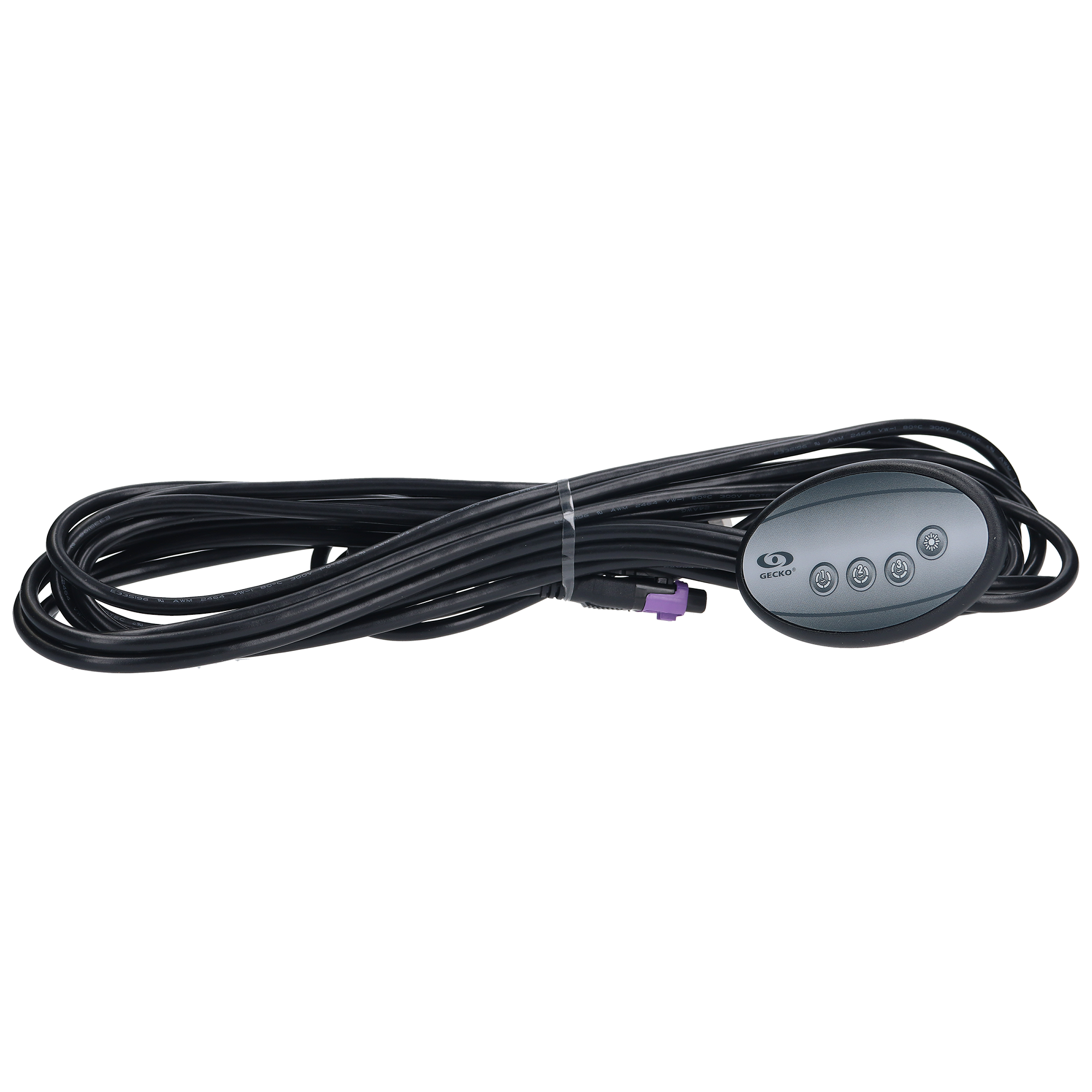
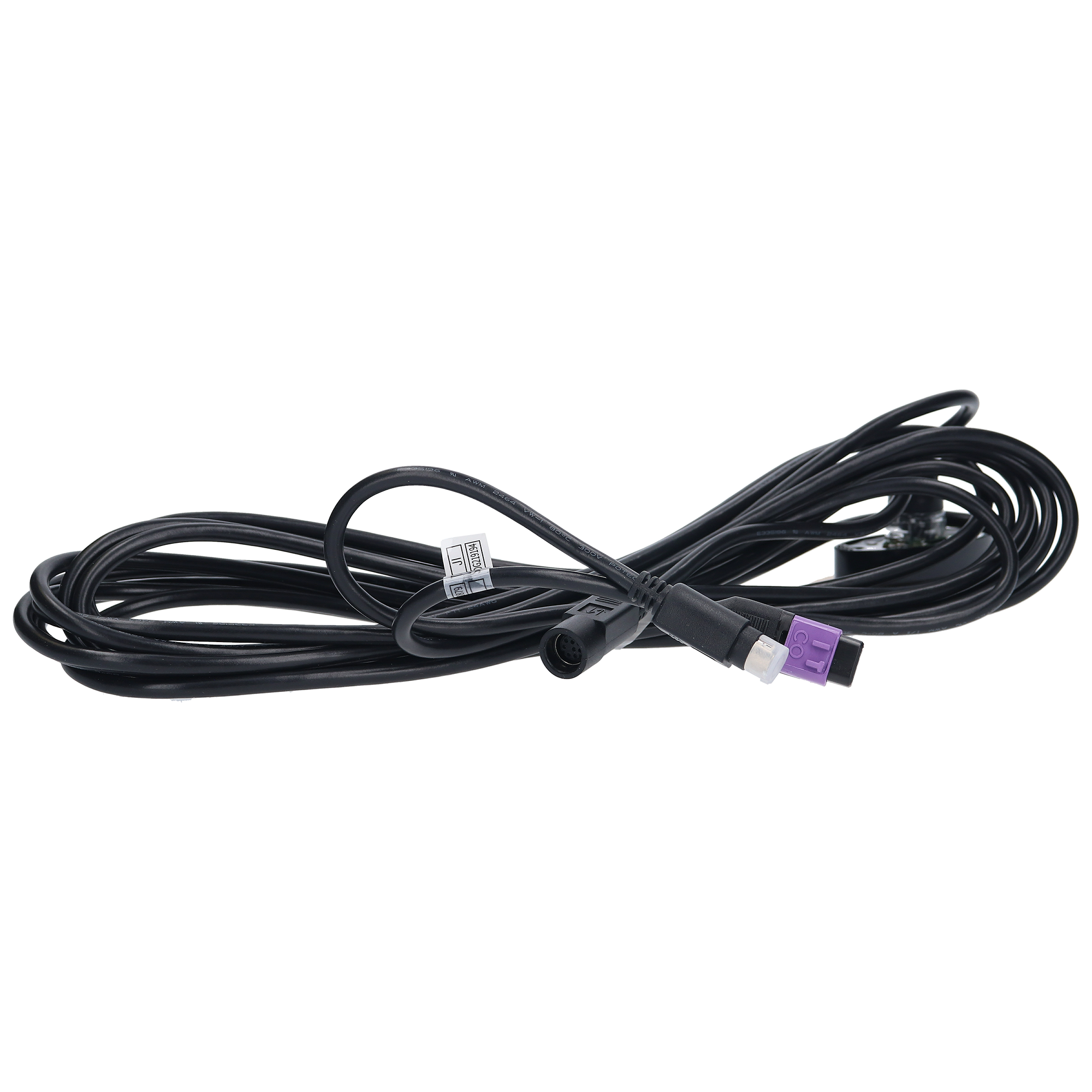
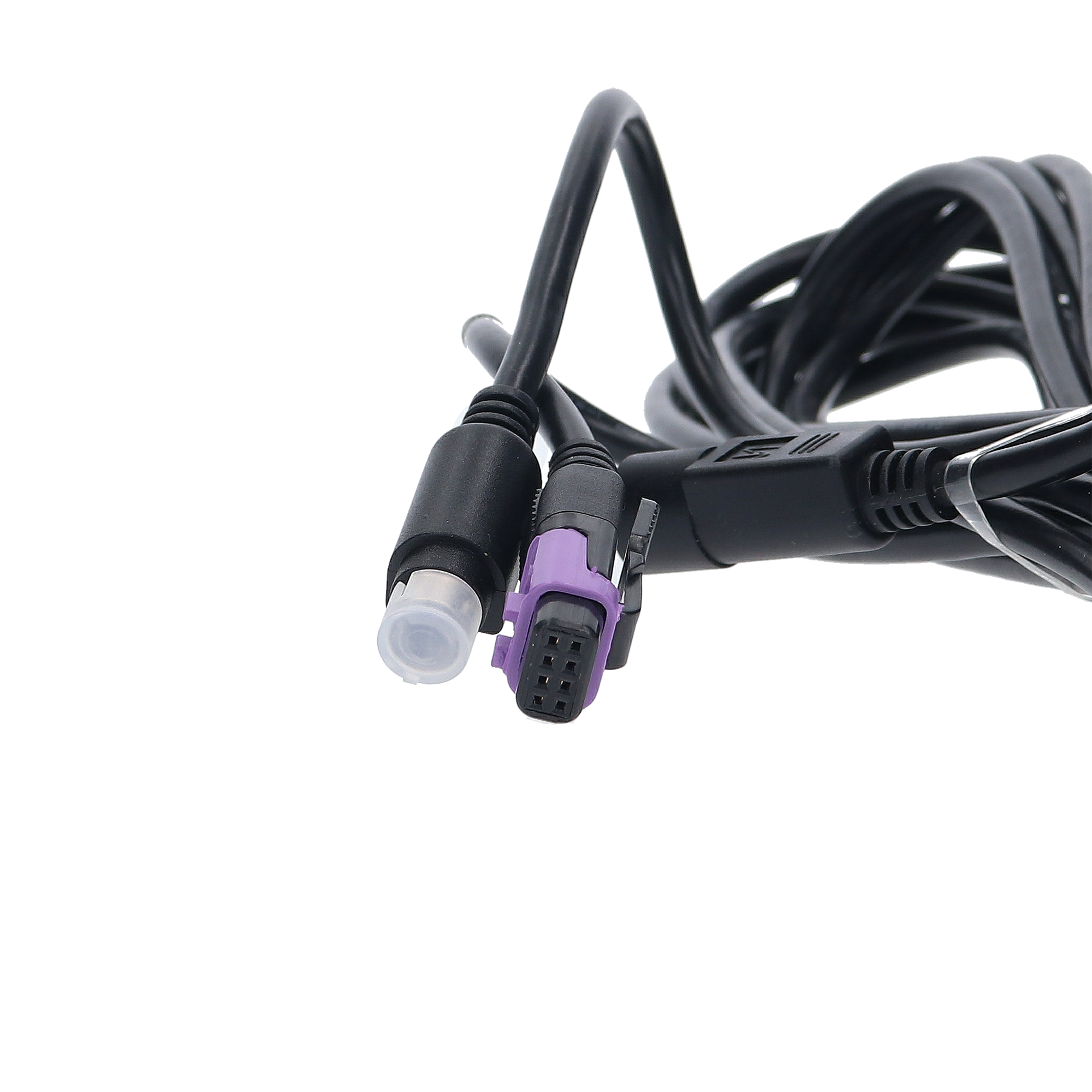
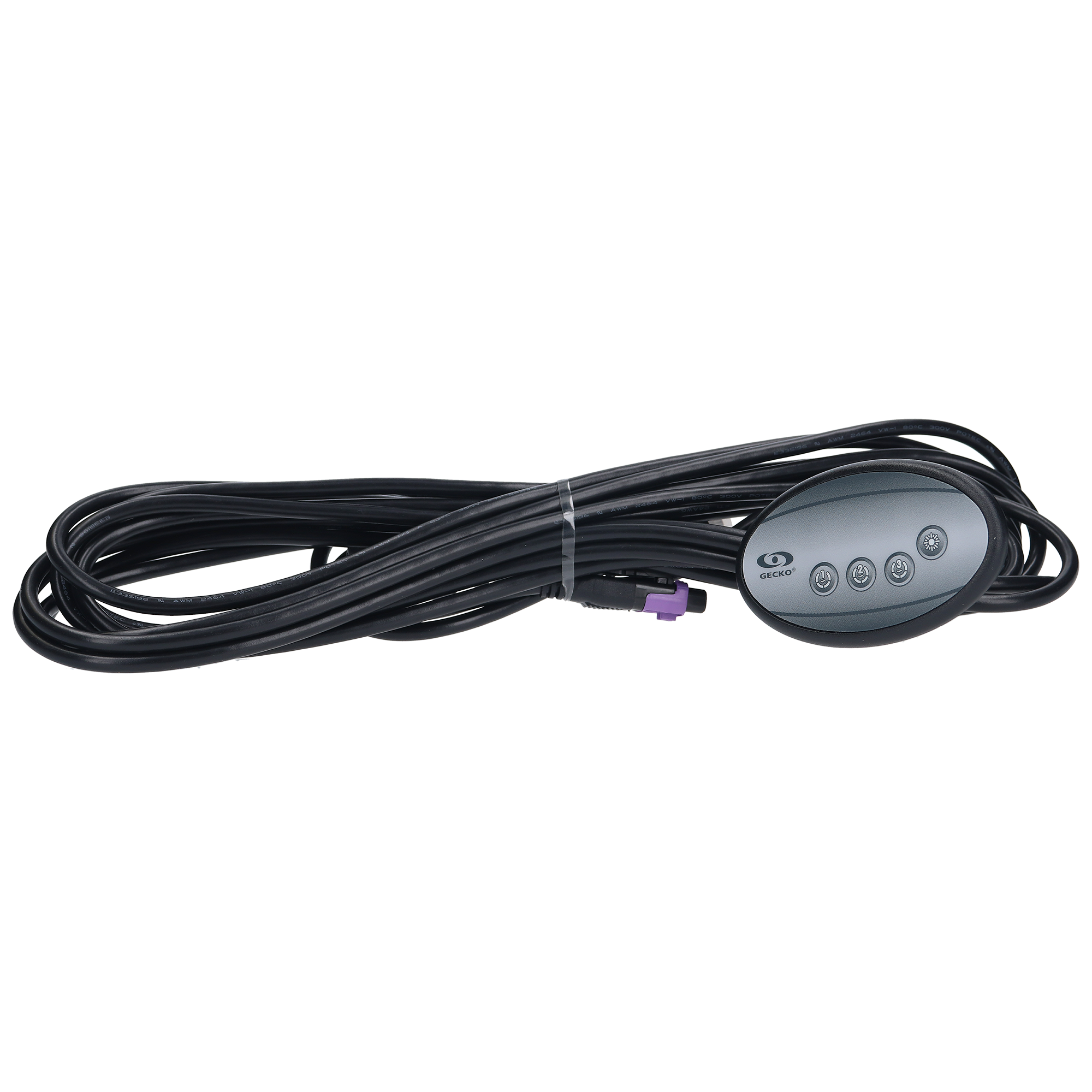
Gecko in.k120-3OP Auxiliary Keypad (0607-005019) — 4-Button Secondary Spa Controller with 20-Foot Cable, Compatible with Gecko X-Series and Y-Series Spa Packs
$132.60
Spaside Control, Gecko IN.K120-3OP Auxiliary, 4-Button, No Readout, Pump1-Pump2-Pump2-Light, 20′ Cable. w/in.link Plug
| Manufacturer part number | 0607-005019 |
| Returns | 30-day returns – see our returns policy |
22 in stock
Fast dispatch
Order in
--:--:--
for shipping today
📥 Downloads & Resources
📄 Gecko in.k120 Techbook (PDF)
Andi’s Top Tip
-
-
-
- Model: in.k120 Auxiliary Keypad
- Buttons – Pump 1, Pump 2, Pump 3, Light
- Compatible with: in.xm, in.xm2 & Y Series systems
- Cord length: 10′
-
-
🔘 Gecko in.k120-3OP Auxiliary Keypad (0607-005019) — 4-Button Secondary Spa Controller with 20-Foot Cable, Compatible with Gecko X-Series and Y-Series Spa Packs
Genuine Gecko Alliance OEM auxiliary topside — provide your spa or swim spa with a second control location for quick jet and light access.
📋 Product Overview
The Gecko Alliance in.k120-3OP is a 4-button auxiliary keypad (secondary controller) designed to give spa and swim spa users a second control location for quick access to pump and light functions. Unlike primary keypads with displays, the in.k120 has no display screen — instead, it provides direct button control over Pump 1, Pump 2, Pump 3, and Light through a slim, oval form factor with a generous 20-foot cable that easily reaches a secondary spa-side location from the equipment cabinet.
This is NOT a standalone keypad — the in.k120 is engineered specifically as an auxiliary controller that works alongside a primary keypad (such as the in.k200, in.k300, in.k336, in.k450, in.k500, in.k800, or in.k1000 touchscreen). The primary keypad handles temperature control, mode selection, programming, and system status display, while the in.k120 provides convenient secondary access to jet pumps and light from another part of the spa shell — popular configurations include cooldown bench mounts, swim spa wet-end controls, or simply a second access point on larger hot tubs where the primary keypad isn’t conveniently reachable from every seat.
The in.k120-3OP variant covered by part number 0607-005019 ships with the included overlay providing the Pump 1 / Pump 2 / Pump 3 / Light layout — supporting the full 3-pump configuration found on premium Gecko Y-Series and X-Series spa pack systems. Critically, the in.k120 does NOT plug into the standard keypad port on the spa pack — it connects to the dedicated “CO” (communication) port, a separate auxiliary connection point engineered for secondary keypads. This is an essential installation detail, and one of the most common sources of confusion when installers mistakenly try to plug it into the primary keypad jack. Genuine Gecko Alliance OEM, with confirmed factory installation on LA Spas (replacing part 5PL-49220 / PL-49220) and Dynasty Spas premium models.
⭐ Key Features
- ✅ Genuine Gecko Alliance OEM — Authentic Canadian-manufactured auxiliary keypad
- ✅ Auxiliary / Secondary Controller Design — Provides a second control location for jet and light access
- ✅ Includes Overlay — Self-adhesive overlay supplied with the keypad (3OP / Pump 1/Pump 2/Pump 3/Light layout)
- ✅ 4-Button Direct Control — Pump 1, Pump 2, Pump 3, and Light with single-press operation
- ✅ Supports 3-Pump Configurations — Dedicated buttons for all three pumps on premium spa packs
- ✅ Generous 20-Foot Cable (6 m) — Extra-long cable to reach secondary spa-side mounting locations from the equipment cabinet
- ✅ No Display by Design — Streamlined button-only interface; primary keypad handles temperature display
- ✅ Slim Oval Form Factor — 5-1/2″ × 2-1/8″ — discreet secondary location placement
- ✅ Connects to “CO” Communication Port — Dedicated auxiliary port on the spa pack (not the primary keypad port)
- ✅ Multi-System Compatibility — Works with Gecko X-Series (in.xe, in.xm, in.xm2) AND Y-Series (in.yj-3, in.ye-5, in.yt-7) spa packs
- ✅ Direct Factory Replacement for LA Spas — Replaces LA Spas 5PL-49220 / PL-49220
- ✅ Used on Dynasty Spas — Confirmed factory equivalent on multiple Dynasty Spa models
- ✅ Ideal for Swim Spas — Provides wet-end control at the swim end without trekking back to the primary keypad
- ✅ Designed for Wet Use — Robust spa-side construction
- ✅ 1-Year Limited Manufacturer Warranty — Backed by Gecko Alliance
⚙️ Technical Specifications
| Specification | Value |
|---|---|
| Manufacturer | Gecko Alliance (Quebec, Canada) |
| Model | in.k120-3OP |
| Full Variant Designation | IN.K120-BK-3OP-20-AE1 |
| Manufacturer Part Number | 0607-005019 (also: 30-720-5019, 3-00-7255) |
| Topside Type | Electronic — Auxiliary / Secondary Controller |
| Display Type | None (no readout — by design, as auxiliary keypad) |
| Number of Buttons | 4 |
| Button Layout | Pump 1 / Pump 2 / Pump 3 / Light |
| Compatible Spa Pack Series | Gecko X-Series (in.xe, in.xm, in.xm2) and Y-Series (in.yj-3, in.ye-5, in.yt-7) |
| Connection Point | “CO” (Communication) port on spa pack — NOT the standard keypad port |
| Cable Length | 20 ft (~6 m) |
| Connector Style | in.Link style |
| Panel Shape | Oval / Slim |
| Panel Dimensions | 5-1/2″ × 2-1/8″ (14 × 5.4 cm) |
| Overlay Included | Yes (3OP layout) |
| Color | Black (BK variant) |
| Warranty | 1-Year Limited (Gecko Alliance) |
📌 Always confirm cutout size and panel dimensions against your existing auxiliary keypad opening before ordering — small variations exist between spa shell designs.
🔧 Exploded diagram and parts
This part belongs to the Gecko IN.YJ Kits, Topsides, Parts & Accessories assembly. Everything listed below is something we stock for it.

Adapter Plates
| Part | Our part number | Availability | Price | ||
|---|---|---|---|---|---|
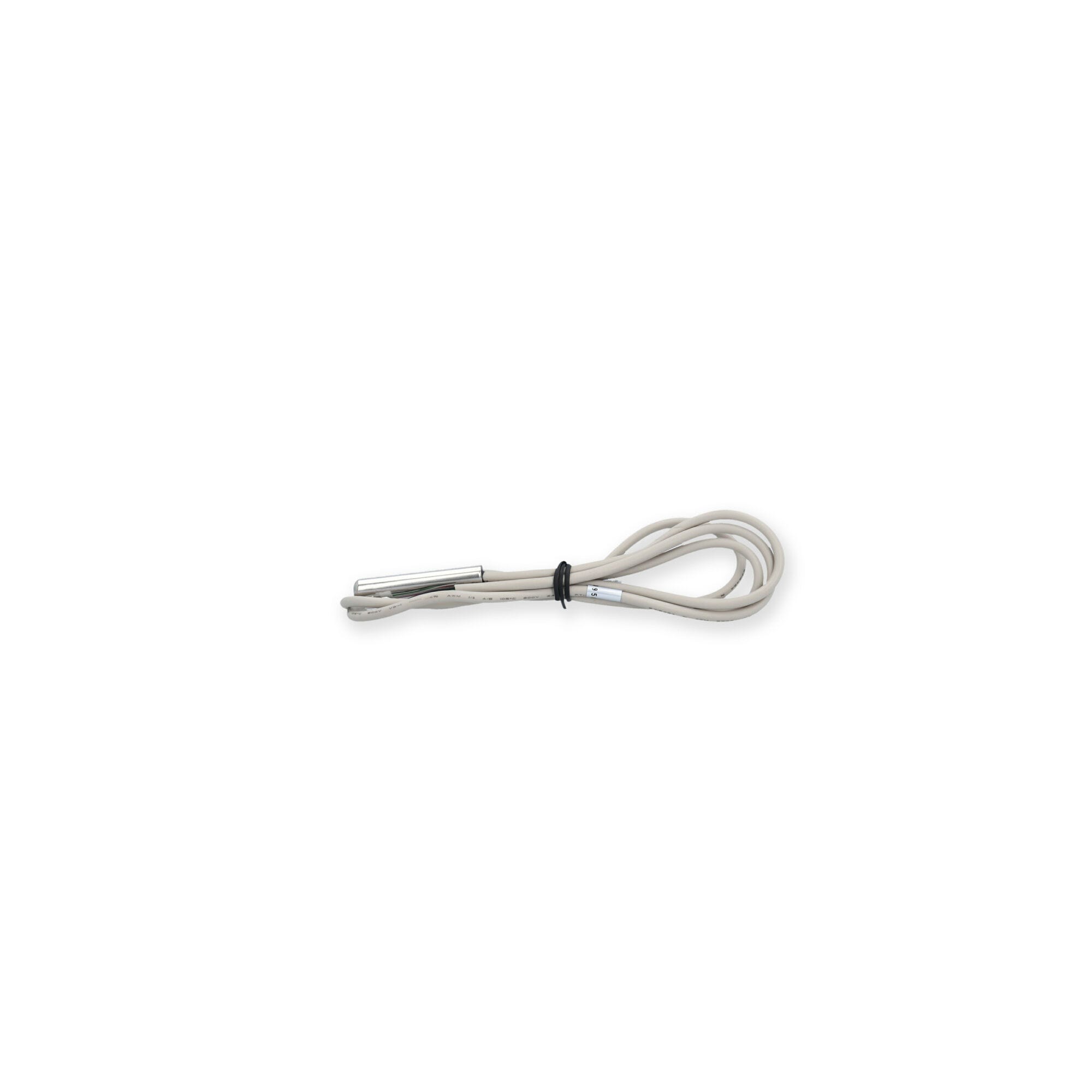 |
Gecko Hi-Limit/Temperature Sensor 9920-401397 | 9920-401397 | 99 in stock | $72.09 | Add to cart |
 |
Gecko Light Harness 9920-400489 | 9920-400489 | 67 in stock | $37.23 | Add to cart |
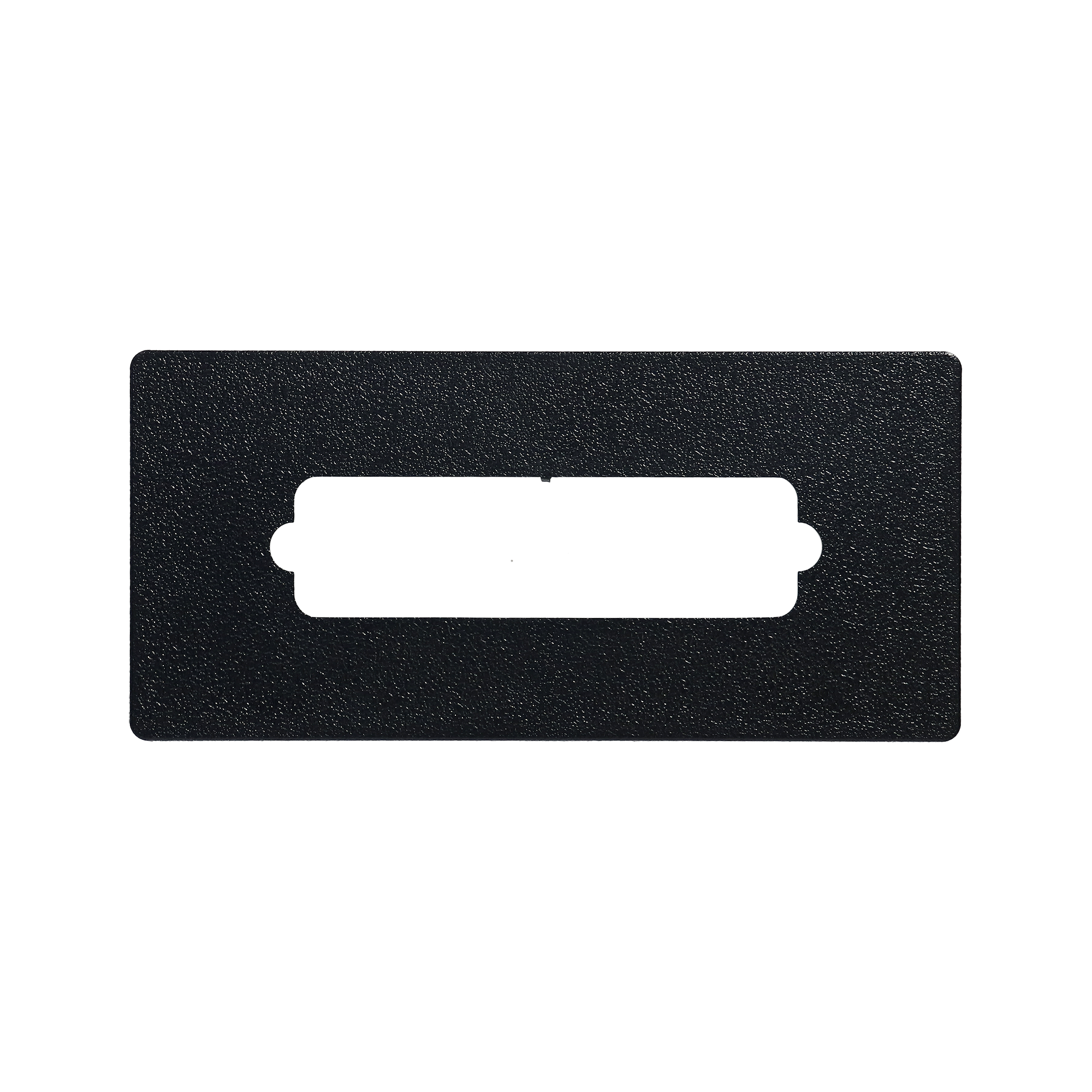 |
Gecko Adapter Plate 9917-102239 | 9917-102239 | 164 in stock | $15.88 | Add to cart |
 |
Gecko in.Touch 3 WiFi Module — Spa Remote Control via Smartphone App | 0608-521047 | 185 in stock | $169.57 | Add to cart |
 |
Light Lead W/2-Pin Connecter | 633-1000 | 31 in stock | $21.08 | Add to cart |
 |
Gecko Adapter Plate 9917-102053 | 9917-102053 | 45 in stock | $17.08 | Add to cart |
 |
Balboa Light Harness 21089 | 21089 | 334 in stock | $39.49 | Add to cart |
 |
Gecko LED Lighting 246AA0064 | 246AA0064 | 137 in stock | $19.46 | Add to cart |
Cords
| Part | Our part number | Availability | Price | ||
|---|---|---|---|---|---|
 |
Pump Cord, H-Q, 14/4 x 31, AMP-4 Male (R/B/W with G) | 30-1001C | 61 in stock | $12.11 | Add to cart |
 |
Cord, Hydro-Quip, Amp 72", 14/4, 4 Wire | 30-0326-72 | 52 in stock | $29.01 | Add to cart |
 |
Receptacle, Hydro-Quip, 2-Speed Pump, Amp , Red | 09-0032 | 16 in stock | $6.63 | Add to cart |
 |
Balboa Amp Plug 21087 (For 2 Speed Pumps) | 21087 | 407 in stock | $31.72 | Add to cart |
 |
HydroQuip Adapter Y Amp Cable 48-0044A | 48-0044A | 4 in stock | $20.00 | Add to cart |
 |
Light Harness Adapter, Gecko IN.YJ/IN.YE, 3-pin to 2-pin, 3" | 9920-401507 | 150 in stock | $24.43 | Add to cart |
Complete overlays
| Part | Our part number | Availability | Price | ||
|---|---|---|---|---|---|
 |
7 Button Gecko IN.K Series Keypad Overlay 9916-101335 | 9916-101335 | 42 in stock | $36.19 | Add to cart |
 |
4 Button Gecko IN.K200 Keypad Overlay 9916-101203 | 9916-101203 | 10 in stock | $22.54 | Add to cart |
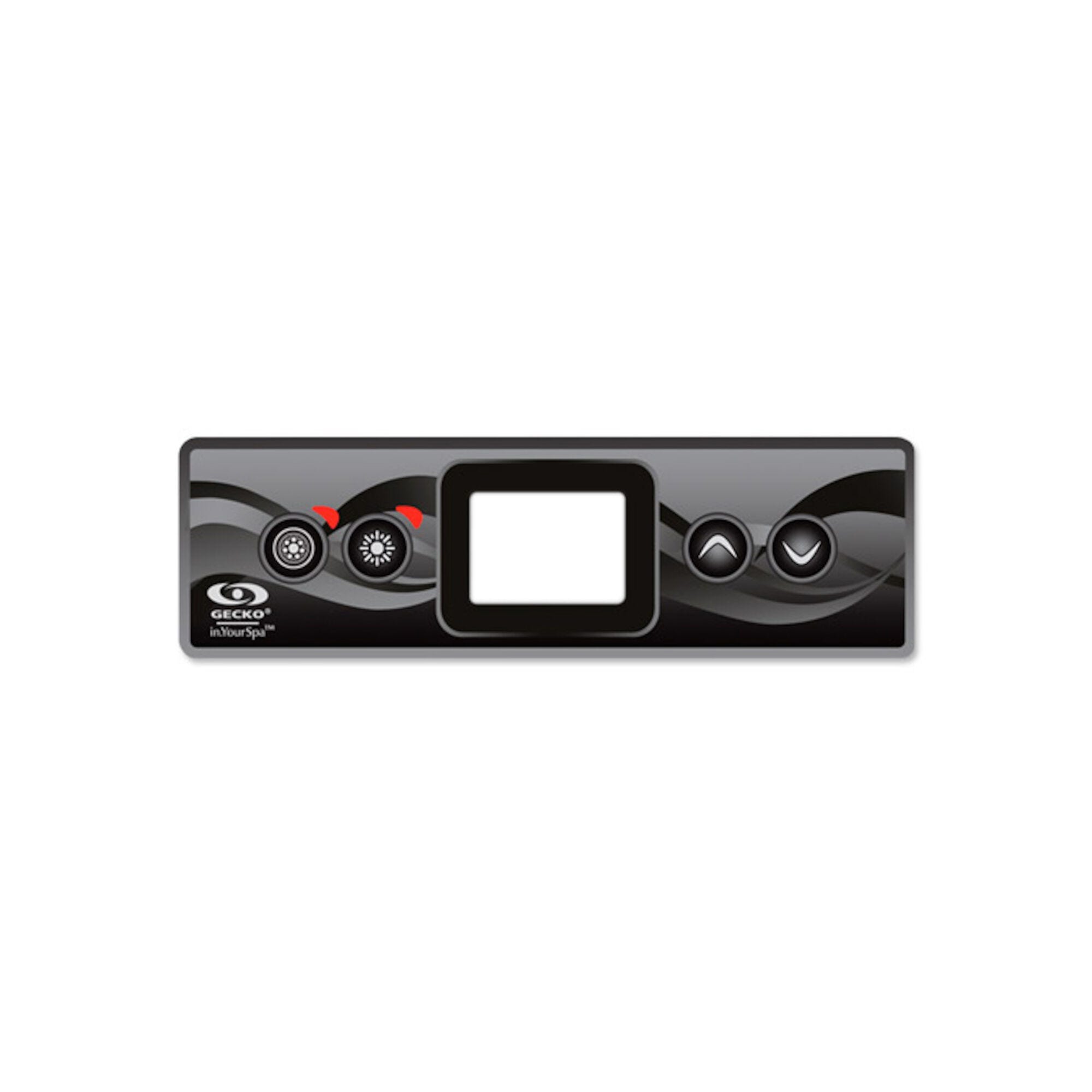 |
4 Button Gecko in.k300 Keypad Overlay 9916-101499 | 9916-101499 | 33 in stock | $24.45 | Add to cart |
 |
Overlay, Gecko In.k300, 4 Btn, P1, P2, Light, Temp | 9916-101500 | Available to order | $24.45 | |
 |
Overlay, Gecko in.k336, Up, Down, Pump1, Light, Program | 9916-101749 | 11 in stock | $14.31 | Add to cart |
 |
Overlay, Gecko in.k336, Up, Down, Pump1, Pump2, Light | 9916-101750 | 9 in stock | $24.40 | Add to cart |
Controls
| Part | Our part number | Availability | Price | ||
|---|---|---|---|---|---|
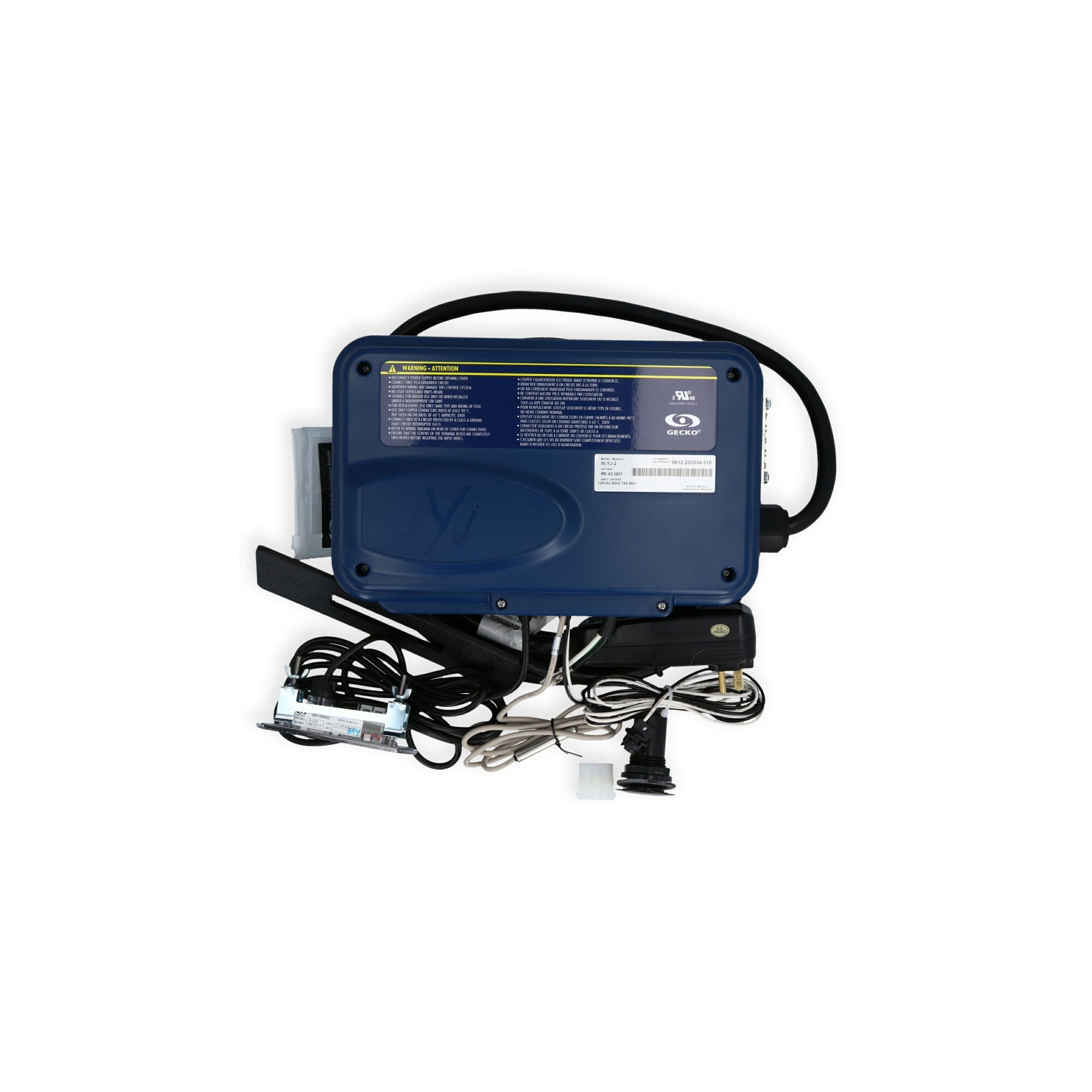 |
Gecko in.yj2 w/ K200 Keypad Spa Control 1.4/5.5kW No Heater 3-73-5000 | 3-73-5000 | Available to order | $427.71 | |
| Control, Gecko in.yj-3 V3, P1(2),P2(1),4.0kW, w/in.k336, IT3 | 0612-300012 | In stock | $594.70 | Add to cart | |
 |
Control, Gecko in.yj-3 V3, P1(2),P2(1),4.0kW, w/in.k300, IT3 | 0612-300011 | In stock | $594.70 | Add to cart |
Complete heaters
| Part | Our part number | Availability | Price | ||
|---|---|---|---|---|---|
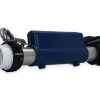 |
Gecko Heat.Wav 4.0/5.5kW 115/230V Flow Thru Heater 0613-421009 | 0613-421009 | 147 in stock | $209.44 | Add to cart |
Parts that go with this
| Part | Our part number | Availability | Price | ||
|---|---|---|---|---|---|
 |
Silicone, DOW 732, 3oz Tube, Clear | DC-732-CLR-3 | 154 in stock | $17.88 | Add to cart |
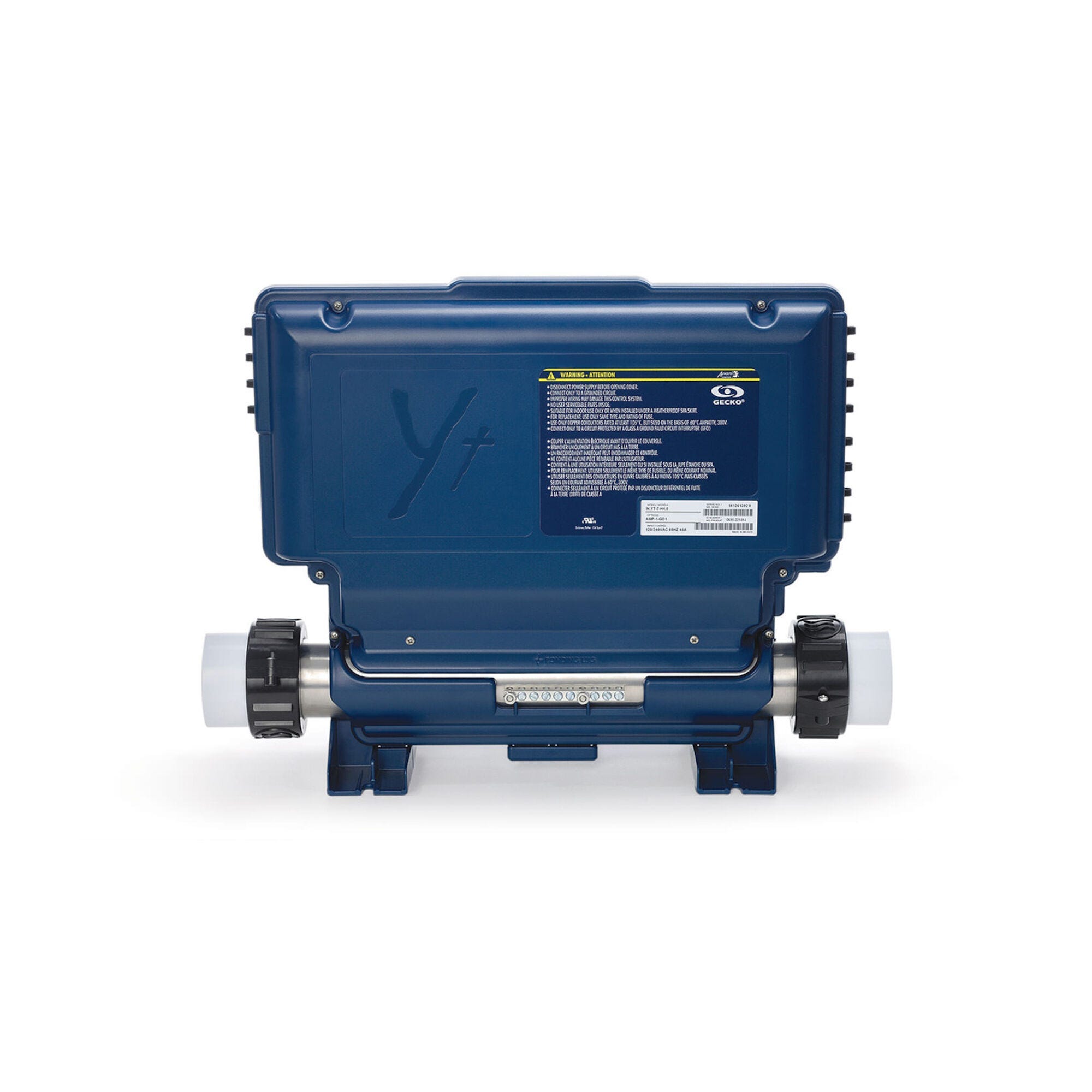 |
Gecko in.yt Spa Control 4.0kW Flow Thru Heater 0611-221031-361 | 0611-221031-361 | 35 in stock | $752.14 | Add to cart |
 |
Gecko in.ye-5 V3, P1, P2, Bl, Cp, Oz, Lt, 4.0kw, Swim | 0610-221126-728 | 4 in stock | $468.71 | Add to cart |
🔄 Compatibility Guide
This Auxiliary Keypad is Compatible With Both Gecko X-Series AND Y-Series Spa Pack Systems:
| Spa Pack Family | Models |
|---|---|
| Gecko X-Series | in.xe |
| Gecko X-Series | in.xm |
| Gecko X-Series | in.xm2 |
| Gecko Y-Series | in.yj-3 |
| Gecko Y-Series | in.ye-5 |
| Gecko Y-Series | in.yt-7 |
📌 Specific Gecko spa pack reference codes confirmed compatible with the in.k120-3OP include 0602-221063-299, 0601-221104, and 0610-221046-355, among others.
Used As Factory-Original Auxiliary on These Spa Brands:
- ✅ LA Spas — Direct factory equivalent (replacing OEM part 5PL-49220 / PL-49220)
- ✅ Dynasty Spas — Confirmed factory installation on multiple models
- ✅ Many other premium spa brands using Gecko X-Series or Y-Series control systems with auxiliary keypad locations
Replaces These Older Part Numbers:
- ✅ 0607-005019 (current Gecko Alliance manufacturer part number — this listing)
- ✅ 30-720-5019 (alternate distributor cross-reference)
- ✅ 3-00-7255 (alternate distributor cross-reference)
- ✅ LA Spas 5PL-49220 — Direct OEM replacement
- ✅ LA Spas PL-49220 — Direct OEM replacement (alternate notation)
Companion Primary Keypad Options:
The in.k120 is designed to work alongside a primary keypad. Common pairings include:
| Primary Keypad | Type | Notes |
|---|---|---|
| Gecko in.k200 | 4-button LED | Compact entry-level primary keypad |
| Gecko in.k300 | 4-button | Mid-range primary keypad |
| Gecko in.k336 | 5-button LCD with backlit rim | Mid-range Y-Series primary |
| Gecko in.k450 | 7-button LCD | High-end button primary |
| Gecko in.k500 | 7-button color | Color primary keypad |
| Gecko in.k800 | 10-button color | Premium color button primary |
| Gecko in.k1000 | 4.3″ color touchscreen | Flagship touchscreen primary |
NOT Compatible With:
- ❌ Balboa spa pack systems — Different ecosystem entirely (RJ45/Molex connectors)
- ❌ Gecko SSPA controllers (used on Dimension One Spas with 01560-XXX panels) — different JST 8-Pin connector system
- ❌ HydroQuip, ACC, or non-Gecko control systems — Different connectors and protocols
- ❌ Spa packs without a “CO” communication port — Some older or simpler Gecko configurations may not include the CO port; verify before ordering
- ❌ Standalone use — The in.k120 is auxiliary by design; it cannot replace a primary keypad
- ❌ Pneumatic / air-button (Tecmark Command Center, EasyPak) systems
⚠️ Critical Installation Detail — Connect to “CO” Port: The in.k120 does NOT plug into the standard keypad port on the spa pack. It connects to the dedicated “CO” (communication) port, a separate auxiliary connection point on Gecko X-Series and Y-Series spa packs. Check your spa pack documentation to locate the CO port. Plugging into the wrong port is the most common installation issue with auxiliary keypads.
How to Verify Compatibility:
📍 Open your spa cabinet and locate the spa pack — look for a Gecko Alliance label 📍 Confirm the model is one of: in.xe, in.xm, in.xm2, in.yj-3, in.ye-5, or in.yt-7 📍 Verify your spa pack has a “CO” (communication) port — this is the port the in.k120 connects to, NOT the standard keypad port 📍 Confirm you have a primary keypad already installed and functioning — the in.k120 is auxiliary, not standalone 📍 Compare your old auxiliary keypad dimensions to 5-1/2″ × 2-1/8″ 📍 Check cable length — ensure 20 feet is sufficient for your secondary mounting location 📍 Look for the part numbers 0607-005019, 30-720-5019, 3-00-7255, 5PL-49220, or PL-49220 stamped on your existing auxiliary keypad 📍 Contact Parts4Tubs with your spa pack model number if you’re unsure
🔘 Button Functions
The in.k120-3OP has 4 physical buttons providing direct control over jet pumps and lighting at the secondary spa location:
4-Button Layout (3OP Overlay — Pump 1 / Pump 2 / Pump 3 / Light):
| Button | Function |
|---|---|
| Pump 1 | Jet pump 1 on/off (and 2-speed cycle if applicable) |
| Pump 2 | Jet pump 2 on/off (and 2-speed cycle if applicable) |
| Pump 3 | Jet pump 3 on/off (and 2-speed cycle if applicable) |
| Light | Spa light on/off |
📌 Temperature control, mode selection, filter cycle programming, and system status display are NOT available on the in.k120 — those functions remain at the primary keypad. The in.k120 provides quick local access only to the jet pumps and light, which are the most commonly toggled functions during active spa use.
Why an Auxiliary Keypad?
Auxiliary keypads like the in.k120 solve a real ergonomic problem in larger spas and swim spas:
- Larger hot tubs — Multiple seating positions where the primary keypad isn’t reachable from all seats
- Swim spas — Primary keypad is typically at the spa end, but users at the swim end (10+ feet away) want immediate access to pumps and light
- Cooldown benches — Common configuration on premium spas where users pause swimming/jets briefly without leaving the spa
- Multi-zone spas — Premium tubs with discrete relaxation areas benefit from per-zone controls
Without an auxiliary keypad, users must walk or reach across the spa to the primary keypad every time they want to change pump speed or toggle the light. The in.k120 eliminates that inconvenience by placing essential controls right where the user is sitting.
🛠️ Installation Guide
Before Installation:
- ⚠️ Disconnect power at the GFCI breaker before any work
- ⚠️ Confirm your spa pack is a Gecko X-Series (in.xe, in.xm, in.xm2) or Y-Series (in.yj-3, in.ye-5, in.yt-7)
- ⚠️ Verify your spa pack has a “CO” (communication) port — without it, the in.k120 cannot be installed
- ⚠️ Confirm a primary keypad is already installed (the in.k120 is auxiliary, not standalone)
- ⚠️ Verify the 20-foot cable will reach from the spa pack to your chosen secondary mounting location
- ⚠️ Plan the secondary mounting location — typically near a cooldown bench, swim spa wet-end, or alternate access point
Installation Steps:
- Power Down — Turn off all power to your hot tub at the GFCI / disconnect (safety first)
- Open the spa cabinet and locate the CO (communication) port on your Gecko spa pack — refer to your spa pack documentation if you can’t immediately identify it
- Plan the cable route from the spa pack to the secondary mounting location — ensure the path doesn’t cross sharp edges or hot surfaces
- Cut the spa shell cutout at the chosen secondary location — verify dimensions match your in.k120 mounting requirements
- Prepare the Surface — Clean the mounting area thoroughly with rubbing alcohol and allow it to dry completely
- Apply the included overlay to the keypad face — align carefully over the button positions
- Route the 20-foot cable through the cabinet to the spa pack
- Plug the connector into the spa pack’s CO port — NOT the primary keypad port
- Apply silicone sealant around the keypad edge if recommended by your spa manufacturer
- Mount the keypad in the spa shell cutout — press firmly into place
- Restore power at the breaker
- Test all functions — Press each button (Pump 1, Pump 2, Pump 3, Light) and verify correct response; confirm the primary keypad still operates correctly
Mounting:
| Requirement | Specification |
|---|---|
| Panel size | 5-1/2″ × 2-1/8″ (oval) |
| Mounting type | Drop-in / surface-mounted with sealant |
| Cable routing | 20 ft from secondary mount point to spa pack |
⚠️ Professional installation by a competent individual or tradesman trained in spa equipment is recommended. All work must comply with the National Electrical Code (NEC) and local codes. Topside controls cannot be returned once opened or installed — verify fitment and CO port availability before opening packaging.
⚡ Wiring & Connection
Connector Information:
| Specification | Detail |
|---|---|
| Connector Style | in.Link compatible |
| Cable Length | 20 ft (~6 m) |
| Connection Point | “CO” (communication) port on the spa pack |
Connection Location:
Plugs into the dedicated "CO" (communication) port on Gecko X-Series or Y-Series
spa packs: in.xe, in.xm, in.xm2, in.yj-3, in.ye-5, or in.yt-7.
The CO port is SEPARATE from the standard primary keypad port — both ports
are available simultaneously, allowing the primary keypad and the in.k120
auxiliary to coexist on the same spa pack.
Refer to your spa pack TechBook for exact CO port location.
⚠️ The most common in.k120 installation problem is plugging into the wrong port. The in.k120 will NOT function if connected to the standard primary keypad jack — it MUST connect to the CO port.
🔍 Troubleshooting
Common Issues:
| Problem | Possible Cause | Solution |
|---|---|---|
| Buttons unresponsive after install | Connected to wrong port | Verify cable is plugged into the CO port, NOT the primary keypad port |
| One specific button doesn’t work | Spa pack pump configuration mismatch | Verify spa pack supports the corresponding pump (e.g., a 2-pump spa won’t respond to the Pump 3 button) |
| Buttons unresponsive (sticky) | Worn overlay or moisture intrusion | Inspect overlay for wear or water damage |
| Keypad works but primary keypad stops working | Both connected to wrong ports | Verify in.k120 → CO port; primary keypad → standard keypad port |
| Connector won’t fit into the CO port | Wrong system or wrong cable | Verify the in.Link-style plug fits the CO port; confirm spa pack model |
| Cable too short to reach secondary location | Mounting location > 20 ft from spa pack | Choose a closer mounting location, or verify cable length before purchase |
| No response from any button | Spa pack power issue, or auxiliary feature disabled | Verify primary keypad has power; check spa pack configuration for auxiliary keypad enable |
| Light button activates but pumps don’t | Spa pack configuration | Check spa pack pump configuration |
Troubleshooting Tip:
If the in.k120 doesn't work after installation, FIRST CHECK that the cable
is plugged into the spa pack's CO (communication) port — not the primary
keypad port. This is the #1 cause of in.k120 installation issues.
🔧 Maintenance & Care
Routine Care:
| Task | Frequency |
|---|---|
| Wipe keypad face with damp cloth | Weekly |
| Check button response (all 4 buttons) | Monthly |
| Inspect cable connections | Annually |
| Inspect overlay for wear and water seal | Annually |
DO NOT:
- ❌ Use abrasive cleaners or scouring pads
- ❌ Submerge the keypad in water or chemicals
- ❌ Use solvent-based cleaners (acetone, lacquer thinner, etc.)
- ❌ Press buttons with sharp objects (pens, keys, fingernails)
Overlay Replacement:
The in.k120-3OP includes the standard 3OP (Pump 1/Pump 2/Pump 3/Light) overlay. If your overlay becomes worn, faded, or buttons are unresponsive due to overlay damage, replacement overlays may be available separately.
🎯 Ideal Applications
| Application | Suitability |
|---|---|
| ♨️ Replacement for failed in.k120 auxiliary keypad | ✅ Direct fit |
| ♨️ LA Spas with original 5PL-49220 or PL-49220 auxiliary | ✅ Direct factory equivalent |
| ♨️ Dynasty Spas with original in.k120 auxiliary | ✅ Direct factory equivalent |
| ♨️ Swim spas adding a wet-end auxiliary controller | ✅ Ideal — 20-foot cable reaches the swim end |
| ♨️ Larger hot tubs adding a second-seat controller | ✅ Ideal application |
| ♨️ Spas with cooldown bench needing local pump/light access | ✅ Common installation |
| ♨️ Multi-zone premium spas with multiple control points | ✅ Ideal — install one in.k120 per zone |
| 🏊 Swim spa exercise stations | ✅ Ideal — control jets without leaving the swim area |
| ♨️ Spa packs with 1, 2, or 3 pumps | ✅ Compatible (unused pump buttons simply have no function) |
| ♨️ Spas with Gecko X-Series spa packs (in.xe, in.xm, in.xm2) | ✅ Direct fit |
| ♨️ Spas with Gecko Y-Series spa packs (in.yj-3, in.ye-5, in.yt-7) | ✅ Direct fit |
| ♨️ As a primary keypad replacement | ❌ NOT compatible — auxiliary only, no display |
| ♨️ Balboa-equipped spas | ❌ NOT compatible — different ecosystem |
| ♨️ Dimension One Spas with SSPA panels | ❌ NOT compatible — different connector |
| ♨️ Spa packs without a “CO” port | ❌ NOT compatible — verify port availability |
Common Replacement Scenarios:
- Auxiliary keypad has stopped responding to button presses
- Internal water damage from a failed overlay seal
- Cable damaged or pulled during cabinet service
- Overlay graphics worn or peeling, buttons becoming unresponsive
- Owner adding a secondary controller to a previously single-keypad spa
- Builder/installer configuring a swim spa with both primary and auxiliary keypads
- LA Spas owners replacing the factory-original 5PL-49220 / PL-49220 auxiliary
- Dynasty Spas service centers stocking inventory for premium spa repairs
🤔 Frequently Asked Questions
Q: Is this a primary keypad or auxiliary? A: The in.k120 is strictly an auxiliary (secondary) keypad — it has NO display, NO temperature control, and NO programming functions. It works ALONGSIDE a primary keypad (such as the in.k200, in.k336, in.k450, in.k800, or in.k1000) to provide quick local access to pump and light functions from a secondary spa-side location. It cannot replace a primary keypad.
Q: Why doesn’t the in.k120 have a display? A: By design — the in.k120 is auxiliary. The temperature display, mode indicators, filter status, error codes, and other system information all remain at the primary keypad. The in.k120 is intentionally streamlined to provide the most-used controls (pumps and light) at a second location without duplicating the full interface.
Q: How does it connect to the spa pack? A: The in.k120 plugs into the dedicated “CO” (communication) port on the Gecko spa pack — a separate connection point from the primary keypad port. Both ports are available on Gecko X-Series and Y-Series spa packs that support auxiliary keypads, so the primary keypad and the in.k120 coexist on the same spa pack simultaneously.
Q: I plugged it in and nothing works. What’s wrong? A: The most common installation problem is plugging the in.k120 into the wrong port. Check that the cable is connected to the spa pack’s CO (communication) port, NOT the primary keypad port. If the cable is in the wrong port, the in.k120 will not function.
Q: How is this different from the in.k336? A: They’re complementary, not competing:
- in.k336 (primary) — 5-button keypad with LCD display and backlit rim; provides FULL spa control (temperature, mode, programming, status); plugs into the primary keypad port
- in.k120 (this keypad — auxiliary) — 4-button keypad with NO display; provides ONLY pump/light control as a secondary controller; plugs into the CO communication port
A premium spa installation often uses BOTH — an in.k336 (or other primary keypad) at the main control location AND an in.k120 at a secondary location.
Q: What does “3OP” mean in in.k120-3OP? A: “3OP” stands for 3-Output (3-Pump) Overlay — the layout supports three jet pumps (Pump 1, Pump 2, Pump 3) plus the spa light. This is the standard configuration for premium spas with multiple jet zones. If your spa has fewer pumps, the unused pump buttons simply have no function.
Q: Will all 3 pump buttons work on my 1-pump or 2-pump spa? A: The in.k120-3OP overlay shows three pump buttons because it’s designed to work across 1, 2, and 3-pump spa configurations. On a 1-pump spa, only the Pump 1 button will activate the pump. On a 2-pump spa, Pump 1 and Pump 2 will function. On a 3-pump spa, all three pump buttons are active. The Light button always works.
Q: Will this work with my Balboa spa pack? A: No — the in.k120 is strictly for Gecko X-Series or Y-Series spa packs. Balboa systems use different connectors and don’t have a CO port matching the in.k120. If you have a Balboa system, you’ll need a Balboa-compatible auxiliary solution.
Q: My spa is an LA Spas with a failing auxiliary keypad. Will this work? A: Yes — the 0607-005019 directly replaces LA Spas 5PL-49220 and PL-49220 auxiliary keypads. This is the factory-equivalent OEM replacement.
Q: Can I use this on my Dynasty Spa? A: Yes — the in.k120-3OP is confirmed installed on multiple Dynasty Spas models with Gecko X-Series or Y-Series spa packs. Verify your existing auxiliary keypad part number matches before ordering.
Q: My old part says 30-720-5019 or 3-00-7255 — is this the same? A: Yes — 30-720-5019 and 3-00-7255 are alternate distributor cross-references for the same Gecko Alliance manufacturer part 0607-005019. This listing is the direct equivalent.
Q: Why is the cable so long (20 feet)? A: Auxiliary keypads typically mount at locations far from the spa equipment cabinet — for example, on the swim end of a swim spa, on a cooldown bench, or at a secondary access point. The 20-foot cable provides enough length to reach these distant secondary locations from the spa pack.
Q: Is the overlay included? A: Yes — the in.k120-3OP includes the standard 3OP overlay (Pump 1 / Pump 2 / Pump 3 / Light) self-adhesive sticker. No separate overlay purchase is needed.
Q: Can I install multiple in.k120 keypads on the same spa? A: Some Gecko spa pack configurations support multiple auxiliary keypads, while others support only one. Check your specific spa pack’s TechBook for auxiliary keypad limits, or contact Parts4Tubs with your spa pack model for guidance.
Q: Will this affect my primary keypad’s operation? A: No — when correctly installed in the CO port, the in.k120 operates in parallel with the primary keypad. Pressing a Pump button on either keypad activates the same physical pump. The two keypads simply provide redundant control from different locations.
Q: Can I install this myself? A: Basic DIY installation is feasible if:
- You can identify the CO port on your spa pack (refer to TechBook documentation)
- You can safely shut off power at the GFCI breaker
- You’re comfortable cutting a clean spa shell cutout for the auxiliary keypad mount
- You can route the cable safely from the secondary mount to the spa pack
If any of those steps feel beyond your comfort level, a competent spa technician is recommended.
Q: Will this work with my 120V or 240V spa? A: Yes — the keypad runs on low-voltage signal from the spa pack, so it works regardless of whether your Gecko X-Series or Y-Series spa pack is wired for 115V or 230V service.
Q: What warranty is included? A: This part carries a 1-year limited manufacturer warranty from Gecko Alliance. Contact Parts4Tubs for full warranty terms.
Q: Do you ship across the US? A: Yes — Parts4Tubs ships to all 50 states with fast US delivery.
🏆 Why Choose the Gecko in.k120-3OP Auxiliary Keypad
- ✅ Genuine Gecko Alliance OEM — Authentic Canadian-manufactured auxiliary keypad
- ✅ Purpose-built auxiliary design — Streamlined 4-button interface for jet and light access at a second location
- ✅ Includes overlay — 3OP layout (Pump 1/Pump 2/Pump 3/Light) ready to apply
- ✅ 20-foot cable — Generous reach for swim spa wet-ends, cooldown benches, and remote spa shell positions
- ✅ Multi-system compatibility (X-Series AND Y-Series) — Works with most modern Gecko spa packs
- ✅ 3-pump configuration support — Dedicated buttons for premium multi-pump spas
- ✅ CO port connection — Coexists with primary keypad simultaneously
- ✅ Direct LA Spas factory replacement — For 5PL-49220 and PL-49220
- ✅ Used on Dynasty Spas premium models — Authentic factory installation
- ✅ Slim 5-1/2″ × 2-1/8″ form factor — Discreet secondary location mounting
- ✅ Spa-grade construction — Designed for long-term wet environment use
- ✅ 1-year limited warranty — Backed by Gecko Alliance
🇺🇸 Why Buy From Parts4Tubs
- ✅ Fast US shipping to all 50 states
- ✅ Expert advice from spa specialists — ask us about CO port location on your specific Gecko spa pack
- ✅ Compatibility assistance — send us your spa pack model number and primary keypad part number
- ✅ Full manufacturer warranty support
- ✅ Easy returns within 30 days (unopened keypads only — topsides cannot be returned once installed)
- ✅ Genuine OEM Gecko Alliance auxiliary parts
- ✅ Compatible primary keypads (in.k200, in.k300, in.k336, in.k450, in.k500, in.k800, in.k1000) also available
⭐ Summary
The Gecko Alliance in.k120-3OP auxiliary keypad (part number 0607-005019) is the genuine OEM secondary controller for Gecko-equipped premium spas and swim spas — providing a 4-button (Pump 1 / Pump 2 / Pump 3 / Light) control point at a second spa-side location. Designed exclusively as an auxiliary (NOT a primary) keypad with no display, the in.k120 connects to the dedicated “CO” (communication) port on Gecko X-Series (in.xe, in.xm, in.xm2) or Y-Series (in.yj-3, in.ye-5, in.yt-7) spa packs — coexisting with your primary keypad rather than replacing it. The generous 20-foot cable reaches secondary mounting locations like swim spa wet-ends, cooldown benches, or alternate seat positions on larger hot tubs, while the slim 5-1/2″ × 2-1/8″ oval form factor mounts discreetly in any spa shell. Includes the standard 3OP overlay with Pump 1/Pump 2/Pump 3/Light layout. Direct factory replacement for LA Spas 5PL-49220 / PL-49220 and confirmed on Dynasty Spas premium models. Important: The in.k120 is an auxiliary keypad — it requires a working primary keypad on the same spa, must connect to the CO port (not the primary keypad jack), and is incompatible with Balboa, Dimension One Spas SSPA, HydroQuip, ACC, or other non-Gecko-X/Y-Series control systems. Order today from Parts4Tubs for fast US shipping and expert support.
What is a Hot Tub Topside Control?
A Hot Tub Topside Control, also known as a spa control panel or topside controller, is a user interface located on the outer surface of a hot tub or spa. This control panel allows you to interact with and manage various functions of your hot tub, such as adjusting the temperature, activating jets and pumps, setting filtration cycles, controlling lighting, and more. It serves as the command center that puts the power of customization at your fingertips, enabling you to create the perfect spa experience tailored to your preferences.
Typically equipped with a digital display, buttons, and possibly a touchscreen, a topside control panel provides an intuitive and user-friendly way to operate your hot tub. Some advanced models may even offer wireless connectivity, allowing you to control your hot tub remotely through a smartphone app.
The rest of this page covers what a topside control does, how it talks to the circuit board in your spa pack, and whether you can upgrade to a different panel.
How does a Topside Control Work?
A Hot Tub Topside Control, often equipped with a digital display and user-friendly buttons, is the primary interface that allows you to interact with and control various functions of your hot tub. Here's how it works:
- User Interface: The topside control panel is mounted on the exterior of the hot tub, usually within arm's reach when you're seated inside. It features a digital screen that displays relevant information such as water temperature, pump status, and timer settings.
- Menu Navigation: The control panel presents a menu system that you navigate using the buttons or touchscreen. This menu system provides access to different functions and settings of your hot tub.
- Temperature Adjustment: One of the key functions of the topside control is temperature regulation. You can adjust the water temperature to your desired level, ensuring a comfortable and relaxing soak.
- Pump and Jet Control: Through the control panel, you can activate and control the operation of various pumps and jets in your hot tub. This includes turning jets on or off, adjusting their intensity, and controlling the filtration system.
- Lighting and Auxiliary Features: Many hot tubs come with additional features such as underwater lighting, waterfalls, and music systems. The topside control allows you to manage these features, creating an ambiance that suits your mood.
- Timer and Programming: Modern topside controls often have programming capabilities, allowing you to set timers for filtration cycles, heating, and other functions. This automation ensures that your hot tub is ready for use when you want it.
- Error Messages and Diagnostics: In case of any issues or malfunctions, the topside control panel can display error codes or messages. This helps you identify problems and communicate them to technicians for faster and more accurate repairs.
- User Profiles: Some advanced topside controls offer the option to save user profiles. This is particularly useful if multiple people use the hot tub, as each person can have their preferred settings readily available.
In essence, the topside control serves as the bridge between you and your hot tub's various systems. It allows you to customize your hot tub experience, control its functions, and maintain optimal performance with ease. When it comes to replacing one, the part number matters far more than the look of the panel. A topside has to suit the pack it plugs into and the software that pack is running, so two panels with the same button layout are not necessarily interchangeable. Check the back of the panel first, then the label inside the control box next to the circuit board — the number is usually on one or the other. Note the plug type as well, because the cable and pin count vary between systems.
Can I upgrade a Topside Control?
Yes, you can upgrade a topside control on your hot tub to enjoy enhanced features and improved functionality. Upgrading your topside control can offer several benefits:
- Advanced Features: Newer topside controls often come with advanced features that may not be available on older models. These features could include improved user interfaces, touchscreens, customizable settings, and compatibility with smart home systems.
- Ease of Use: Upgraded topside controls may offer a more intuitive and user-friendly interface, making it easier to navigate through menus, adjust settings, and control various functions of your hot tub.
- Energy Efficiency: Some upgraded controls offer energy-saving modes or programmable timers, allowing you to optimize the operation of your hot tub's components and reduce energy consumption.
- Compatibility: If you've added new features or components to your hot tub since its original purchase, an upgraded topside control may be necessary to fully integrate and control these additions.
- Error Detection and Diagnostics: Modern topside controls often have improved diagnostic capabilities, which can help you identify and address issues more efficiently. This can save you time and money on repairs.
- Remote Access: Certain upgraded topside controls can be connected to mobile apps or home automation systems, allowing you to control your hot tub remotely. This can be especially convenient for preheating your hot tub before you arrive home.
- Customization: Upgraded controls may offer more customization options, allowing you to tailor your hot tub experience to your preferences, such as personalized user profiles.
Before upgrading your topside control, consider the compatibility with your hot tub model and the specific features you're looking for. Consult your hot tub manufacturer's guidelines or get in touch to ensure a smooth and successful upgrade. At Parts4Tubs.com, I offer a range of topside controls and hot tub parts to help you enhance your hot tub experience. I’m ready to assist you in finding the right topside control that suits your needs and preferences.
What is a Hot Tub Keypad Overlay?
A hot tub keypad overlay, also known as a spa control panel overlay, is a protective and decorative component used in hot tubs and spas. It typically consists of a thin, clear or colored piece of material, often made of durable plastic or silicone, that is designed to cover and protect the control panel or keypad of the hot tub.
Here's what a hot tub keypad overlay does:
-
Protection: The overlay acts as a protective barrier for the underlying control panel or keypad. It shields the sensitive electronics and buttons from exposure to water, chemicals, UV rays, and physical damage, such as scratches or abrasions. This helps extend the lifespan of the control panel.
-
Enhancement: Many overlays are designed with labels, graphics, and button outlines that enhance the appearance of the control panel. They often include icons or text that provide clear instructions for operating the hot tub, making it user-friendly, especially for those who may not be familiar with the hot tub's functions.
-
Customization: Hot tub keypad overlays can be customized to match the branding or style of the hot tub manufacturer. They may feature the manufacturer's logo, model name, or specific design elements. Some hot tub owners choose to customize overlays to add a personal touch to their spa.
-
Ease of Cleaning: The overlay is easier to clean and maintain than the underlying control panel. Spills, dirt, or chemical residues that come into contact with the overlay can be wiped away without affecting the control panel's functionality.
-
Replacement: Over time, keypad overlays may wear out or become damaged due to exposure to harsh spa conditions. Fortunately, they are relatively easy and cost-effective to replace when needed, allowing you to refresh the appearance of your hot tub's control panel.
When replacing a hot tub keypad overlay, it's essential to choose one that is compatible with your hot tub's make and model to ensure that the button layout and functions match the original control panel. This compatibility ensures that the overlay fits correctly and accurately represents the hot tub's settings.
In summary, a hot tub keypad overlay serves as a protective, decorative, and informative layer for the control panel, enhancing the user experience and prolonging the life of the hot tub's control system.
How do you replace a hot tub keypad overlay?
Replacing a hot tub keypad overlay is generally a straightforward process that can be done with some basic tools and careful attention. Here's a step-by-step guide on how to replace a hot tub keypad overlay:
Tools and Materials Needed:
- New keypad overlay (ensure it's compatible with your hot tub model)
- Screwdriver (usually a Phillips-head)
- Mild cleaner or rubbing alcohol
- Soft cloth or paper towels
Step-by-Step Instructions:
-
Turn Off Power: Start by turning off the power to your hot tub. This is essential for safety reasons.
-
Access the Control Panel: Depending on your hot tub's design, you may need to remove a cover or panel to access the control panel. Use a screwdriver to remove any screws or fasteners holding the cover in place.
-
Remove the Old Overlay: Carefully peel off the old keypad overlay. Begin at one corner and gently lift it away from the control panel. Take your time and be cautious not to damage the control panel or its components.
-
Clean the Control Panel: After removing the old overlay, use a soft cloth or paper towel and a mild cleaner or rubbing alcohol to clean the control panel's surface. This step ensures that the new overlay adheres properly and looks clean.
-
Prepare the New Overlay: Ensure that the new hot tub keypad overlay is clean and free of any dust or debris. If the new overlay has an adhesive backing, remove the protective film to expose the adhesive.
-
Align and Apply the New Overlay: Carefully align the new overlay with the control panel. Make sure it matches the button layout and design of the control panel. Begin by aligning one corner and gradually press the overlay onto the control panel's surface, working your way across. Smooth out the overlay to prevent air bubbles or wrinkles.
-
Secure the Control Panel Cover: If you had to remove a cover or panel to access the control panel, reattach it using the screws or fasteners you removed earlier.
-
Turn On Power: Once the new overlay is securely in place, and the control panel cover is reattached, turn the power back on at the main circuit breaker.
-
Test the Keypad: Test the keypad buttons to ensure they function correctly. Press each button to verify that it corresponds to the correct function on the hot tub.
-
Final Cleaning: After installation and testing, wipe down the new overlay with a clean, dry cloth to remove any fingerprints or residue.
You've now successfully replaced your hot tub's keypad overlay. Make sure to use a compatible overlay, and exercise caution during the replacement process to avoid damaging the control panel.
Gecko Alliance is a well-known manufacturer of advanced control systems and equipment for the spa and hot tub industry. Here's an overview of their history and the products they manufacture:
History: Gecko Alliance was founded in 1992 in Canada. Over the years, the company has established itself as a leading innovator in the field of spa and hot tub controls. They've consistently developed cutting-edge technology to enhance the user experience and improve the efficiency of hot tubs and spas.
Products: Gecko Alliance manufactures a wide range of products and systems designed for the spa and hot tub industry. Some of their key product categories include:
-
Control Systems: Gecko offers a variety of control systems that allow hot tub owners to manage and customize their spa experience. These systems can control functions such as temperature, filtration, jet intensity, lighting, and more.
-
Key Pads and Keypads Overlays: These user interfaces provide an intuitive way for users to interact with their hot tubs. Keypads and overlays are often customizable to match the specific features of different hot tub models.
-
Pumps and Motors: Gecko produces high-quality pumps and motors that help circulate water and power various functions within hot tubs and spas. These components are essential for maintaining water quality and creating a relaxing spa experience.
-
Heating Systems: Gecko's heating systems are designed to efficiently warm the water in hot tubs and maintain the desired temperature. They offer a range of heating options to suit different hot tub sizes and requirements.
-
Ozonators: Ozonators are used for water sanitation in hot tubs. Gecko's ozonators help keep the water clean and safe by reducing the need for traditional chemical treatments like chlorine.
-
Chlorinators and Salt Systems: These products assist in maintaining water quality by adding chlorine or salt as needed. They offer alternatives to traditional water treatment methods.
-
In.Touch Connectivity: Gecko's In.Touch system allows hot tub owners to control and monitor their spa remotely through a mobile app. This feature enhances convenience and ease of use.
Gecko Alliance is known for its commitment to innovation and product quality. Their systems are used by many hot tub manufacturers worldwide, and their technology helps improve the overall spa experience while promoting energy efficiency and sustainability.
| Brand | Gecko |
|---|