

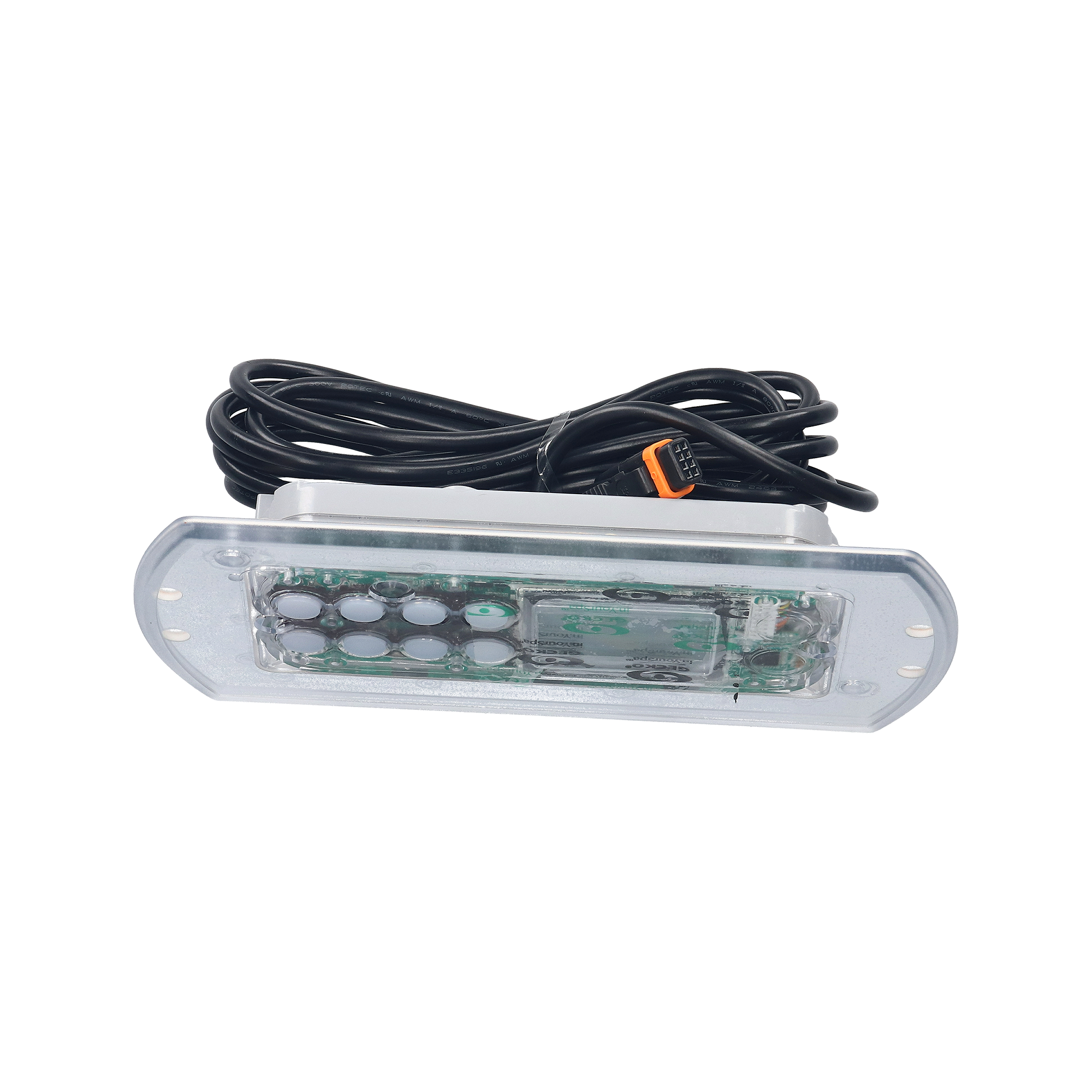
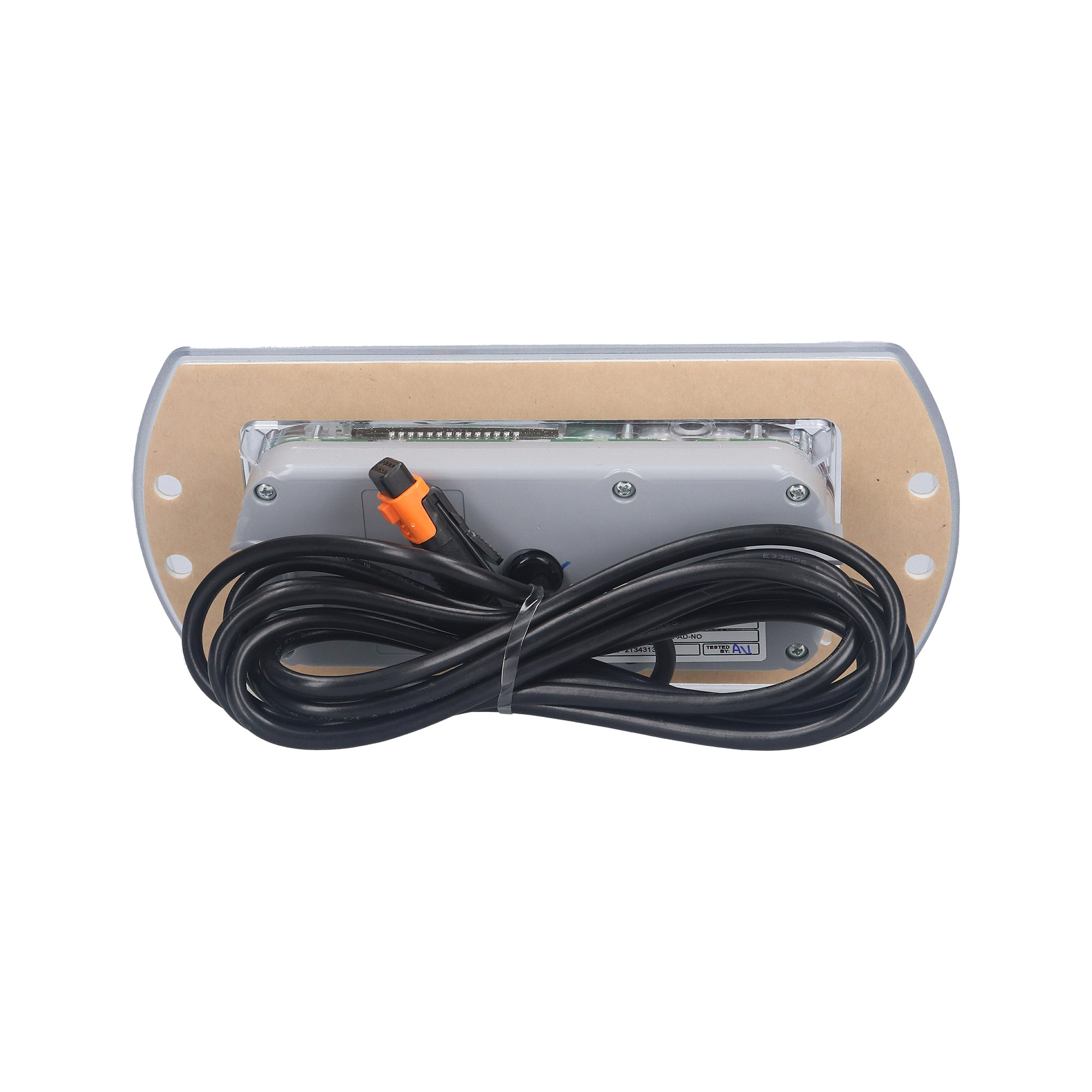
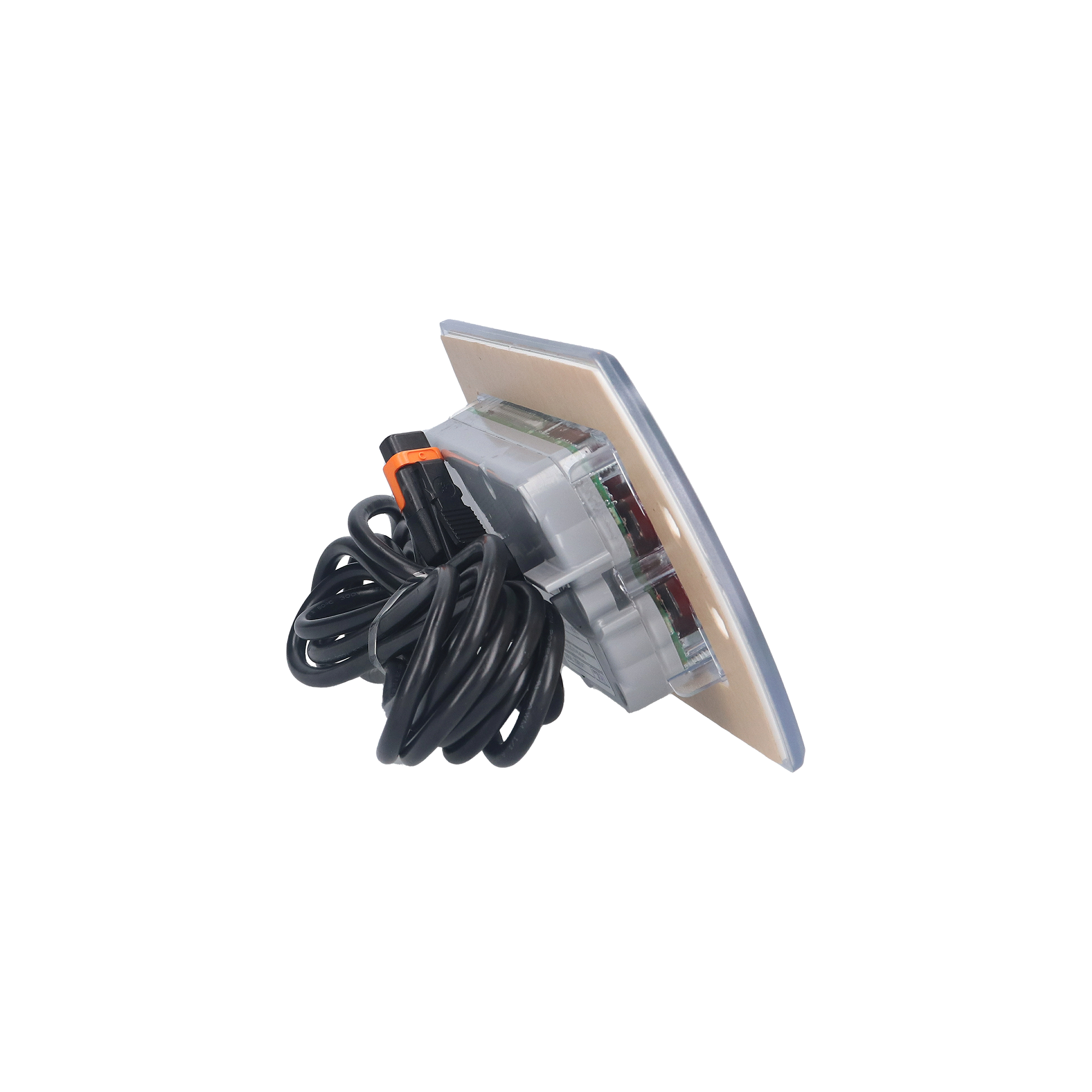
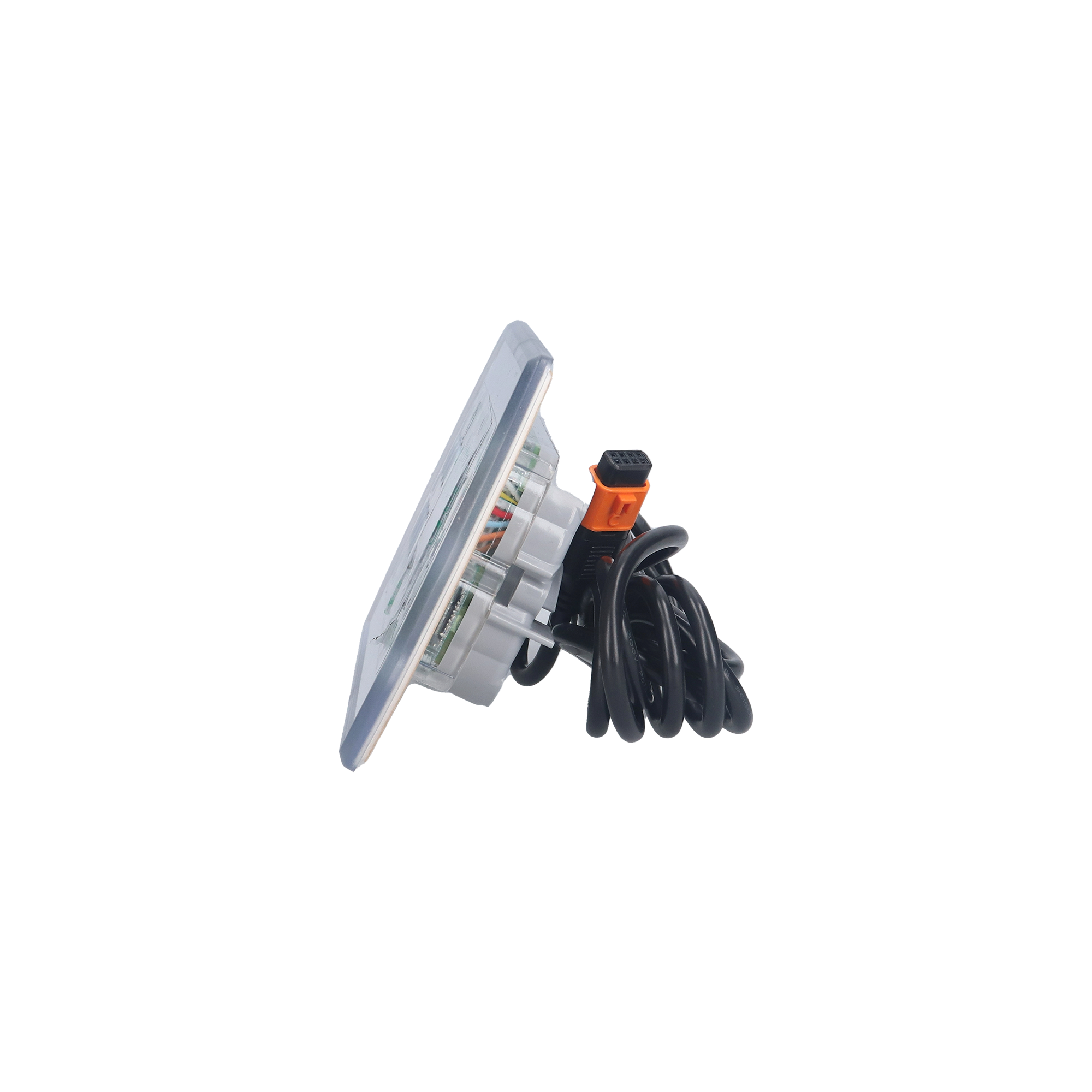
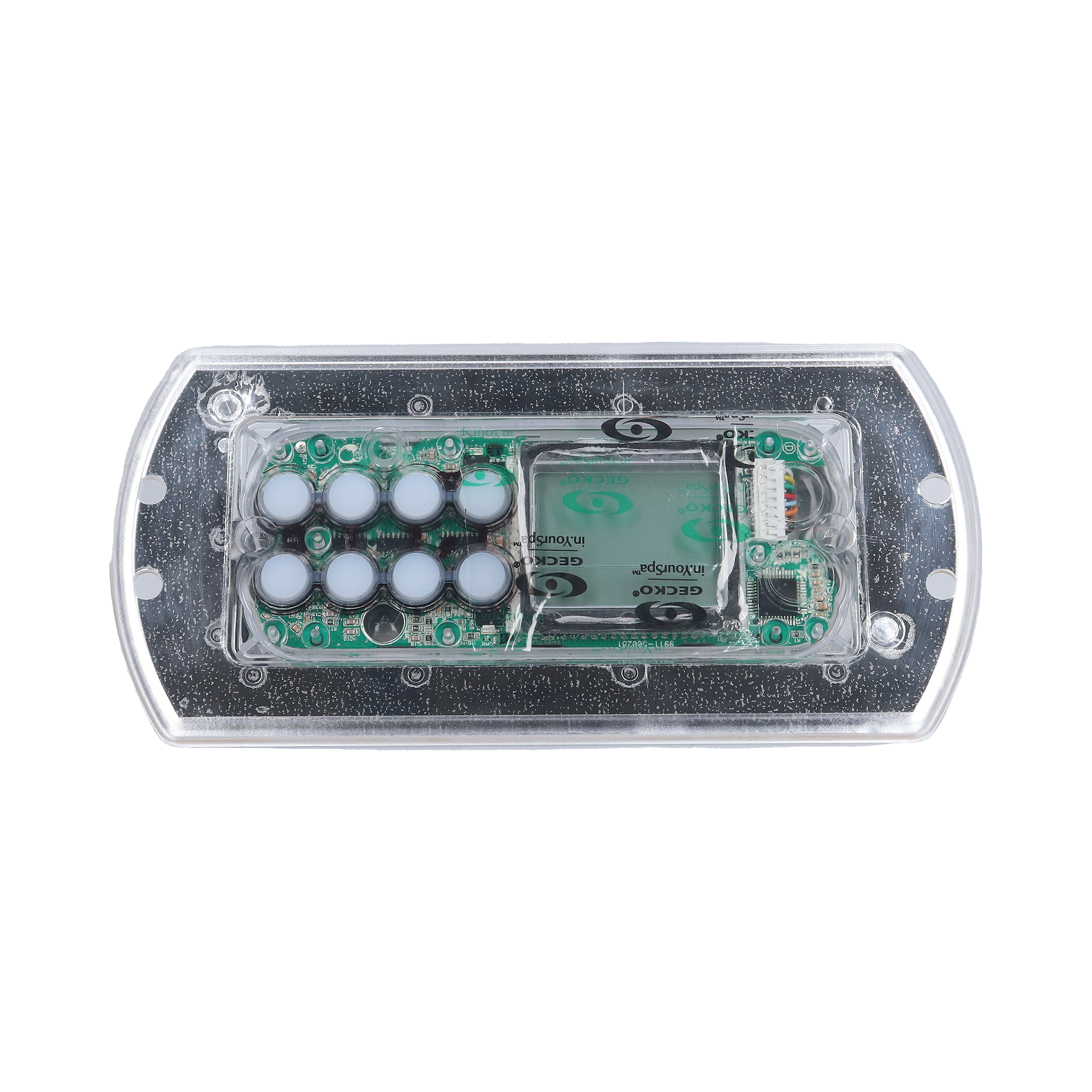
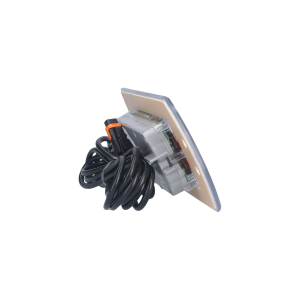
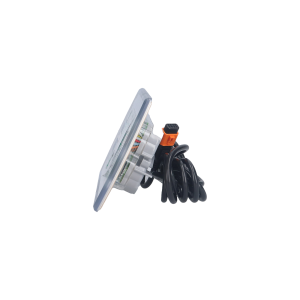
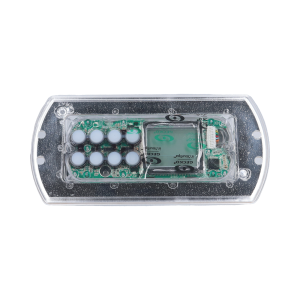
Gecko K-85 Dynasty Spas 8-Button Keypad (0607-008013) — Premium Dynasty Spas Service Panel for in.xe 2-Pump Systems with No Overlay (Sold Separately)
$128.95
Topside Control, K-85, Clear, For In.Xe Pack, 2011
| Returns | 30-day returns – see our returns policy |
66 in stock
Fast dispatch
Order in
--:--:--
for shipping today
💆 Gecko K-85 Dynasty Spas 8-Button Keypad (0607-008013) — Premium Dynasty Spas Service Panel for in.xe 2-Pump Systems with No Overlay (Sold Separately)
Genuine Gecko Alliance OEM 8-button keypad — manufactured for Dynasty Spas. Service-grade replacement panel for in.xe 2-pump spa systems from 2011, designed to accept any of Dynasty’s brand-specific K-85 overlay variants for cost-effective service repair.
📋 Product Overview
The Gecko Alliance K-85 (part number 0607-008013) is the manufacturer’s Dynasty Spas-specific 8-button keypad panel — an in.xe-compatible service-grade topside designed specifically for Dynasty Spas spa packs from 2011 and other model years. This is the panel-only listing — Dynasty Spas uses an extensive library of brand-specific K-85 overlay variants (for different pump configurations, blower presence, model years, and Dynasty sub-brands like Trevi, ECCO, Bahama, GT, and Neptune Fusion), so the K-85 panel ships without overlay to allow service repair installations to reuse the existing overlay or order the specific brand-and-config variant separately.
The K-85 represents a specific service-replacement product family in Dynasty Spas’ premium ecosystem — not a generic Gecko keypad. With its 8 buttons, LED display, in.Link connector, 7-foot cable, and 8-5/8″ × 4-1/4″ rectangle-with-rounded-sides form factor, the K-85 is purpose-built for Dynasty Spas service repair scenarios where the spa pack is a Gecko in.xe X-Series 2-pump system (typically with optional blower for 4-pump configurations). The base 8-button layout supports the common Dynasty configurations: top row = Pump buttons + Light; bottom row = Econ / Filter / Temp Up / Temp Down. Different overlays change the visible button labels for different pump counts and Dynasty sub-brands.
This 0607-008013 listing replaces multiple older Dynasty SKUs including 14232, 14437, 14149, 12663, and 12590 — making it the modern current-production replacement for any aging K-85 panel on a Dynasty Spa. Critical: This listing is for the panel only. Dynasty Spas offers many K-85 overlay variants (14299 8-button 2-pump, 14244 8-button 4-pump, 14021 7-button 2-pump ECCO, 14115 4-pump Trevi, 14109 4-pump ECCO, 15476 7-button 2-pump, and many more) — order the specific overlay matching your spa’s configuration and brand, OR carefully transfer your existing K-85 overlay to the new panel during service repair. Compatible exclusively with Gecko in.xe X-Series spa packs through the standard in.Link connector. Genuine Gecko Alliance OEM, manufacturer warranty.
⭐ Key Features
- ✅ Genuine Gecko Alliance OEM — Authentic Canadian-manufactured Dynasty Spas service panel
- ✅ Manufactured for Dynasty Spas — Direct factory equivalent for premium Dynasty hot tubs
- ✅ 8-Button Layout — Designed to accept Dynasty’s various K-85 overlay configurations
- ✅ Service-Grade Panel-Only Pricing — Save money when your existing overlay is reusable
- ✅ LED Display — Clear status indication for Dynasty in.xe spa controls
- ✅ Compact 8-5/8″ × 4-1/4″ Form Factor — Matches Dynasty Spas K-85 cutout size
- ✅ Compatible with Gecko in.xe (X-Series) — Specifically for in.xe 2-pump systems from 2011
- ✅ 7-Foot Cable — Standard Dynasty Spas K-85 cable length
- ✅ in.Link Connector — Standard Gecko spa-side connection
- ⚠️ Overlay NOT Included — Sold separately (many Dynasty-specific variants available)
- ✅ Direct Replacement — Replaces older Dynasty SKUs 14232, 14437, 14149, 12663, 12590
- ✅ Supports Many Dynasty Sub-Brand Overlays — Trevi, ECCO, Bahama, GT, Neptune Fusion, and more
- ✅ Manufacturer Warranty — Backed by Gecko Alliance
⚙️ Technical Specifications
| Specification | Value |
|---|---|
| Manufacturer | Gecko Alliance (Quebec, Canada) — manufactured for Dynasty Spas |
| Model | K-85 |
| Manufacturer Part Number | 0607-008013 |
| Topside Type | Electronic — Dynasty Spas-specific service panel |
| Display Type | LED |
| Number of Buttons | 8 |
| System Capability | Designed for Dynasty Spas in.xe 2-pump systems (from 2011); 4-pump and other configurations supported via overlay variants |
| Compatible Spa Pack Series | Gecko X-Series in.xe (Dynasty Spas applications) |
| Cable Length | 7 ft |
| Connector Type | in.Link (Gecko proprietary) |
| Panel Shape | Rectangle with Rounded Sides |
| Panel Dimensions | 8-5/8″ × 4-1/4″ |
| Overlay Included | NO — Overlay sold separately |
| Compatible Overlay Family | Dynasty K-85 overlay variants (multiple available for different pump/brand configurations) |
| Replaces | 14232, 14437, 14149, 12663, 12590 (older Dynasty SKUs) |
| Color | Clear bezel / Black |
| Warranty | Per Gecko Alliance manufacturer warranty |
📌 This listing is for the keypad panel ONLY — the overlay must be purchased separately. Dynasty Spas uses many K-85 overlay variants for different pump configurations, blower presence, and sub-brands (Trevi, ECCO, Bahama, GT, Neptune Fusion). Verify your existing overlay’s part number or the specific Dynasty Spa sub-brand model before ordering a replacement overlay.
🔄 Compatibility Guide
This Keypad is Compatible With:
| Spa Pack Family | Models |
|---|---|
| Gecko X-Series | in.xe (Dynasty Spas applications, 2011 and other model years) |
📌 The K-85 was specifically designed for Dynasty Spas’ in.xe 2-pump systems. While the in.Link connector is shared with broader Gecko keypad compatibility, the K-85’s overlay layout and Dynasty-specific positioning make it most appropriate for Dynasty Spa service repair.
Used As Factory-Original on These Spa Brands:
- ✅ Dynasty Spas — Direct factory installation
- ✅ Dynasty Spas sub-brands — Trevi, ECCO, Bahama, GT (Dynasty Trim Level), Neptune Fusion, and other Dynasty Spas product lines
Replaces These Older Part Numbers:
The K-85 (0607-008013) is the modern current-production replacement for several older Dynasty Spas SKUs:
- ✅ 0607-008013 (current Gecko Alliance manufacturer part number — this listing)
- ✅ 14232 (older Dynasty SKU — discontinued, replaced by 0607-008013)
- ✅ 14437 (older Dynasty SKU)
- ✅ 14149 (older Dynasty SKU)
- ✅ 12663 (older Dynasty SKU)
- ✅ 12590 (older Dynasty SKU — discontinued, replaced by current production)
Compatible Overlay Variants (Sold Separately):
Dynasty Spas offers many K-85 overlay variants for different spa configurations and sub-brand models. Match the overlay to your spa’s pump count, blower presence, and brand:
| Overlay Part | Configuration | Brand/Notes |
|---|---|---|
| 14299 | 8-Button, 2-Pump, In.Xe, Air, 2011 | Dynasty GT Logo |
| 14244 | 8-Button, 4-Pump | Jets 1 / Jets 2 / Blower / Light / Econo / Filter / Temp Up / Temp Down |
| 14238 | 8-Button (alternate layout) | Dynasty K-85 |
| 14130 | 8-Button (alternate layout) | Dynasty K-85 |
| 14115 | 4-Pump, In.Xe, Trevi | Trevi sub-brand |
| 14109 | 4-Pump, In.Xe, Ecco Logo | ECCO sub-brand |
| 14021 | 7-Button, 2-Pump, In.Xe, ECCO | ECCO Logo: Pump 1 / Pump 2 / Light / Econo / Filter / Up / Down |
| 15476 | 7-Button, 2-Pump | Dynasty topside overlay |
| 12488 | 6-Button, K-85, Dynasty | Pump-focused 6-button layout |
| 14019 | 4-Button, 2-Pump, ECCO | ECCO Logo: Jets 1 / Light / Temp Up / Temp Down |
📌 This is a representative list — Dynasty Spas has produced many additional K-85 overlay variants for specific model years and configurations. Contact Parts4Tubs with your existing overlay’s part number or Dynasty Spa model details to identify the exact replacement overlay.
Companion Keypad Variants:
Other Dynasty Spas keypads in the Gecko ecosystem:
| Variant | Part Number | Notes |
|---|---|---|
| K-85 (this listing) | 0607-008013 | 8-button service panel for in.xe 2-pump (and 4-pump with appropriate overlay) |
| K-94 | (per Dynasty 12998) | 8-button K-94 series — also for in.xe Dynasty applications |
| K-362 | 0607-008090 / 0607-008091 | Dynasty Spas 4-button keypad |
| K-506 (in.k506) | 0607-008042 | Dynasty Spas 7-button color (in.k500 variant) |
| in.k600 Static | 0607-008021 | Dynasty Spas 11-button monochrome LCD |
| in.k1001 | 0607-008087 | Dynasty Spas touchscreen variant |
NOT Compatible With:
- ❌ Balboa spa pack systems — Different ecosystem entirely (RJ45/Molex connectors)
- ❌ Gecko SSPA controllers (used on Dimension One Spas with 01560-XXX panels) — different JST 8-Pin connector
- ❌ HydroQuip, ACC, or non-Gecko control systems — Different connectors and protocols
- ❌ Non-Dynasty Spa applications without compatible overlay — While the panel uses standard in.Link, the K-85 family is Dynasty-positioned
- ❌ Gecko in.xm or in.xm2 multi-output platforms — Use higher-tier Gecko keypads (in.k450, in.k600, in.k800, in.k1000)
- ❌ Pneumatic / air-button systems — Different ecosystem entirely
⚠️ Compatibility Verification: The K-85 uses Gecko’s proprietary in.Link connector. If your existing keypad has an RJ45 (Ethernet-style) plug, a Molex connector, a JST 8-Pin connector, or an older 8-pin white flat plug, your spa pack is NOT compatible with this K-85.
How to Verify Compatibility:
📍 Confirm your spa is a Dynasty Spa or sub-brand (Trevi, ECCO, Bahama, GT, Neptune Fusion, etc.) 📍 Open your spa cabinet and locate the spa pack — look for a Gecko Alliance label and confirm it’s an in.xe model 📍 Confirm your spa pack is from approximately 2011 or later (when this K-85 generation was introduced) 📍 Check that your existing keypad cable has an in.Link connector (Gecko proprietary) 📍 Compare your existing K-85 keypad dimensions to 8-5/8″ × 4-1/4″ 📍 Look for any of the older Dynasty SKUs (14232, 14437, 14149, 12663, 12590) on your existing keypad 📍 Identify your existing overlay — note the overlay part number (14299, 14244, 14021, 14115, 14109, 15476, etc.) so you can order a matching replacement separately, OR plan to carefully transfer your existing overlay to the new panel 📍 Note your spa’s pump count (2-pump or 4-pump) and blower presence — overlay must match 📍 Note your spa’s Dynasty sub-brand (Trevi, ECCO, Bahama, GT, etc.) — overlay branding must match for aesthetic consistency 📍 Contact Parts4Tubs with your Dynasty Spa model information to identify the right overlay variant
🔘 Button Functions & Display
The K-85 has 8 physical buttons. The function of each button depends on the specific overlay applied — Dynasty has produced many variants for different spa configurations:
Standard 8-Button K-85 Layout (per discontinued 12590 baseline):
Top Row:
| Button | Function |
|---|---|
| Pump 1 | Jet pump 1 on/off |
| (Variable) | Pump 2, Blank, or Auxiliary depending on overlay variant |
| (Variable) | Pump 3, Blower, Blank, or Auxiliary depending on overlay variant |
| Light | Spa light on/off |
Bottom Row:
| Button | Function |
|---|---|
| Econ | Economy Mode toggle |
| Filter | Filter cycle activation/configuration |
| Up (Temp+) | Increase set water temperature |
| Down (Temp-) | Decrease set water temperature |
Overlay-Specific Button Configurations:
The 8 physical buttons map to different functions depending on the overlay applied:
| Overlay | Button Configuration |
|---|---|
| 8-button, 4-pump (14244) | Jets 1 / Jets 2 / Blower / Light / Econo / Filter / Temp Up / Temp Down |
| 8-button, 2-pump (14299) | 2-pump variant with Dynasty GT logo, Air Pack 2011 |
| 7-button, 2-pump ECCO (14021) | Top: Pump 1 / Pump 2 / Light. Bottom: Econo / Filter / Up / Down (one button left blank) |
| 6-button (12488) | Reduced 6-button layout (two buttons left blank) |
| 4-button (14019) | Jets 1 / Light / Temp Up / Temp Down (four buttons left blank) — for simplest 1-pump configurations |
📌 The K-85’s design philosophy: a single physical 8-button panel that can be customized for any Dynasty Spa configuration through overlay swap. This service-friendly approach means Dynasty maintains overlay variants for years of model production while using the same underlying keypad hardware.
LED Display:
The K-85 has an LED display for current and set water temperature, plus indicator lights for active spa functions (pump states, light, heater, mode). The exact display elements depend on the spa pack programming.
🛠️ Installation Guide
Before Installation:
- ⚠️ Disconnect power at the GFCI breaker before any work
- ⚠️ Confirm your spa is a Dynasty Spa with a Gecko in.xe spa pack (typically 2011 or later)
- ⚠️ Verify the 7-foot cable will reach from the keypad cutout to the spa pack
- ⚠️ Verify the existing connector is in.Link (NOT RJ45 or Molex)
- ⚠️ Confirm your spa shell cutout accommodates an 8-5/8″ × 4-1/4″ rectangular keypad with rounded sides
- ⚠️ Have your overlay ready — this listing does NOT include the overlay; you must order the appropriate Dynasty K-85 variant separately, OR carefully transfer the overlay from your existing keypad
Installation Steps:
- Power Down — Turn off all power to your hot tub at the GFCI / disconnect (safety first)
- Open the spa cabinet and locate the in.Link cable on the Gecko spa pack
- Disconnect the old keypad cable from the spa pack’s keypad port
- Carefully remove the old keypad from the spa shell — if you plan to reuse the existing overlay, take care not to damage it during removal
- Prepare the Surface — Clean the mounting area thoroughly with rubbing alcohol and allow it to dry completely
- Apply the overlay to the new keypad face — either the new replacement (matching your spa’s configuration) or the carefully removed existing overlay; align carefully over the button positions and LED display window
- Route the new cable through the cabinet to the spa pack
- Plug the new in.Link connector into the spa pack’s keypad port
- Apply silicone sealant around the keypad edge if recommended by your spa manufacturer
- Mount the keypad in the spa shell cutout — press firmly into place
- Restore power at the breaker
- Test all functions — All 8 buttons (with appropriate overlay function mapping); verify LED display lights up clearly; confirm pumps and accessories activate as expected
Mounting:
| Requirement | Specification |
|---|---|
| Panel size | 8-5/8″ × 4-1/4″ (rectangle with rounded sides) |
| Mounting type | Drop-in / surface-mounted with sealant |
⚠️ Professional installation by a competent individual or tradesman trained in spa equipment is recommended. All work must comply with the National Electrical Code (NEC) and local codes. Topside controls cannot be returned once opened or installed — verify fitment before opening packaging. Remember: this listing does NOT include the overlay; you must source it separately or transfer the existing overlay carefully.
⚡ Wiring & Connection
Connector Information:
| Specification | Detail |
|---|---|
| Connector Type | in.Link (Gecko Alliance proprietary) |
| Cable Length | 7 ft |
| System Voltage | Low-voltage signal — works with both 120V and 240V Gecko in.xe spa pack configurations |
Connection Location:
Plugs into the dedicated keypad port (in.Link) on Gecko in.xe X-Series spa
packs as installed in Dynasty Spas. The connector is the same in.Link style
used on most modern primary Gecko keypads.
⚠️ Never force the connector. The in.Link plug should slide in cleanly. If it doesn’t fit, your spa pack may use the older 8-pin white flat plug or be a different system — verify before proceeding.
🔍 Troubleshooting
Common Issues:
| Problem | Possible Cause | Solution |
|---|---|---|
| Blank LED display | No power or loose connection | Verify breaker on; reseat the in.Link plug at the spa pack |
| Error codes shown | Spa pack issue (sensor, flow, heater) | Refer to your in.xe TechBook for code meanings |
| Buttons unresponsive | Worn overlay or moisture intrusion | Inspect overlay for wear or water damage |
| Wrong functions when buttons pressed | Wrong overlay variant applied | Verify overlay matches your spa’s pump configuration and Dynasty sub-brand |
| LED display fault | Internal damage | Replacement may be needed |
| Foggy display | Internal moisture from a failed seal | Replace the keypad; check overlay seal |
| Pump button doesn’t activate pump | Spa pack pump configuration | Verify spa pack pump output is enabled |
| Connector won’t fit | Wrong connector type — system may be different ecosystem | Verify control system manufacturer before ordering |
| No buttons working | Overlay not installed | This panel ships WITHOUT overlay — install one before testing |
| Some buttons “blank” / non-functional | Wrong overlay configuration for spa | Verify overlay matches spa pump count |
Error Codes:
Error codes are generated by the spa pack, not the keypad.
Refer to your specific Gecko in.xe TechBook for code definitions.
Common codes: HL (high limit), HH (heater high), Sn (sensor), FL (flow).
🔧 Maintenance & Care
Routine Care:
| Task | Frequency |
|---|---|
| Wipe keypad face with damp cloth | Weekly |
| Check button response (all 8 buttons per overlay configuration) | Monthly |
| Verify LED display | Monthly |
| Inspect cable connections | Annually |
| Inspect overlay for wear and water seal | Annually |
DO NOT:
- ❌ Use abrasive cleaners or scouring pads
- ❌ Submerge the keypad in water or chemicals
- ❌ Use solvent-based cleaners (acetone, lacquer thinner, etc.)
- ❌ Press buttons with sharp objects (pens, keys, fingernails)
Overlay Replacement:
The K-85 (0607-008013) does NOT ship with an overlay. Choose the right Dynasty K-85 overlay variant for your spa configuration:
📌 Common Dynasty K-85 overlay matching guidelines:
- 2-pump spa, basic config: 14299 (Dynasty GT 8-button) or 14021 (ECCO 7-button)
- 2-pump spa with blower: 8-button overlay (third top button = blower)
- 4-pump spa: 14244 (8-button 4-pump generic) or 14115 (4-pump Trevi) or 14109 (4-pump ECCO)
- 6-button reduced config: 12488 (Dynasty 6-button)
If you’re replacing an existing K-85 keypad and your existing overlay is in good condition, you can carefully transfer it to the new panel during service repair — saving the cost of buying a new overlay.
🎯 Ideal Applications
| Application | Suitability |
|---|---|
| 💆 Replacement for failed K-85 keypad on a Dynasty Spa (with reusable overlay) | ✅ Direct factory replacement, panel-only pricing |
| 💆 Dynasty Spas service repair with existing overlay still good | ✅ Cost-effective service choice |
| 💆 Dynasty Spas with original Dynasty SKU 14232, 14437, 14149, 12663, or 12590 | ✅ Modern current-production replacement |
| 💆 Dynasty Spas in.xe 2-pump systems from 2011 | ✅ Direct factory equivalent |
| 💆 Dynasty Spas in.xe 4-pump configurations (with appropriate 4-pump overlay) | ✅ Compatible — order matching overlay |
| 💆 Dynasty Spas sub-brands (Trevi, ECCO, Bahama, GT, Neptune Fusion) | ✅ Direct OEM replacement (with brand-matching overlay) |
| 💆 Authorized Dynasty Spas service centers stocking inventory | ✅ Service inventory choice |
| 💆 Owners with extensive overlay options to choose from | ✅ Flexibility to match exact spa configuration |
| 💆 Spas wanting LED display with simple 8-button operation | ✅ Designed for this style |
| 💆 Owners wanting complete panel + overlay kit | ❌ Verify if Dynasty offers a bundled K-85 + overlay SKU for your specific configuration |
| 💆 Non-Dynasty Spa applications | ❌ Use a generic Gecko keypad (in.k200, in.k300, in.k450, etc.) |
| 💆 Spas with in.xm or in.xm2 multi-output platforms | ❌ Use in.k450, in.k600, in.k800, or in.k1000 |
| 💆 Spas needing color display | ❌ Use in.k500, in.k506, in.k800, in.k1000, or in.k1001 |
| 💆 Spas needing touchscreen | ❌ Use in.k1000 or in.k1001 |
| 💆 Balboa-equipped spas | ❌ NOT compatible — different ecosystem |
| 💆 Dimension One Spas with SSPA panels | ❌ NOT compatible — different connector |
Common Replacement Scenarios:
- LED display has gone blank, foggy, or shows partial segments
- One or more of the 8 buttons no longer responds
- Internal water damage from a failed overlay seal
- Cable damaged or pulled during cabinet service
- Owner of a Dynasty Spa needing factory-quality replacement (especially when the existing overlay can be transferred)
- Service shops keeping inventory for Dynasty Spas K-85 series repairs across the broad sub-brand portfolio (Trevi, ECCO, Bahama, GT, Neptune Fusion)
- Owner of an aging Dynasty Spa with the discontinued 14232, 14437, 14149, 12663, or 12590 SKU needing the modern equivalent
- Premium spa repair scenarios where the existing overlay is still in good condition
🤔 Frequently Asked Questions
Q: Is the overlay included? A: No — this 0607-008013 listing is for the panel ONLY. Dynasty Spas uses an extensive library of K-85 overlay variants (different pump configurations, blower presence, model years, sub-brand logos), so the panel ships without overlay. You’ll need to either:
- Reuse your existing overlay — carefully transfer it from your old keypad to the new panel
- Order a matching overlay separately — match the part number to your spa’s configuration and Dynasty sub-brand
Common K-85 overlay variants include 14299, 14244, 14021, 14115, 14109, 15476, 12488, and 14019. Contact Parts4Tubs with your Dynasty Spa model details for help identifying the right overlay.
Q: Why doesn’t the panel come with an overlay? A: Dynasty Spas has produced K-85-equipped spas under many sub-brand identities (Trevi, ECCO, Bahama, GT, Neptune Fusion, etc.) and pump configurations (2-pump, 4-pump, with/without blower) over many model years. Each combination uses a different overlay. Rather than guessing which overlay variant the buyer needs, the K-85 ships as a panel-only service SKU — buyers either reuse their existing overlay (cost savings) or order the specific brand-and-configuration overlay matching their spa.
Q: Which Dynasty Spa models use the K-85? A: The K-85 is found across Dynasty Spas’ product lineup with Gecko in.xe spa packs — primarily Dynasty’s 2-pump and 4-pump configurations from approximately 2011 onward. Sub-brands using K-85 include:
- Dynasty (main) — including GT trim level
- Trevi (Dynasty Spas sub-brand)
- ECCO (Dynasty Spas sub-brand)
- Bahama (Dynasty Spas sub-brand)
- Neptune Fusion (Dynasty Spas sub-brand)
- Other Dynasty product lines
If you have any of these spa brands with a Gecko in.xe spa pack, the K-85 is likely your factory-equivalent keypad.
Q: My old Dynasty Spa SKU is 14232, 14437, 14149, 12663, or 12590 — is this the right replacement? A: Yes — the 0607-008013 (this listing) is the modern current-production replacement for these older Dynasty SKUs. Dynasty Spas has consolidated multiple older K-85 panel SKUs into the current 0607-008013 production version.
Q: How is the K-85 different from the K-94? A: Both are Dynasty Spas-branded 8-button keypads with similar positioning, but they’re distinct part numbers in the Dynasty lineup:
- K-85 (this listing — 0607-008013) — 8-5/8″ × 4-1/4″, 7-foot cable, Dynasty in.xe applications from 2011
- K-94 (Dynasty 12998) — Different Dynasty SKU, also for in.xe spa packs (replaces 0607-008011)
Verify your existing Dynasty SKU before ordering — the panels are not interchangeable.
Q: How is the K-85 different from the in.k600 or in.k1001 used in Dynasty Spas? A: They’re at different feature tiers and price points within Dynasty’s lineup:
- K-85 (this listing — 0607-008013) — 8-button, LED display, in.xe 2-pump (or 4-pump with overlay), basic Dynasty service panel
- in.k600 (0607-008021 Static or 0607-008064 Streamlined) — 11-button, large LCD display, in.xe + in.xm + in.xm2 + Y-Series compatibility, premium 5-pump capability
- in.k1001 (0607-008087) — Color touchscreen, Y + XE Series compatibility, premium flagship for Dynasty
Choose based on your spa’s tier and your existing keypad’s part number.
Q: How is the K-85 different from the K-362 or K-506 used in Dynasty Spas? A: They’re different button counts and feature tiers within Dynasty’s lineup:
- K-362 (0607-008090 / 0607-008091) — 4-button Dynasty keypad
- K-506 (0607-008042) — 7-button color Dynasty keypad (in.k500 variant)
- K-85 (this listing — 0607-008013) — 8-button Dynasty keypad
- in.k600 (0607-008021) — 11-button Dynasty keypad
Match your replacement to your existing Dynasty SKU.
Q: How long is the cable? A: The cable is 7 feet long with an in.Link connector — adequate for typical Dynasty Spa cabinet routing.
Q: How do I identify which K-85 overlay I need? A: Multiple identification approaches:
- Look at your existing overlay — the part number is usually printed in small text along an edge or on the back
- Count visible buttons — 4-button (sparser layouts), 6-button, 7-button (one blank), or 8-button
- Note pump count and configuration — 2-pump, 2-pump+blower, 4-pump
- Note Dynasty sub-brand — Look for Trevi, ECCO, Bahama, GT, Neptune Fusion, or generic Dynasty branding on the existing overlay
- Spa model and year — Some Dynasty Spa models map to specific overlay variants
Contact Parts4Tubs with your spa details for help identifying the exact overlay match.
Q: Will this work with my Balboa spa pack? A: No — the K-85 is strictly for Gecko in.xe spa packs in Dynasty Spas applications. Balboa systems use different connectors (RJ45 for VS/GS, Molex for BP/EL/GL) and different communication protocols. If you have a Balboa system, you’ll need a Balboa topside (VL series, ML series, or TP series).
Q: My spa is not a Dynasty Spa but it has a Gecko in.xe spa pack — will this still work? A: Functionally, the K-85 can connect to any Gecko in.xe spa pack via the in.Link connector. However, the overlay layout and Dynasty-specific positioning make it most appropriate for Dynasty Spa repair. For non-Dynasty applications with Gecko in.xe controls, consider generic Gecko keypads like the in.k200, in.k300, in.k336, in.k8-3OP, or in.k450 instead — they offer broader compatibility positioning and standard overlay support.
Q: What is “Econ” mode? A: Econ (Economy) Mode reduces energy consumption by lowering the active temperature setpoint when the spa isn’t being used. This saves operating costs while keeping the spa ready for when you want to use it (just press the Econ button or wait for the schedule to switch to Standard mode). Standard, Sleep, and Filter modes work alongside Econ for complete energy management.
Q: Can I install this myself? A: Yes, basic DIY installation is feasible if:
- You can identify and access the in.Link cable on your Dynasty Spa’s spa pack
- You can safely shut off power at the GFCI breaker
- You have the overlay (either new replacement or carefully removed existing)
- Your spa shell cutout accommodates the 8-5/8″ × 4-1/4″ panel
If your Dynasty Spa needs cutout modification or you’re not comfortable with electrical work, a competent spa technician is recommended.
Q: Will this work with my 120V or 240V spa? A: Yes — the keypad runs on low-voltage signal from the spa pack, so it works regardless of whether your Gecko in.xe spa pack is wired for 115V or 230V service.
Q: What warranty is included? A: This part is covered by the Gecko Alliance manufacturer warranty. Topside controls are not returnable once opened or installed.
Q: Do you ship across the US? A: Yes — Parts4Tubs ships to all 50 states with fast US delivery.
🏆 Why Choose the Gecko K-85 Dynasty Spas Keypad
- ✅ Genuine Gecko Alliance OEM — Authentic Canadian-manufactured Dynasty Spas service panel
- ✅ Manufactured for Dynasty Spas — Direct factory equivalent for premium Dynasty hot tubs
- ✅ Service-grade panel-only pricing — Save money when your existing overlay is reusable
- ✅ 8 physical buttons — Designed to accept Dynasty’s various K-85 overlay configurations
- ✅ LED display — Clear status indication for Dynasty in.xe spa controls
- ✅ Compatible with Dynasty Spas’ broad sub-brand portfolio — Trevi, ECCO, Bahama, GT, Neptune Fusion
- ✅ Direct replacement for older Dynasty SKUs — 14232, 14437, 14149, 12663, 12590
- ✅ Compact 8-5/8″ × 4-1/4″ form factor — Matches Dynasty Spas K-85 cutout size
- ✅ Standard 7-foot cable — Standard Dynasty K-85 cable length
- ✅ Standard in.Link connector — Compatible with Gecko in.xe spa packs
- ✅ Backed by Gecko Alliance warranty — Manufacturer support
🇺🇸 Why Buy From Parts4Tubs
- ✅ Fast US shipping to all 50 states
- ✅ Expert advice from spa specialists
- ✅ Compatibility assistance — send us your Dynasty Spa model and existing overlay part number to confirm K-85 fit
- ✅ Full manufacturer warranty support
- ✅ Easy returns within 30 days (unopened keypads only — topsides cannot be returned once installed)
- ✅ Genuine OEM Gecko Alliance parts
- ✅ Compatible Dynasty K-85 overlay variants (14299, 14244, 14021, 14115, 14109, 15476, 12488, 14019, etc.) also available
⭐ Summary
The Gecko Alliance K-85 (part number 0607-008013) is the manufacturer’s Dynasty Spas-specific 8-button service-grade keypad panel — engineered for Dynasty Spas spa packs with Gecko in.xe X-Series controls (typically 2-pump systems from 2011, with 4-pump configurations supported via overlay variant). With its 8 physical buttons, LED display, 8-5/8″ × 4-1/4″ rectangle-with-rounded-sides form factor, 7-foot cable, and standard in.Link connector, the K-85 is purpose-built for Dynasty Spas service repair scenarios where Dynasty’s extensive overlay library (covering many pump configurations, blower presence, and sub-brand logos including Trevi, ECCO, Bahama, GT, and Neptune Fusion) makes a panel-only SKU the right service choice. Critical: This listing is for the panel only — the overlay is sold separately. Dynasty K-85 overlay variants include 14299 (8-button 2-pump GT), 14244 (8-button 4-pump generic), 14021 (7-button 2-pump ECCO), 14115 (4-pump Trevi), 14109 (4-pump ECCO), 15476 (7-button 2-pump), 12488 (6-button), 14019 (4-button 2-pump ECCO), and many more. Buyers should either reuse their existing overlay (cost savings) or order the specific brand-and-configuration overlay matching their spa. The 0607-008013 is the modern current-production replacement for older Dynasty SKUs 14232, 14437, 14149, 12663, and 12590. Important: Manufactured exclusively for Dynasty Spas applications with Gecko in.xe controls. NOT compatible with Balboa, Dimension One Spas SSPA, HydroQuip, ACC, Gecko in.xm or in.xm2 multi-output platforms, or non-Gecko control systems. Order today from Parts4Tubs for fast US shipping and expert support — and contact us with your Dynasty Spa model details to identify the right K-85 overlay variant for your spa.
What is a Hot Tub Keypad Overlay?
A hot tub keypad overlay, also known as a spa control panel overlay, is a protective and decorative component used in hot tubs and spas. It typically consists of a thin, clear or colored piece of material, often made of durable plastic or silicone, that is designed to cover and protect the control panel or keypad of the hot tub.
Here's what a hot tub keypad overlay does:
-
Protection: The overlay acts as a protective barrier for the underlying control panel or keypad. It shields the sensitive electronics and buttons from exposure to water, chemicals, UV rays, and physical damage, such as scratches or abrasions. This helps extend the lifespan of the control panel.
-
Enhancement: Many overlays are designed with labels, graphics, and button outlines that enhance the appearance of the control panel. They often include icons or text that provide clear instructions for operating the hot tub, making it user-friendly, especially for those who may not be familiar with the hot tub's functions.
-
Customization: Hot tub keypad overlays can be customized to match the branding or style of the hot tub manufacturer. They may feature the manufacturer's logo, model name, or specific design elements. Some hot tub owners choose to customize overlays to add a personal touch to their spa.
-
Ease of Cleaning: The overlay is easier to clean and maintain than the underlying control panel. Spills, dirt, or chemical residues that come into contact with the overlay can be wiped away without affecting the control panel's functionality.
-
Replacement: Over time, keypad overlays may wear out or become damaged due to exposure to harsh spa conditions. Fortunately, they are relatively easy and cost-effective to replace when needed, allowing you to refresh the appearance of your hot tub's control panel.
When replacing a hot tub keypad overlay, it's essential to choose one that is compatible with your hot tub's make and model to ensure that the button layout and functions match the original control panel. This compatibility ensures that the overlay fits correctly and accurately represents the hot tub's settings.
In summary, a hot tub keypad overlay serves as a protective, decorative, and informative layer for the control panel, enhancing the user experience and prolonging the life of the hot tub's control system.
How do you replace a hot tub keypad overlay?
Replacing a hot tub keypad overlay is generally a straightforward process that can be done with some basic tools and careful attention. Here's a step-by-step guide on how to replace a hot tub keypad overlay:
Tools and Materials Needed:
- New keypad overlay (ensure it's compatible with your hot tub model)
- Screwdriver (usually a Phillips-head)
- Mild cleaner or rubbing alcohol
- Soft cloth or paper towels
Step-by-Step Instructions:
-
Turn Off Power: Start by turning off the power to your hot tub. This is essential for safety reasons.
-
Access the Control Panel: Depending on your hot tub's design, you may need to remove a cover or panel to access the control panel. Use a screwdriver to remove any screws or fasteners holding the cover in place.
-
Remove the Old Overlay: Carefully peel off the old keypad overlay. Begin at one corner and gently lift it away from the control panel. Take your time and be cautious not to damage the control panel or its components.
-
Clean the Control Panel: After removing the old overlay, use a soft cloth or paper towel and a mild cleaner or rubbing alcohol to clean the control panel's surface. This step ensures that the new overlay adheres properly and looks clean.
-
Prepare the New Overlay: Ensure that the new hot tub keypad overlay is clean and free of any dust or debris. If the new overlay has an adhesive backing, remove the protective film to expose the adhesive.
-
Align and Apply the New Overlay: Carefully align the new overlay with the control panel. Make sure it matches the button layout and design of the control panel. Begin by aligning one corner and gradually press the overlay onto the control panel's surface, working your way across. Smooth out the overlay to prevent air bubbles or wrinkles.
-
Secure the Control Panel Cover: If you had to remove a cover or panel to access the control panel, reattach it using the screws or fasteners you removed earlier.
-
Turn On Power: Once the new overlay is securely in place, and the control panel cover is reattached, turn the power back on at the main circuit breaker.
-
Test the Keypad: Test the keypad buttons to ensure they function correctly. Press each button to verify that it corresponds to the correct function on the hot tub.
-
Final Cleaning: After installation and testing, wipe down the new overlay with a clean, dry cloth to remove any fingerprints or residue.
You've now successfully replaced your hot tub's keypad overlay. Make sure to use a compatible overlay, and exercise caution during the replacement process to avoid damaging the control panel.
| Brand | Gecko |
|---|