
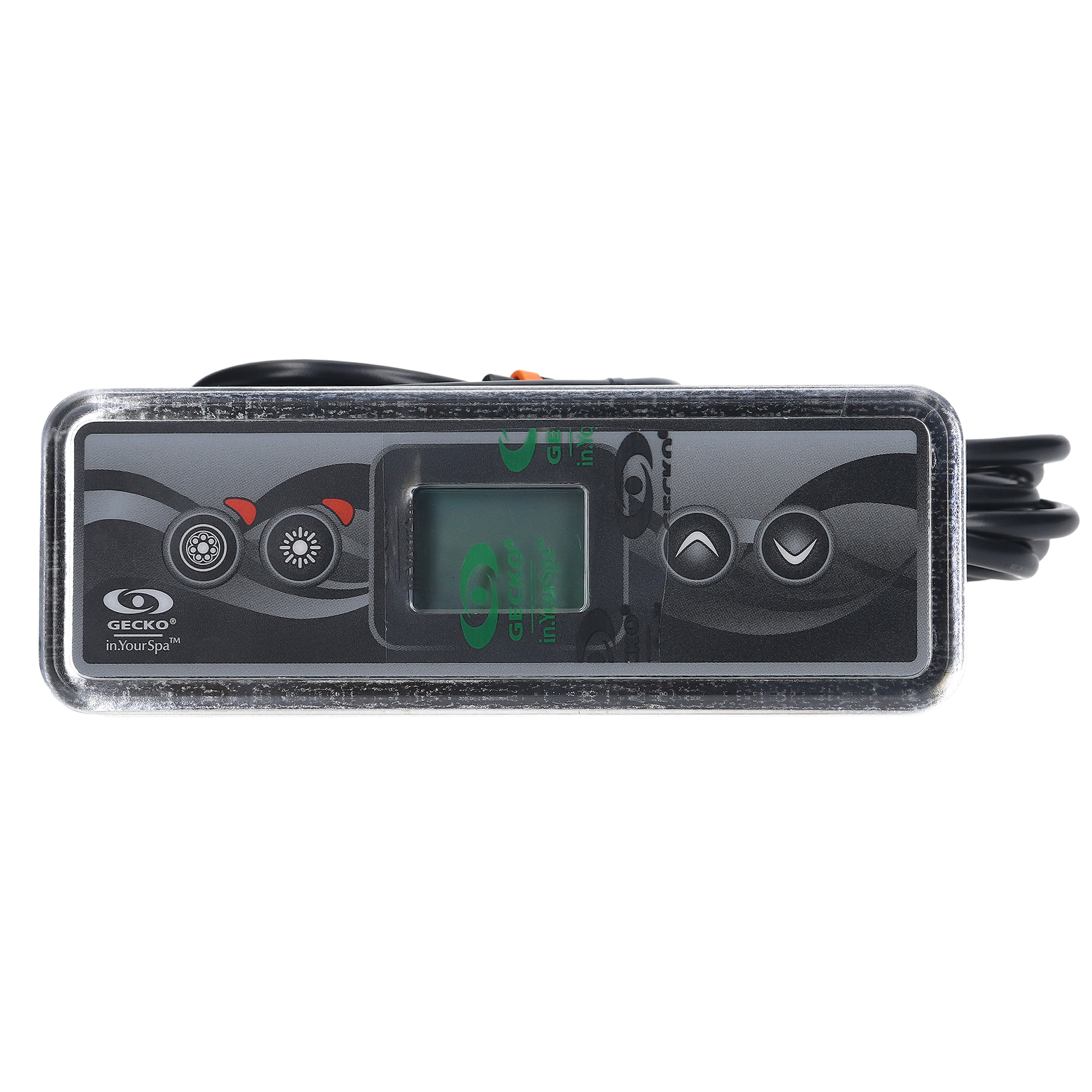
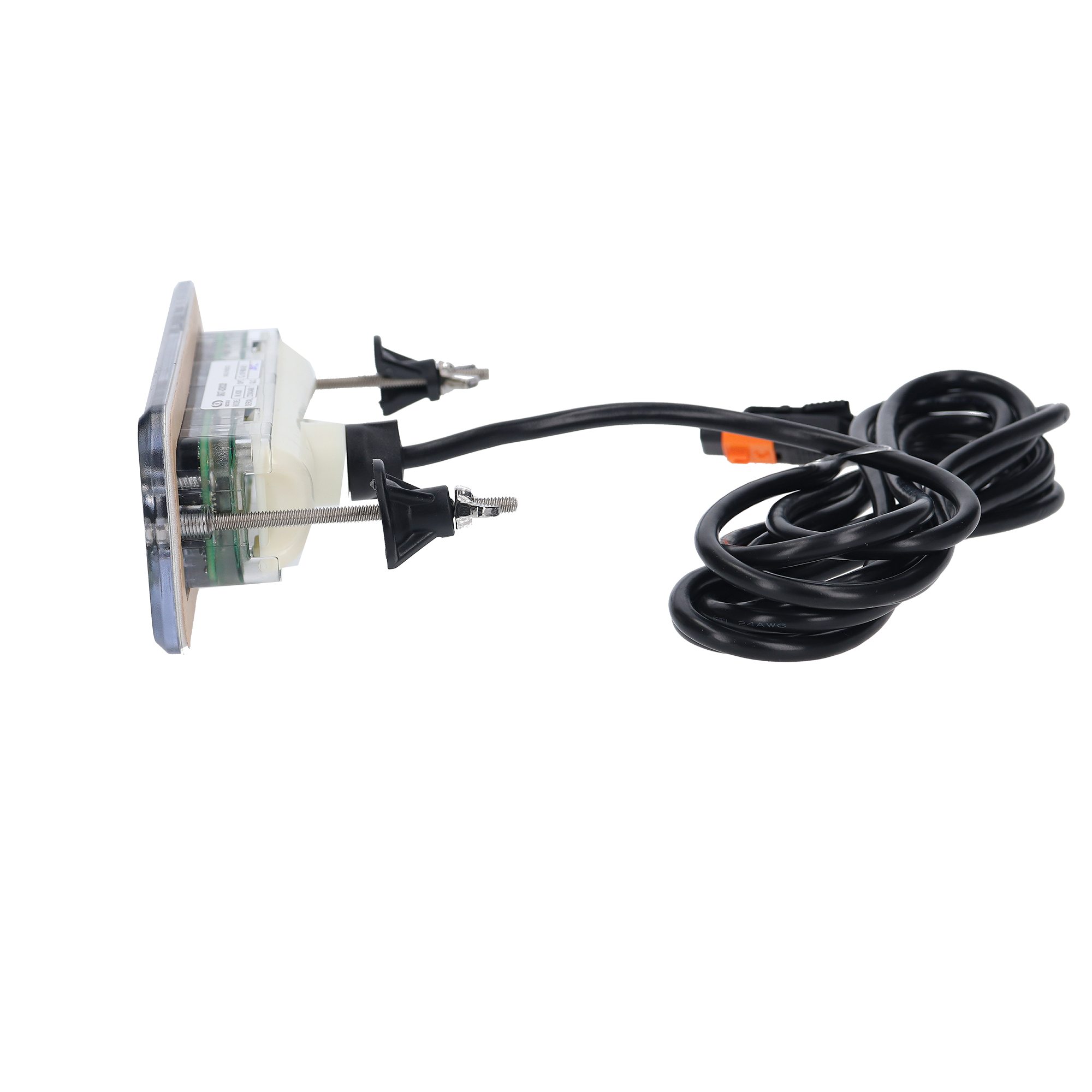
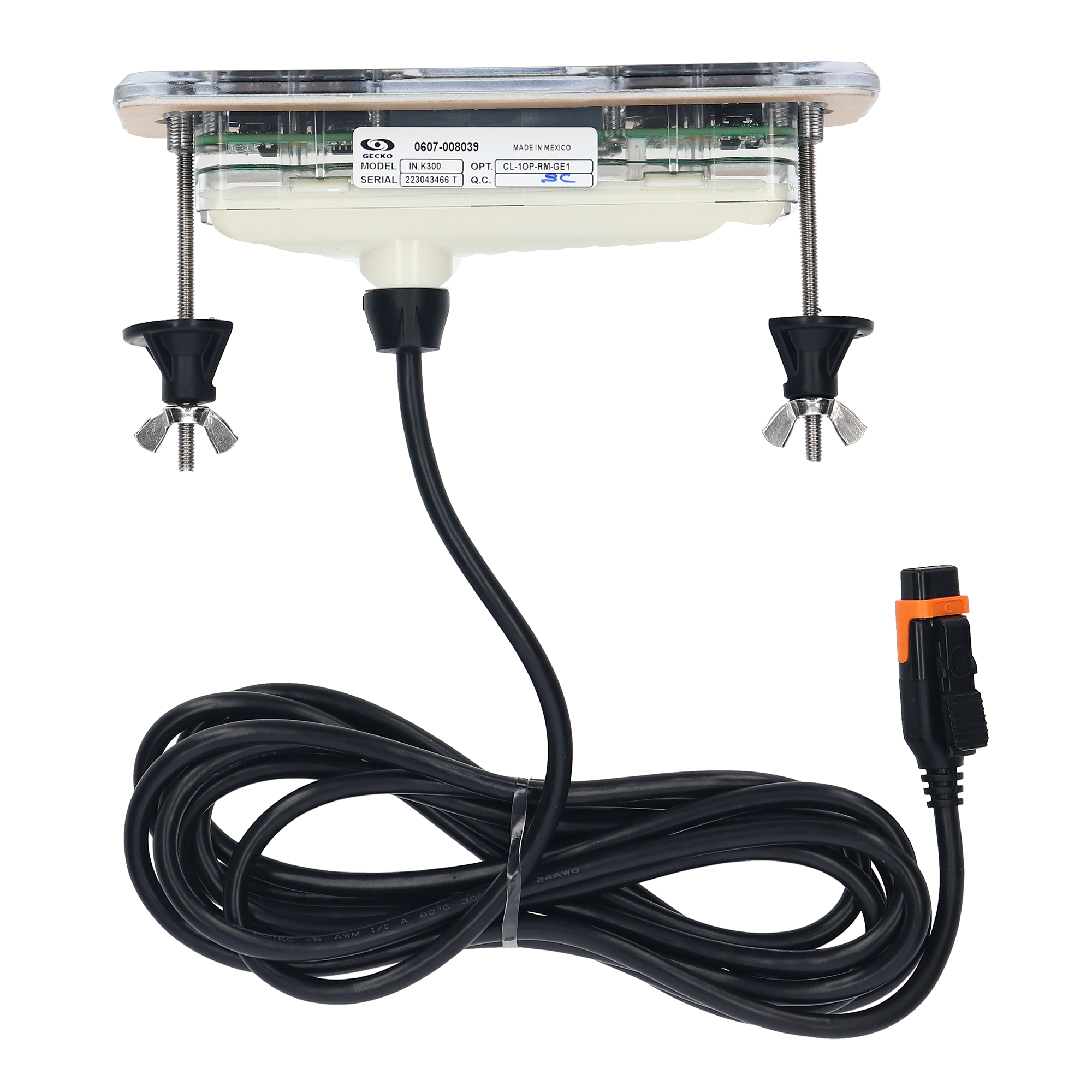
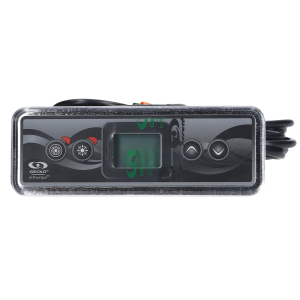
Gecko in.k300-1OP Electronic Keypad (0607-008039) — Mid-Range 4-Button LCD Spa Control with 1-Pump Overlay Included
$115.23
Spaside Control, Gecko IN.K300-1OP, 4-Button, LCD, Pump1-Light-Up-Down, 10′ Cable, w/in.link Plug
| Manufacturer part number | 0607-008039 |
| Returns | 30-day returns – see our returns policy |
51 in stock
Fast dispatch
Order in
--:--:--
for shipping today
📥 Downloads & Resources
📄 Gecko in.k300 Techbook (PDF)
Andi’s Top Tip
-
- Model: in.k300 – 0607-008037
- Overlay: 9916-101500
- Buttons: Pump 1, Pump 2, Light, Up/Down
- Compatible with: in.yt, in.ye, in.yj, in.xe, or in.xm2 spa packs (with appropriate software revision)
- Cord Length: 10′
📟 Gecko in.k300-1OP Electronic Keypad (0607-008039) — Mid-Range 4-Button LCD Spa Control with 1-Pump Overlay Included
Genuine Gecko Alliance OEM mid-range LCD keypad — the perfect step up from entry-level LED keypads, with a big bright LCD display in a streamlined 4-button interface for 1-pump Gecko-equipped hot tubs.
📋 Product Overview
The Gecko Alliance in.k300-1OP (part number 0607-008039) is the manufacturer’s mid-range primary keypad — bringing all the features you really need to one streamlined panel. With a big, bright LCD display (clearly readable throughout the day and simple enough to use in the middle of the night), the in.k300 represents the natural step up from the entry-level in.k200 LED keypad while remaining compact and affordable. Compact, with 4 keys and an LCD readout, the in.k300’s design philosophy pairs solid build quality with intuitive operation: no thick manuals, no menu mazes — just direct-access control of your spa’s essential functions.
This is the 1OP (1-Output / 1-Pump) variant designed specifically for spas with a single jet pump. The included overlay (Gecko part 9916-101499) provides the standard 1-pump layout: Pump 1 / Light / Up (Temp+) / Down (Temp-). The 6-1/4″ × 2-1/4″ rectangular form factor with LCD display fits comfortably in modern hot tub shells without dominating the deck space — measurably larger than the compact 4-3/4″ × 2″ in.k200 but smaller and more affordable than the premium in.k336 (with its backlit rim) and in.k450/in.k500/in.k800/in.k1000 keypads.
The in.k300-1OP is compatible with Gecko Y-Series spa packs (in.yj, in.ye, in.yt) and Gecko in.xe X-Series spa packs from 2006 and newer — a broad mid-range compatibility window through the standard in.Link connector with a generous 10-foot cable. It’s the factory-equivalent topside on Emerald Spas with Gecko controls and confirmed factory installation on Dynasty Spas (replacing Dynasty cross-reference 15330) and many other premium spa brands. For retrofits where the existing spa shell cutout doesn’t match, an optional adapter plate (9917-102239) is available separately to cover larger pre-existing openings. Genuine Gecko Alliance OEM, 6-month limited manufacturer warranty.
⭐ Key Features
- ✅ Genuine Gecko Alliance OEM — Authentic Canadian-manufactured mid-range keypad
- ✅ Mid-Range LCD Primary Keypad — Step up from entry-level LED, step down from premium LCD-with-backlit-rim and color/touchscreen keypads
- ✅ Big Bright LCD Display — Clearly readable throughout the day, simple enough to use at night
- ✅ 4-Key Streamlined Control — Pump 1 / Light / Up (Temp+) / Down (Temp-) for clean direct-access operation
- ✅ Overlay INCLUDED — Standard 1OP overlay (Gecko part 9916-101499) self-adhesive sticker supplied
- ✅ 1-Pump Configuration Support — Designed specifically for spas with one jet pump
- ✅ Compatible with Y-Series Systems — in.yj, in.ye, in.yt spa packs
- ✅ Compatible with X-Series Systems (2006+) — in.xe spa packs from 2006 onward
- ✅ Compact 6-1/4″ × 2-1/4″ Rectangular Form Factor — Fits comfortably without dominating spa deck space
- ✅ Standard 10-Foot Cable — Generous reach for typical spa cabinet routing
- ✅ in.Link Connector — Standard Gecko spa-side connection
- ✅ Adapter Plate Available — Optional 9917-102239 covers larger spa shell openings during retrofit
- ✅ Used on Emerald Spas, Dynasty Spas — Confirmed factory installation
- ✅ Solidly Built, Affordable — Premium feel without premium price
- ✅ 6-Month Limited Manufacturer Warranty — Backed by Gecko Alliance
⚙️ Technical Specifications
| Specification | Value |
|---|---|
| Manufacturer | Gecko Alliance (Quebec, Canada) |
| Model | in.k300-1OP |
| Manufacturer Part Number | 0607-008039 (also: BDLK3001OP, 3-00-7258, GK0607008039, K300, K-300) |
| Topside Type | Electronic — Primary keypad (mid-range) |
| Display Type | LCD |
| Number of Buttons | 4 |
| Button Layout | Pump 1 / Light / Up (Temp+) / Down (Temp-) |
| System Capability | 1-pump primary control |
| Compatible Spa Pack Series | Gecko Y-Series (in.yj, in.ye, in.yt) and X-Series in.xe (2006+) |
| Cable Length | 10 ft (~3 m) |
| Connector Type | in.Link (Gecko proprietary) |
| Panel Shape | Rectangle |
| Panel Dimensions | 6-1/4″ × 2-1/4″ (6.25″ × 2.25″ / 15.9 × 7.5 cm) |
| Standard Overlay Included | Yes — Gecko 9916-101499 (1OP layout) |
| Compatible Adapter Plate | 9917-102239 (sold separately, for larger cutouts) |
| Color | Black |
| Warranty | 6-Month Limited (Gecko Alliance) |
📌 Always confirm cutout size against your existing keypad opening before ordering — small variations exist between spa shell designs. The optional adapter plate (9917-102239) can cover larger pre-existing cutouts when retrofitting.
🔧 Parts and fittings for this
| Part | Our part number | Availability | Price | ||
|---|---|---|---|---|---|
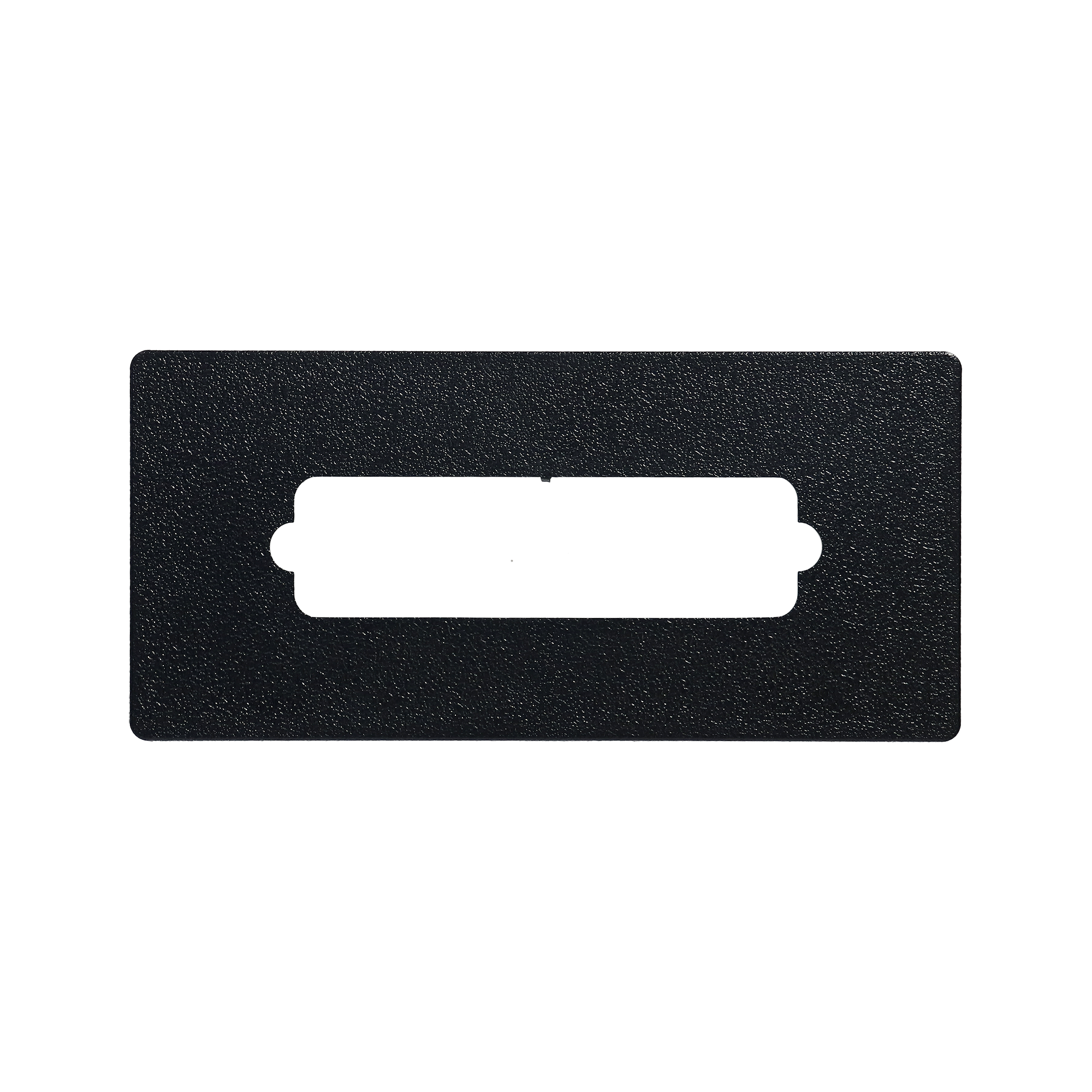 |
Gecko Adapter Plate 9917-102239 | 9917-102239 | 145 in stock | $15.88 | Add to cart |
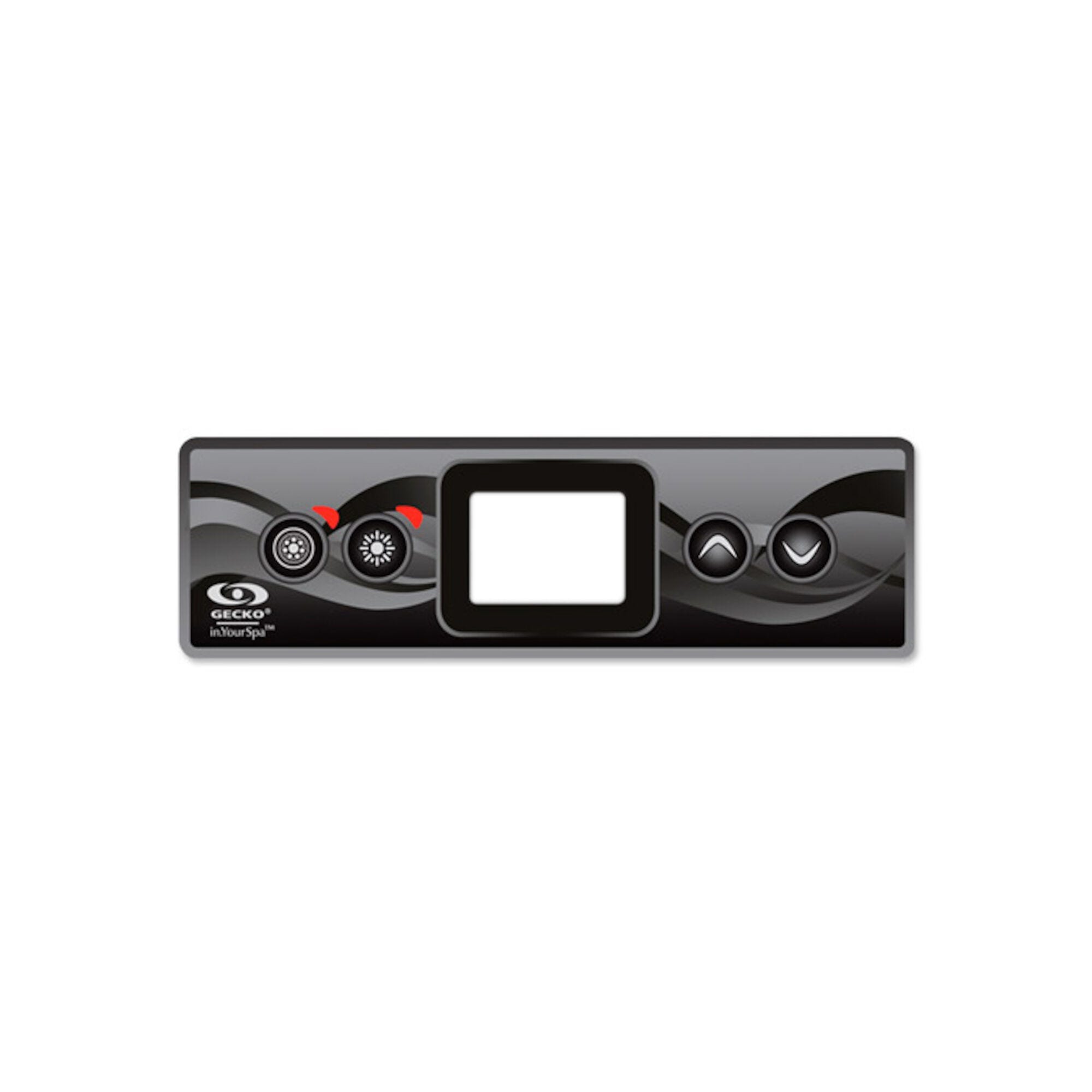 |
4 Button Gecko in.k300 Keypad Overlay 9916-101499 | 9916-101499 | 38 in stock | $24.45 | Add to cart |
| Control, Gecko in.yj-3 V3, P1(2),P2(1),4.0kW, w/in.k336, IT3 | 0612-300012 | In stock | $594.70 | Add to cart | |
 |
Control, Gecko in.yj-3 V3, P1(2),P2(1),4.0kW, w/in.k300, IT3 | 0612-300011 | In stock | $594.70 | Add to cart |
🔄 Compatibility Guide
This Keypad is Compatible With:
| Spa Pack Family | Models |
|---|---|
| Gecko Y-Series | in.yj |
| Gecko Y-Series | in.ye |
| Gecko Y-Series | in.yt |
| Gecko X-Series | in.xe (2006 and newer) |
| Gecko Y-Class Systems | All compatible Y-Class controllers |
📌 The in.k300’s mid-range positioning gives it broad Gecko compatibility — covering the full Y-Series family plus in.xe X-Series spa packs manufactured from 2006 onward.
Used As Factory-Original on These Spa Brands:
- ✅ Emerald Spa — Confirmed factory installation
- ✅ Dynasty Spas — Confirmed factory installation (replaces Dynasty cross-reference 15330)
- ✅ Many other premium spa brands using Gecko Y-Series or compatible X-Series control systems
Replaces These Older Part Numbers:
- ✅ 0607-008039 (current Gecko Alliance manufacturer part number — this listing)
- ✅ BDLK3001OP (former Gecko bundle reference for the 1-pump in.k300)
- ✅ 0607-008036 (older variant — superseded)
- ✅ 0607-008045 (alternate distributor cross-reference)
- ✅ 3-00-7258 (alternate distributor cross-reference)
- ✅ GK0607008039 (alternate distributor reference)
- ✅ K300 / K-300 (shorthand product references)
- ✅ Used in Dynasty Spas configurations (cross-reference 15330)
Companion Keypad Variants Within the in.k300 Family:
The in.k300 series includes several variants for different spa configurations:
| Variant | Part Number | Configuration | Button Layout | Cable |
|---|---|---|---|---|
| in.k300-1OP (this listing) | 0607-008039 | 1-pump | Pump 1 / Light / Up / Down | 10 ft |
| in.k300-1OP with long cable | 0607-005017 | 1-pump | Pump 1 / Light / Up / Down | 25 ft |
| in.k300-2OP | 0607-008040 | 2-pump | Pump 1 / Pump 2 / Light / Up-Down | 10 ft |
📌 Choose the variant that matches your spa’s pump configuration. If you have 1 pump, this 1OP listing is correct. If you have 2 pumps, use the in.k300-2OP (0607-008040) instead.
NOT Compatible With:
- ❌ Balboa spa pack systems — Different ecosystem entirely (RJ45/Molex connectors)
- ❌ Gecko SSPA controllers (used on Dimension One Spas with 01560-XXX panels) — different JST 8-Pin connector
- ❌ HydroQuip, ACC, or non-Gecko control systems — Different connectors and protocols
- ❌ Pre-2006 in.xe X-Series systems — Use a different keypad solution
- ❌ Spas requiring 2+ pump control — Use the in.k300-2OP (0607-008040), in.k336, in.k450, or higher-tier keypads
- ❌ Spas requiring blower button control — Use a higher-tier keypad with dedicated blower function
- ❌ Pneumatic / air-button (Tecmark Command Center, EasyPak) systems
⚠️ Compatibility Verification: The in.k300 uses Gecko’s proprietary in.Link connector. If your existing keypad has an RJ45 (Ethernet-style) plug, a Molex connector, or a JST 8-Pin connector, your spa pack is NOT compatible with the in.k300.
How to Verify Compatibility:
📍 Open your spa cabinet and locate the spa pack — look for a Gecko Alliance label 📍 Confirm the model is one of: in.yj, in.ye, in.yt (Y-Series) or in.xe (X-Series 2006+) 📍 Check that your existing keypad cable has an in.Link connector (Gecko proprietary) 📍 Confirm your spa has 1 pump (this is the 1OP variant; 2-pump spas need the in.k300-2OP) 📍 Compare your old keypad dimensions to 6-1/4″ × 2-1/4″ 📍 If your existing cutout is significantly larger, consider the optional adapter plate (9917-102239) 📍 Look for any of the older part numbers (0607-008036, 0607-008045, BDLK3001OP, 3-00-7258, K300) on your existing keypad 📍 Contact Parts4Tubs with your spa pack model number if you’re unsure
🔘 Button Functions & Display
The in.k300-1OP has 4 physical buttons. The included 1OP overlay (Gecko 9916-101499) provides the standard 1-pump layout:
4-Button Layout (1OP Overlay — Pump 1 / Light / Up / Down):
| Button | Function |
|---|---|
| Pump 1 | Jet pump on/off (and 2-speed cycle if applicable) |
| Light | Spa light on/off |
| Up (Temp+) | Increase set water temperature |
| Down (Temp-) | Decrease set water temperature |
LCD Display:
The in.k300’s big bright LCD display is a key differentiator from entry-level LED keypads — providing clear visibility throughout the day and easy readability at night without the simpler 7-segment limitations:
| Display Element | Shows |
|---|---|
| Temperature digits | Current and set water temperature (°F or °C) |
| Pump indicator | Pump 1 active state and speed |
| Light indicator | Spa light on/off state |
| Heater indicator | Heater energized state |
| Filter cycle | Filtration scheduling status |
| Mode indicator | Standard / Economy / Sleep mode status |
| Error codes | Diagnostic codes from the spa pack |
| Maintenance reminders | Filter cleaning and service notifications |
📌 The in.k300’s LCD philosophy is clarity without complexity — bright enough for sunny outdoor afternoons, simple enough for late-night soaks. The streamlined interface keeps the experience uncluttered while providing all the information modern spa users expect.
🛠️ Installation Guide
Before Installation:
- ⚠️ Disconnect power at the GFCI breaker before any work
- ⚠️ Confirm your spa pack is a Gecko Y-Series (in.yj, in.ye, in.yt) or in.xe (2006+) X-Series
- ⚠️ Verify the 10-foot cable will reach from the keypad cutout to the spa pack
- ⚠️ Confirm your spa has 1 pump (or check that you have the right variant for your pump count)
- ⚠️ Verify the existing connector is in.Link (NOT RJ45 or Molex)
- ⚠️ Measure your existing cutout — if larger than 6-1/4″ × 2-1/4″, consider ordering the adapter plate (9917-102239)
Installation Steps:
- Power Down — Turn off all power to your hot tub at the GFCI / disconnect (safety first)
- Open the spa cabinet and locate the in.Link cable on the Gecko spa pack
- Disconnect the old keypad cable from the spa pack’s keypad port
- Remove the old keypad from the spa shell cutout
- Prepare the Surface — Clean the mounting area thoroughly with rubbing alcohol and allow it to dry completely
- Apply the included overlay (9916-101499) to the keypad face — align carefully over the button positions and LCD display window
- Route the new cable through the cabinet to the spa pack
- Plug the new in.Link connector into the spa pack’s keypad port
- (Optional) Install the adapter plate (9917-102239) if your existing cutout is larger than the in.k300’s footprint
- Apply silicone sealant around the keypad edge if recommended by your spa manufacturer
- Mount the new keypad in the spa shell cutout — press firmly into place
- Restore power at the breaker
- Test all functions — Pump 1, Light, Up/Down temperature adjust; verify LCD display lights up clearly with all icons operating
Mounting:
| Requirement | Specification |
|---|---|
| Panel size | 6-1/4″ × 2-1/4″ (rectangular) |
| Mounting type | Drop-in / surface-mounted with sealant |
| Adapter plate | 9917-102239 (optional, for larger pre-existing cutouts) |
⚠️ Professional installation by a competent individual or tradesman trained in spa equipment is recommended. All work must comply with the National Electrical Code (NEC) and local codes. Topside controls cannot be returned once opened or installed — verify fitment before opening packaging.
⚡ Wiring & Connection
Connector Information:
| Specification | Detail |
|---|---|
| Connector Type | in.Link (Gecko Alliance proprietary) |
| Cable Length | 10 ft (~3 m) |
| System Voltage | Low-voltage signal — works with both 120V and 240V Gecko spa pack configurations |
Connection Location:
Plugs into the dedicated keypad port (in.Link) on Gecko Y-Series spa packs
(in.yj, in.ye, in.yt) or in.xe X-Series spa packs (2006 and newer).
The connector is the same in.Link style used on all primary Gecko keypads
(in.k200, in.k300, in.k336, in.k450, in.k500, in.k800, in.k1000).
⚠️ Never force the connector. The in.Link plug should slide in cleanly. If it doesn’t fit, your spa pack may be Balboa (RJ45 or Molex), Dimension One (JST 8-Pin), or a different system — verify before proceeding.
🔍 Troubleshooting
Common Issues:
| Problem | Possible Cause | Solution |
|---|---|---|
| Blank LCD display | No power or loose connection | Verify breaker on; reseat the in.Link plug at the spa pack |
| Error codes shown | Spa pack issue (sensor, flow, heater) | Refer to your Y-Series or X-Series TechBook for code meanings |
| Buttons unresponsive | Worn overlay or moisture intrusion | Inspect overlay for wear or water damage |
| Wrong functions when buttons pressed | Wrong overlay variant (2OP applied to 1OP keypad or vice versa) | Verify overlay matches keypad variant; the standard 1OP overlay is 9916-101499 |
| LCD icons missing or partial | Display fault or programming issue | Verify spa pack firmware compatible with in.k300; replacement may be needed |
| Foggy or unreadable LCD | Internal moisture from a failed seal | Replace the keypad; check overlay seal |
| Incorrect temperature reading | Sensor fault on spa pack (not topside) | Check temperature sensor at the heater |
| Garbled or partial display | Damaged cable or panel fault | Inspect cable for kinks; replacement may be needed |
| Connector won’t fit | Wrong connector type — system may be Balboa or other brand | Verify control system manufacturer before ordering |
| Pump button doesn’t activate pump | Spa pack pump configuration | Verify spa pack pump output is enabled |
Error Codes:
Error codes are generated by the spa pack, not the keypad.
Refer to your specific Y-Series (in.yj, in.ye, in.yt) or X-Series (in.xe) TechBook
for code definitions.
Common codes: HL (high limit), HH (heater high), Sn (sensor), FL (flow).
🔧 Maintenance & Care
Routine Care:
| Task | Frequency |
|---|---|
| Wipe keypad face with damp cloth | Weekly |
| Check button response (all 4 buttons) | Monthly |
| Verify LCD display contrast and icons | Monthly |
| Inspect cable connections | Annually |
| Inspect overlay for wear and water seal | Annually |
DO NOT:
- ❌ Use abrasive cleaners or scouring pads
- ❌ Submerge the keypad in water or chemicals
- ❌ Use solvent-based cleaners (acetone, lacquer thinner, etc.)
- ❌ Press buttons with sharp objects (pens, keys, fingernails)
Overlay Replacement:
The in.k300-1OP includes the standard 1OP overlay (9916-101499). If your overlay becomes worn, faded, peeling, or buttons are unresponsive due to overlay damage, replacement overlays are available separately:
| Overlay Layout | Gecko Part Number |
|---|---|
| 1-Pump (Pump 1 / Light / Up / Down) | 9916-101499 |
| 2-Pump (Pump 1 / Pump 2 / Light / Up-Down) | 9916-101500 |
📌 If your spa configuration changes from 1-pump to 2-pump, you may apply the 2OP overlay (9916-101500) — but verify your spa pack actually supports the second pump output before changing the overlay.
🎯 Ideal Applications
| Application | Suitability |
|---|---|
| ♨️ Replacement for failed in.k300-1OP keypad | ✅ Direct fit |
| ♨️ Spas with Gecko in.yj, in.ye, or in.yt (Y-Series) spa packs | ✅ Direct factory equivalent |
| ♨️ Spas with Gecko in.xe (X-Series 2006+) spa packs | ✅ Direct factory equivalent |
| ♨️ 1-pump hot tubs requiring mid-range LCD controls | ✅ Designed for this configuration |
| ♨️ Emerald Spa with original in.k300 keypad | ✅ Direct OEM replacement |
| ♨️ Dynasty Spas with original in.k300 keypad | ✅ Direct OEM replacement |
| ♨️ Owner upgrading from entry-level in.k200 LED keypad to LCD | ✅ Natural step up |
| ♨️ Mid-range spa retrofits where in.k1000 touchscreen is overkill | ✅ Cost-effective LCD primary keypad |
| ♨️ Owners preferring dedicated buttons over touchscreens | ✅ Reliable physical buttons |
| ♨️ Replacement using existing larger cutout | ✅ With optional adapter plate 9917-102239 |
| ♨️ 2-pump spa configurations | ❌ Use the in.k300-2OP (0607-008040) instead |
| ♨️ Spas needing 3+ pump control | ❌ Use in.k336, in.k450, in.k500, in.k800, or in.k1000 |
| ♨️ Spas needing dedicated blower button | ❌ Use a higher-tier keypad with blower function |
| ♨️ Pre-2006 in.xe systems | ❌ Verify compatibility — older systems may not support |
| ♨️ Balboa-equipped spas | ❌ NOT compatible — different ecosystem |
| ♨️ Dimension One Spas with SSPA panels | ❌ NOT compatible — different connector |
Common Replacement Scenarios:
- LCD has gone blank, foggy, or shows partial segments
- One or more of the 4 buttons no longer responds
- Internal water damage from a failed overlay seal
- Cable damaged or pulled during cabinet service
- Owner of an Emerald Spa or Dynasty Spa needing factory-quality replacement
- Builder/installer choosing a mid-range LCD primary keypad for entry-to-mid-tier spa builds
- Owner upgrading from a basic in.k200 LED keypad to the larger LCD interface
- Service shops keeping inventory for Y-Series and XE spa repairs
🤔 Frequently Asked Questions
Q: Is the overlay included? A: Yes — this listing includes the standard 1OP overlay (Gecko part 9916-101499) self-adhesive sticker showing Pump 1 / Light / Up / Down. No separate overlay purchase needed for the standard 1-pump layout.
Q: What’s the difference between in.k300-1OP and in.k300-2OP? A: The variants share the same physical keypad body but ship with different overlays for different pump configurations:
- in.k300-1OP (this listing — 0607-008039) — 1-pump spas; overlay 9916-101499 shows Pump 1 / Light / Up / Down
- in.k300-2OP (0607-008040) — 2-pump spas; overlay 9916-101500 shows Pump 1 / Pump 2 / Light / Up-Down
Choose the variant that matches your spa’s pump count.
Q: How is the in.k300 different from the in.k200? A: Both are entry/mid-range Gecko keypads but with key differences:
- in.k200 — Compact 4-3/4″ × 2″, LED display with 7 indicator lights; entry-level positioning
- in.k300 (this listing) — Larger 6-1/4″ × 2-1/4″, LCD display; mid-range positioning
The in.k300 is a step up in display technology (LCD vs LED) and overall size. Choose the in.k200 if you want the smallest, most affordable Gecko keypad. Choose the in.k300 if you prefer an LCD display and slightly larger button area.
Q: How does it compare to the in.k336? A: The in.k336 is a mid-range step up from the in.k300:
- in.k300 (this listing) — Mid-range: 4-button LCD, 6-1/4″ × 2-1/4″, Y-Series + in.xe 2006+, 10′ cable
- in.k336 — Mid-range with backlit rim: 5-button LCD with backlit outer rim, 7-1/8″ × 3-1/8″, Y-Series only, 10′ cable, both 1-pump AND 2-pump overlays included
The in.k300 is more affordable and broader in compatibility (includes X-Series in.xe). The in.k336 has a premium backlit-rim aesthetic, an extra button, and includes both overlays. Pick based on budget and feature priorities.
Q: How does it compare to in.k500, in.k800, and in.k1000? A: They’re at progressively higher feature/price tiers:
- in.k300 (this listing) — Mid-range: 4-button LCD, monochrome
- in.k500 — Premium: 7-button color LCD, 7.16″ × 3.33″
- in.k800 — Premium: 10-button color LCD, 8-3/4″ × 4-1/4″
- in.k1000 — Flagship: 4.3″ color capacitive touchscreen, 7-1/2″ × 5-1/4″
Pick the keypad that matches your feature needs and budget. The in.k300 is the most affordable LCD primary keypad in Gecko’s lineup.
Q: What does “1OP” mean? A: “1OP” stands for 1-Output (1-Pump) Overlay — the included overlay supports a single jet pump (Pump 1) along with Light and Temperature buttons. This is the standard configuration for 1-pump spas. If your spa has 2 pumps, use the in.k300-2OP variant (0607-008040) instead.
Q: Will this work with my Balboa spa pack? A: No — the in.k300 is strictly for Gecko spa pack systems. Balboa systems use different connectors (RJ45 for VS/GS, Molex for BP/EL/GL) and different communication protocols. If you have a Balboa system, you’ll need a Balboa topside (VL series, ML series, or TP series).
Q: How can I tell if my spa pack is Y-Series or in.xe X-Series? A: Look at the spa pack inside the equipment cabinet:
- Y-Series — Labeled “in.yj”, “in.ye”, or “in.yt”
- X-Series in.xe — Labeled “in.xe” (the in.k300 is compatible with in.xe from 2006 and newer; older in.xe systems may not be compatible)
If you have an X-Series in.xm or in.xm2 multi-output system, you may want a higher-tier keypad like the in.k450, in.k600, or in.k1000 to access additional features.
Q: My old keypad part says BDLK3001OP, K300, K-300, 0607-008036, or 0607-008045 — is this the same? A: Yes — the in.k300-1OP (0607-008039) is the consolidated current replacement for these older Gecko part numbers and bundle references. BDLK3001OP was the former bundle reference; the keypad itself is now sold under part 0607-008039.
Q: My spa shell cutout is bigger than 6-1/4″ × 2-1/4″ — what do I do? A: Order the optional adapter plate 9917-102239. This adapter plate is specifically designed for retrofitting the in.k300 into a larger pre-existing spa shell cutout (typically left from a larger predecessor keypad). The adapter plate covers the gap between the keypad and the shell hole.
Q: How long is the cable? A: The standard cable is 10 feet long with an in.Link connector — adequate for most spa cabinet routing. If you need a longer cable, Gecko also offers a 25-foot cable variant of the in.k300-1OP (part 0607-005017).
Q: My spa is an Emerald Spa or Dynasty Spa — will this fit? A: Yes — the in.k300-1OP is the factory-equivalent panel on Emerald Spas and Dynasty Spas with Gecko Y-Series or in.xe controls. Verify your existing keypad part number matches before ordering. For Dynasty Spas, this part replaces Dynasty cross-reference 15330.
Q: Can I install this myself? A: Yes — basic DIY installation is straightforward:
- The in.Link connector only fits one way
- The overlay is included and self-adhesive
- Step-by-step instructions are documented in the Gecko TechBooks
The hardest part is safely shutting off power at the GFCI breaker — if you’re not comfortable with that, hire a licensed electrician for the power-off step at minimum.
Q: Will this work with my 120V or 240V spa? A: Yes — the keypad runs on low-voltage signal from the spa pack, so it works regardless of whether your Gecko spa pack is wired for 115V or 230V service.
Q: What warranty is included? A: This part carries a 6-month limited manufacturer warranty from Gecko Alliance covering defects in workmanship and materials. The warranty is void if the keypad is damaged due to improper installation, physical damage, or chemical corrosion. See the Gecko warranty agreement for full terms.
Q: Do you ship across the US? A: Yes — Parts4Tubs ships to all 50 states with fast US delivery.
🏆 Why Choose the Gecko in.k300-1OP Keypad
- ✅ Genuine Gecko Alliance OEM — Authentic Canadian-manufactured mid-range keypad
- ✅ Mid-range positioning at affordable price — Step up from entry-level LED, accessible price vs premium color/touchscreen
- ✅ Big bright LCD display — Clear visibility throughout the day and at night
- ✅ Compact 6-1/4″ × 2-1/4″ form factor — Modern proportions that fit most spa shells
- ✅ Overlay included — Standard 1OP overlay (9916-101499) ready to install
- ✅ Multi-system compatibility — Works with Gecko Y-Series and in.xe X-Series (2006+) spa packs
- ✅ Standard 10-foot cable — Adequate reach for typical spa cabinet routing
- ✅ Standard in.Link connector — Compatible with the broad Gecko keypad-to-spa-pack ecosystem
- ✅ Direct replacement for older Gecko parts — BDLK3001OP, 0607-008036, 0607-008045
- ✅ Used on Emerald Spas, Dynasty Spas — Authentic OEM factory installation
- ✅ Adapter plate available — Optional 9917-102239 for retrofit applications
- ✅ Backed by Gecko Alliance warranty — 6-month limited manufacturer warranty
🇺🇸 Why Buy From Parts4Tubs
- ✅ Fast US shipping to all 50 states
- ✅ Expert advice from spa specialists
- ✅ Compatibility assistance — send us your Gecko spa pack model number to confirm in.k300 fit
- ✅ Full manufacturer warranty support
- ✅ Easy returns within 30 days (unopened keypads only — topsides cannot be returned once installed)
- ✅ Genuine OEM Gecko Alliance parts
- ✅ Adapter plate (9917-102239), replacement overlays (9916-101499 / 9916-101500), and other accessories available
⭐ Summary
The Gecko Alliance in.k300-1OP (part number 0607-008039) is the manufacturer’s mid-range primary keypad — a 4-button LCD controller with big bright display designed around solid build quality, intuitive operation, and affordable pricing for 1-pump hot tubs. With its compact 6-1/4″ × 2-1/4″ rectangular form factor, streamlined Pump 1 / Light / Up / Down button layout, and LCD display bright enough for sunny outdoor afternoons yet simple enough for late-night soaks, the in.k300 represents the natural step up from the entry-level LED in.k200 while remaining significantly more affordable than the premium in.k500, in.k800, and in.k1000 color/touchscreen keypads. Compatible with Gecko Y-Series (in.yj, in.ye, in.yt) and X-Series in.xe (2006+) spa packs through the standard in.Link connector with 10-foot cable, and shipping with the included 1OP overlay (Gecko 9916-101499: Pump 1 / Light / Up / Down). Direct factory replacement for older Gecko part numbers including BDLK3001OP, 0607-008036, 0607-008045, and 3-00-7258, with confirmed factory installation on Emerald Spas and Dynasty Spas (replacing Dynasty cross-reference 15330). Optional adapter plate (9917-102239) available separately for retrofit installations into larger pre-existing cutouts. Important: Choose the right variant for your spa’s pump count — this is the 1-pump (1OP) variant; for 2-pump spas, use the in.k300-2OP (0607-008040) instead. The in.k300 is exclusively for Gecko Y-Series or in.xe X-Series (2006+) systems and is NOT compatible with Balboa, Dimension One Spas SSPA, HydroQuip, ACC, or other non-Gecko control systems. Order today from Parts4Tubs for fast US shipping and expert support.
What is a Hot Tub Topside Control?
A Hot Tub Topside Control, also known as a spa control panel or topside controller, is a user interface located on the outer surface of a hot tub or spa. This control panel allows you to interact with and manage various functions of your hot tub, such as adjusting the temperature, activating jets and pumps, setting filtration cycles, controlling lighting, and more. It serves as the command center that puts the power of customization at your fingertips, enabling you to create the perfect spa experience tailored to your preferences.
Typically equipped with a digital display, buttons, and possibly a touchscreen, a topside control panel provides an intuitive and user-friendly way to operate your hot tub. Some advanced models may even offer wireless connectivity, allowing you to control your hot tub remotely through a smartphone app.
The rest of this page covers what a topside control does, how it talks to the circuit board in your spa pack, and whether you can upgrade to a different panel.
How does a Topside Control Work?
A Hot Tub Topside Control, often equipped with a digital display and user-friendly buttons, is the primary interface that allows you to interact with and control various functions of your hot tub. Here's how it works:
- User Interface: The topside control panel is mounted on the exterior of the hot tub, usually within arm's reach when you're seated inside. It features a digital screen that displays relevant information such as water temperature, pump status, and timer settings.
- Menu Navigation: The control panel presents a menu system that you navigate using the buttons or touchscreen. This menu system provides access to different functions and settings of your hot tub.
- Temperature Adjustment: One of the key functions of the topside control is temperature regulation. You can adjust the water temperature to your desired level, ensuring a comfortable and relaxing soak.
- Pump and Jet Control: Through the control panel, you can activate and control the operation of various pumps and jets in your hot tub. This includes turning jets on or off, adjusting their intensity, and controlling the filtration system.
- Lighting and Auxiliary Features: Many hot tubs come with additional features such as underwater lighting, waterfalls, and music systems. The topside control allows you to manage these features, creating an ambiance that suits your mood.
- Timer and Programming: Modern topside controls often have programming capabilities, allowing you to set timers for filtration cycles, heating, and other functions. This automation ensures that your hot tub is ready for use when you want it.
- Error Messages and Diagnostics: In case of any issues or malfunctions, the topside control panel can display error codes or messages. This helps you identify problems and communicate them to technicians for faster and more accurate repairs.
- User Profiles: Some advanced topside controls offer the option to save user profiles. This is particularly useful if multiple people use the hot tub, as each person can have their preferred settings readily available.
In essence, the topside control serves as the bridge between you and your hot tub's various systems. It allows you to customize your hot tub experience, control its functions, and maintain optimal performance with ease. When it comes to replacing one, the part number matters far more than the look of the panel. A topside has to suit the pack it plugs into and the software that pack is running, so two panels with the same button layout are not necessarily interchangeable. Check the back of the panel first, then the label inside the control box next to the circuit board — the number is usually on one or the other. Note the plug type as well, because the cable and pin count vary between systems.
Can I upgrade a Topside Control?
Yes, you can upgrade a topside control on your hot tub to enjoy enhanced features and improved functionality. Upgrading your topside control can offer several benefits:
- Advanced Features: Newer topside controls often come with advanced features that may not be available on older models. These features could include improved user interfaces, touchscreens, customizable settings, and compatibility with smart home systems.
- Ease of Use: Upgraded topside controls may offer a more intuitive and user-friendly interface, making it easier to navigate through menus, adjust settings, and control various functions of your hot tub.
- Energy Efficiency: Some upgraded controls offer energy-saving modes or programmable timers, allowing you to optimize the operation of your hot tub's components and reduce energy consumption.
- Compatibility: If you've added new features or components to your hot tub since its original purchase, an upgraded topside control may be necessary to fully integrate and control these additions.
- Error Detection and Diagnostics: Modern topside controls often have improved diagnostic capabilities, which can help you identify and address issues more efficiently. This can save you time and money on repairs.
- Remote Access: Certain upgraded topside controls can be connected to mobile apps or home automation systems, allowing you to control your hot tub remotely. This can be especially convenient for preheating your hot tub before you arrive home.
- Customization: Upgraded controls may offer more customization options, allowing you to tailor your hot tub experience to your preferences, such as personalized user profiles.
Before upgrading your topside control, consider the compatibility with your hot tub model and the specific features you're looking for. Consult your hot tub manufacturer's guidelines or get in touch to ensure a smooth and successful upgrade. At Parts4Tubs.com, I offer a range of topside controls and hot tub parts to help you enhance your hot tub experience. I’m ready to assist you in finding the right topside control that suits your needs and preferences.
What is a Hot Tub Keypad Overlay?
A hot tub keypad overlay, also known as a spa control panel overlay, is a protective and decorative component used in hot tubs and spas. It typically consists of a thin, clear or colored piece of material, often made of durable plastic or silicone, that is designed to cover and protect the control panel or keypad of the hot tub.
Here's what a hot tub keypad overlay does:
-
Protection: The overlay acts as a protective barrier for the underlying control panel or keypad. It shields the sensitive electronics and buttons from exposure to water, chemicals, UV rays, and physical damage, such as scratches or abrasions. This helps extend the lifespan of the control panel.
-
Enhancement: Many overlays are designed with labels, graphics, and button outlines that enhance the appearance of the control panel. They often include icons or text that provide clear instructions for operating the hot tub, making it user-friendly, especially for those who may not be familiar with the hot tub's functions.
-
Customization: Hot tub keypad overlays can be customized to match the branding or style of the hot tub manufacturer. They may feature the manufacturer's logo, model name, or specific design elements. Some hot tub owners choose to customize overlays to add a personal touch to their spa.
-
Ease of Cleaning: The overlay is easier to clean and maintain than the underlying control panel. Spills, dirt, or chemical residues that come into contact with the overlay can be wiped away without affecting the control panel's functionality.
-
Replacement: Over time, keypad overlays may wear out or become damaged due to exposure to harsh spa conditions. Fortunately, they are relatively easy and cost-effective to replace when needed, allowing you to refresh the appearance of your hot tub's control panel.
When replacing a hot tub keypad overlay, it's essential to choose one that is compatible with your hot tub's make and model to ensure that the button layout and functions match the original control panel. This compatibility ensures that the overlay fits correctly and accurately represents the hot tub's settings.
In summary, a hot tub keypad overlay serves as a protective, decorative, and informative layer for the control panel, enhancing the user experience and prolonging the life of the hot tub's control system.
How do you replace a hot tub keypad overlay?
Replacing a hot tub keypad overlay is generally a straightforward process that can be done with some basic tools and careful attention. Here's a step-by-step guide on how to replace a hot tub keypad overlay:
Tools and Materials Needed:
- New keypad overlay (ensure it's compatible with your hot tub model)
- Screwdriver (usually a Phillips-head)
- Mild cleaner or rubbing alcohol
- Soft cloth or paper towels
Step-by-Step Instructions:
-
Turn Off Power: Start by turning off the power to your hot tub. This is essential for safety reasons.
-
Access the Control Panel: Depending on your hot tub's design, you may need to remove a cover or panel to access the control panel. Use a screwdriver to remove any screws or fasteners holding the cover in place.
-
Remove the Old Overlay: Carefully peel off the old keypad overlay. Begin at one corner and gently lift it away from the control panel. Take your time and be cautious not to damage the control panel or its components.
-
Clean the Control Panel: After removing the old overlay, use a soft cloth or paper towel and a mild cleaner or rubbing alcohol to clean the control panel's surface. This step ensures that the new overlay adheres properly and looks clean.
-
Prepare the New Overlay: Ensure that the new hot tub keypad overlay is clean and free of any dust or debris. If the new overlay has an adhesive backing, remove the protective film to expose the adhesive.
-
Align and Apply the New Overlay: Carefully align the new overlay with the control panel. Make sure it matches the button layout and design of the control panel. Begin by aligning one corner and gradually press the overlay onto the control panel's surface, working your way across. Smooth out the overlay to prevent air bubbles or wrinkles.
-
Secure the Control Panel Cover: If you had to remove a cover or panel to access the control panel, reattach it using the screws or fasteners you removed earlier.
-
Turn On Power: Once the new overlay is securely in place, and the control panel cover is reattached, turn the power back on at the main circuit breaker.
-
Test the Keypad: Test the keypad buttons to ensure they function correctly. Press each button to verify that it corresponds to the correct function on the hot tub.
-
Final Cleaning: After installation and testing, wipe down the new overlay with a clean, dry cloth to remove any fingerprints or residue.
You've now successfully replaced your hot tub's keypad overlay. Make sure to use a compatible overlay, and exercise caution during the replacement process to avoid damaging the control panel.
Gecko Alliance is a well-known manufacturer of advanced control systems and equipment for the spa and hot tub industry. Here's an overview of their history and the products they manufacture:
History: Gecko Alliance was founded in 1992 in Canada. Over the years, the company has established itself as a leading innovator in the field of spa and hot tub controls. They've consistently developed cutting-edge technology to enhance the user experience and improve the efficiency of hot tubs and spas.
Products: Gecko Alliance manufactures a wide range of products and systems designed for the spa and hot tub industry. Some of their key product categories include:
-
Control Systems: Gecko offers a variety of control systems that allow hot tub owners to manage and customize their spa experience. These systems can control functions such as temperature, filtration, jet intensity, lighting, and more.
-
Key Pads and Keypads Overlays: These user interfaces provide an intuitive way for users to interact with their hot tubs. Keypads and overlays are often customizable to match the specific features of different hot tub models.
-
Pumps and Motors: Gecko produces high-quality pumps and motors that help circulate water and power various functions within hot tubs and spas. These components are essential for maintaining water quality and creating a relaxing spa experience.
-
Heating Systems: Gecko's heating systems are designed to efficiently warm the water in hot tubs and maintain the desired temperature. They offer a range of heating options to suit different hot tub sizes and requirements.
-
Ozonators: Ozonators are used for water sanitation in hot tubs. Gecko's ozonators help keep the water clean and safe by reducing the need for traditional chemical treatments like chlorine.
-
Chlorinators and Salt Systems: These products assist in maintaining water quality by adding chlorine or salt as needed. They offer alternatives to traditional water treatment methods.
-
In.Touch Connectivity: Gecko's In.Touch system allows hot tub owners to control and monitor their spa remotely through a mobile app. This feature enhances convenience and ease of use.
Gecko Alliance is known for its commitment to innovation and product quality. Their systems are used by many hot tub manufacturers worldwide, and their technology helps improve the overall spa experience while promoting energy efficiency and sustainability.
| Brand | Gecko |
|---|